Are you tired of flimsy charging cables that fray, snap, or mysteriously stop working after just a few months? The constant search for a reliable cord can be a frustrating cycle, leaving you wondering if investing in a premium charging cable is truly worth the money. In a world brimming with countless options, from budget-friendly generics to high-end brands, understanding what makes a charging cable genuinely “good” is crucial. This comprehensive guide will navigate the complexities of charging cable technology, helping you make an informed decision that ensures safety, efficiency, and longevity for all your devices.
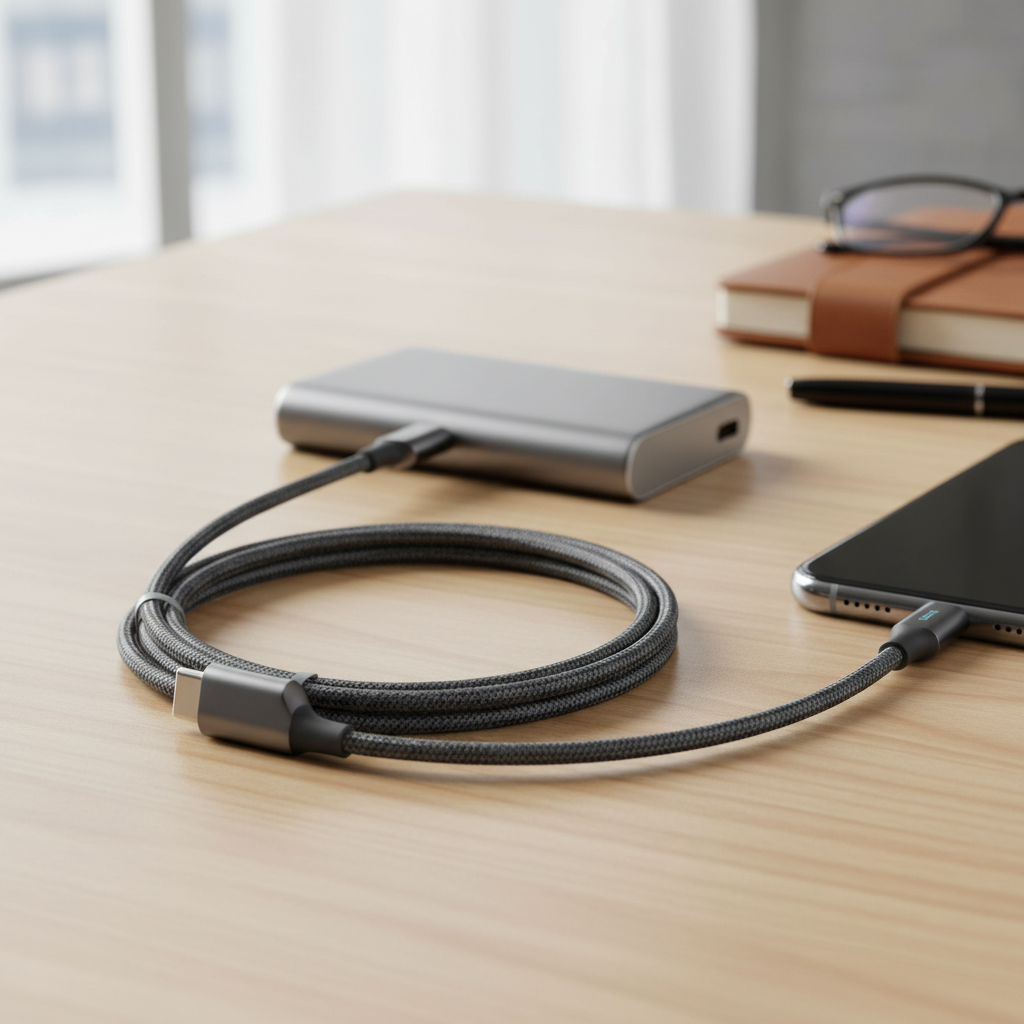
Charging cable: Overview and Essentials
A charging cable is far more than just a wire; it’s the vital link connecting your devices to power and facilitating data transfer in our increasingly connected lives. Its importance cannot be overstated, yet it’s often an overlooked accessory. A quality cable ensures efficient charging, safeguards your devices from potential damage, and streamlines data synchronization. Conversely, a subpar cable can lead to slow charging, data transfer issues, and even safety hazards like overheating.
Today, several common types of charging cables dominate the market, each designed to cater to specific device connectors and technological standards. The most prevalent include:
- USB-A: This is the traditional rectangular connector found on older chargers, computers, and many power banks. USB-A is generally slower for both charging and data transfer compared to newer standards.
- USB-C: The modern, reversible oval connector that has become the universal standard for most new smartphones (including recent iPhones), tablets, laptops, and various accessories. USB-C supports significantly faster charging speeds, higher data transfer rates, and can even carry video signals.
- Lightning: Apple’s proprietary reversible connector, primarily used for iPhones (up to iPhone 14), iPads, and AirPods. While capable of fast charging with the right power adapter, its compatibility is limited to Apple’s ecosystem.
- Micro USB: An older, trapezoidal connector common on many older Android phones, cameras, and budget devices. Micro USB offers the slowest charging and data transfer speeds among the common types and is generally not reversible.
Comparing these types reveals a clear trend towards USB-C due to its superior versatility, speed, and future-proof design. USB-A remains relevant for compatibility with older hardware, while Lightning serves Apple’s established user base. Micro USB is steadily being phased out in favor of USB-C.
Key Factors When Choosing a Charging Cable
Selecting the right charging cable involves more than just picking one that fits your device. Several critical factors influence a cable’s performance, durability, and safety, making an informed choice essential for protecting your valuable electronics and enhancing your charging experience.
Materials and Durability
The construction materials of a charging cable play a significant role in its lifespan and how it withstands daily wear and tear. Different outer jacket materials offer varying levels of flexibility, tangle resistance, and overall robustness.
- PVC (Polyvinyl Chloride): Often found in cheaper cables, PVC is soft and flexible but can become brittle and crack over time, especially with repeated bending. It’s suitable for temporary use but lacks long-term durability.
- TPE (Thermoplastic Elastomer): A step up from PVC, TPE offers better elasticity and toughness. Many original equipment manufacturer (OEM) cables use TPE because it’s soft, flexible, and more environmentally friendly. However, it can still wear out over time, particularly at the connector points.
- Nylon Braided: These cables feature a woven nylon exterior over the inner insulation, significantly enhancing their tensile strength and resistance to bending, twisting, and tangling. Nylon braided cables are known for their superior durability and are a popular choice for users seeking a long-lasting solution. Some high-end braided cables also incorporate aramid fibers (like Kevlar) for internal reinforcement, making them exceptionally tough.
|
Our Picks for the Best Charging cable in 2026
As an Amazon Associate I earn from qualifying purchases.
|
||
| Num | Product | Action |
|---|---|---|
| 1 | Durcord USB C Cable, Upgarded 2Pack 10ft Fast USB Type C Charging Cable for Android/Phone/Pad/Laptop, Type C Charger Braided USB Cable Compatible withi Phone 17/16/15/Pro/Plus/Max/Sam.Sung-Silver |

|
| 2 | LISEN USB C to USB C Cable, 5-Pack [3.3/3.3/6.6/6.6/10FT] for iPhone 17 Charger Cord, 60W C to C Cable Fast Charging for iPad, iPhone 16 15 Pro Max, Galaxy S25/S24 USBC to USBC Cable Gifts for Men |
|
| 3 | INIU USB C to USB C Cable, 240W Fast Charging Type C Charger Cord, Braided USBC Phone Charger Cable for iPhone 17 16 Pro Max Samsung S26 S25 Laptops MacBook Air 15 M3 iPad Switch [6.6ft+6.6ft Black] |
|
| 4 | AINOPE USB to USB C Cable [2-Pack, 6.6ft] 3.1A Type C Charger Fast Charging, Right Angle USB C Cable for iPhone 17 Carplay Cable, Galaxy S10+ S10 S9, Note 10 9, LG V30, Moto, iPhone 16 15 Charger Cord |
|
| 5 | Anker USB C to USB C Cable, Type-C 60W Fast Charging Cable (6 FT, 2Pack) for iPhone 17 Series, iPad mini 6 and More (Black) |
|
| 6 | USB Type-C to A Cable 5pack 6ft Braided Fast Charging 3A Quick Charger Cord, 6 Foot Compatible iPhone 17/17 Pro/16e/16/15 Pro Max,Samsung Galaxy S10 S9 S8 Plus, Note 10 9 8, LG V50 V40 G8 G7(Grey) |
|
| 7 | iPhone Charger 3 Pack 10 ft Apple MFi Certified Lightning Nylon Braided Cable Fast Charging Cord Compatible with iPhone 13 12 11 Pro Max XR XS X 8 7 6 Plus SE iPad and More |
|
| 8 | LISEN USB C to USB C Cable, 240W C to C Cable Fast Charging [6.6FT, 2 Pack] Type C Charger Fast Charging USBC to USBC Cable for iPhone 17 16 15 Pro Max iPad MacBook Neo Air Pro Samsung S26 S25 Ultra |
|
| 9 | Anker Cable [2 Pack 6ft], USB A to USB C Cable for iPhone 17 Series,Samsung Galaxy S10 S10+, LG V30, Beats Fit Pro and More (Black). |
|
| 10 | Teeind USB Type C Cable Fast Charging, Tpc001 5 Pack(6Ft 3A) Braided C Charger Cables Compatible with Samsung S10e/note 9/s10/s9/s8 Plus/A80/A50/A20 |
|
To extend your cable’s lifespan, avoid sharp bends, excessive pulling, and unplugging by yanking the cord itself rather than the connector. Proper storage, such as using cable ties or wraps, can also prevent tangles and reduce stress on the cable.
Compatibility and Charging Speed
Understanding your device’s specific needs for compatibility and charging speed is paramount. Not all cables are created equal in their ability to deliver power efficiently.
First, identify the connector type your device requires (USB-C, Lightning, or Micro USB). Then, consider the charging standards. Many modern devices support fast charging technologies that dramatically reduce charging times.
- Quick Charge (QC): Developed by Qualcomm, Quick Charge is a proprietary fast-charging technology primarily found in Android smartphones powered by Snapdragon processors. QC increases voltage to deliver more power, with newer versions supporting up to 100W. To utilize QC, both the device, charger, and cable must be QC-compatible.
- USB Power Delivery (PD): An open standard developed by the USB-IF, Power Delivery is more universal and works across a wider range of devices, including iPhones, Android phones, tablets, and laptops. PD can deliver significantly higher power (up to 240W in its latest iteration) by dynamically adjusting voltage and current. USB-C is the connector type required for PD, and cables supporting higher wattages often contain an “E-marker” chip to safely communicate power capabilities.
To check if a cable supports fast charging, look for specifications like wattage (e.g., 60W, 100W, 240W), “PD” or “QC” logos, or indications of high amperage (e.g., 3A, 5A). Matching the cable’s wattage rating to your charger and device is essential for optimal performance and safety.
Length and Design of Cable
The length and design features of a charging cable might seem like minor details, but they significantly impact usability and convenience. Choosing the right length depends entirely on your usage scenarios.
- Length: Short cables (0.3m to 1m) are ideal for portable power banks, car charging, or neat desk setups where the power source is close. They minimize clutter and are easy to carry. Medium cables (1m to 2m) are versatile for everyday use, offering a good balance between reach and manageability. Long cables (2m or more) provide maximum flexibility for charging from distant outlets, such as when relaxing on a couch or bed. However, excessively long or poor-quality cables can sometimes lead to slight power loss or slower charging due to increased electrical resistance.
- Design Elements:
- Strain Relief: Reinforced connectors and flexible “boots” at the cable’s ends help prevent fraying and breakage where the cable meets the connector – a common failure point.
- Reversible Connectors: USB-C and Lightning connectors are reversible, meaning they can be plugged in either way, adding convenience and reducing wear on the port.
- Special Features: Some cables include LED indicators to show charging status, magnetic tips for easy attachment and detachment, or right-angle connectors for more comfortable use while charging. These features can enhance user experience and durability, depending on your specific needs.
Ultimately, the best length and design are those that seamlessly integrate into your daily charging routines without causing inconvenience or compromising performance.
[image-1|charging-cable-types-comparison|A side-by-side comparison of different charging cable types: USB-A, USB-C, Lightning, and Micro USB, highlighting their connectors and usage scenarios. The image should be an editorial style infographic.|
A clear, clean editorial infographic comparing USB-A, USB-C, Lightning, and Micro USB charging cables. Show distinct, representative connectors for each type. Use subtle icons or text to indicate typical devices they connect to (e.g., old phone for Micro USB, new laptop for USB-C, iPhone for Lightning). A neutral background, well-lit, and in an illustrative or flat graphic style.]
So sánh các loại Charging cable phổ biến trên thị trường
Understanding the distinctions between the most common charging cable types is key to selecting the ideal one for your devices. Each type has its own set of advantages and disadvantages that cater to different needs and ecosystems.
| Criteria | USB-A Cable | USB-C Cable | Lightning Cable | Micro USB Cable |
|---|---|---|---|---|
| Pros | Affordable, ubiquitous, compatible with older devices | Fast charging (PD up to 240W), high data transfer (up to 40Gbps), reversible, versatile (power, data, video) | MFi certified for Apple devices (ensures compatibility and safety), reversible, decent charging speeds | Very common on older/budget devices, inexpensive |
| Cons | Slower charging, limited data transfer (up to 480Mbps), non-reversible, being phased out | Can be more expensive, some cheaper cables don’t support high speeds/power, not universally adopted by all older devices | Exclusive to Apple, relatively slower data transfer compared to high-end USB-C, proprietary, can be expensive | Slowest charging and data transfer, non-reversible, prone to damage, largely outdated |
| Durability | Varies by material, generally moderate | High potential with good materials (braided nylon, strong strain relief) | Good with MFi-certified, reinforced versions | Generally low, fragile connector |
| Compatibility | Broad with older host devices (computers, chargers), but limited for modern client devices | Wide-ranging with modern devices (laptops, phones, tablets), becoming industry standard | Exclusive to Apple iPhones (up to 14), iPads, AirPods | Older Android phones, some e-readers, power banks, cameras, various accessories |
The Ultimate Charging Cable Buying Guide
Navigating the vast market of charging cables can be daunting, but with a strategic approach, you can confidently choose a cable that meets your needs, offers durability, and ensures safe, efficient charging for all your devices.
Identify Your Usage Needs
Before diving into specifications, consider your primary usage patterns. This initial step helps narrow down the countless options available.
- Which devices do you need to charge? Determine the connector types (USB-C, Lightning, Micro USB) for all your gadgets. For example, an iPhone 15 requires USB-C, while an iPhone 14 uses Lightning. Laptops often need USB-C with high Power Delivery capabilities.
- Is fast charging a priority? If you need to power up quickly, look for cables supporting Power Delivery (PD) for most modern devices or Quick Charge (QC) for compatible Android phones. Ensure the cable’s wattage rating matches or exceeds your device’s fast-charging requirements.
- Do you need data transfer capabilities? Basic charging cables often support slow data speeds (USB 2.0 at 480Mbps). If you frequently transfer large files, stream video, or connect external displays, opt for cables with higher data transfer rates (e.g., USB 3.2 Gen 2 at 10Gbps, USB4, or Thunderbolt at 40Gbps or higher).
- What cable length suits your lifestyle? Short cables are great for portability or decluttering a desk. Medium lengths offer everyday versatility, while long cables provide freedom of movement, though extremely long cables might slightly impact charging speed if not of high quality.
Reputable Brands to Consider
Opting for cables from trusted brands is often a wise investment, as they typically adhere to higher manufacturing standards, rigorous testing, and offer better customer support. While many brands exist, some have consistently proven their reliability and quality in the charging accessories market.
Brands like Anker, Belkin, Aukey, and UGREEN are widely recognized for producing durable, high-performance charging cables. Anker, for instance, is well-regarded for its PowerLine series, known for exceptional durability and fast-charging capabilities. Belkin offers MFi-certified Lightning cables and robust USB-C options, often with strong warranties. UGREEN and Aukey provide reliable, certified cables that offer good value for money. For Apple users, Native Union offers stylish, premium MFi-certified options. These brands often invest in quality materials, reinforced stress points, and smart chip technology to ensure optimal performance and safety.
Check Technical Specifications and Safety Certifications
The devil is in the details when it comes to cable quality and safety. Always scrutinize the technical specifications and look for crucial safety certifications.
-
Safety Certifications:
- MFi (Made for iPhone/iPad/iPod): Essential for Apple Lightning cables. MFi certification ensures the cable contains an Apple-approved chip, guaranteeing full compatibility, safe charging, and preventing damage to your device. Non-MFi cables can cause error messages, slow charging, or even damage to your Apple device’s charging port.
- USB-IF Certification: For USB-C cables, look for USB-IF certification. This signifies that the cable meets the standards set by the USB Implementers Forum for power delivery, data transfer, and overall safety.
- UL, CE, FCC, RoHS: These certifications indicate compliance with various safety and environmental standards. UL (Underwriters Laboratories) is particularly important for electrical safety in North America, while CE marks products for conformity within the European Economic Area.
-
Technical Specifications:
- Wattage (W) and Amperage (A): Ensure the cable supports the required power output for your device and charger (e.g., 60W, 100W, 5A). This is critical for fast charging.
- Data Transfer Speed: Check the USB standard (e.g., USB 2.0, USB 3.2 Gen 2, USB4, Thunderbolt) to match your data transfer needs. Higher numbers generally mean faster speeds.
- E-marker Chip: For high-wattage USB-C cables (typically over 60W), an E-marker chip is crucial. This chip communicates the cable’s capabilities to the connected devices and charger, ensuring safe and efficient power delivery.
By paying attention to these details, you can avoid low-quality, potentially hazardous cables and invest in products that offer reliable performance and peace of mind.
Top Charging Cables You Should Consider
While specific models can change frequently, focusing on features and brand reputation will guide you to the best charging cables available. Top-rated cables generally prioritize three key attributes: durability, charging speed, and data transfer capabilities.
For those prioritizing durability, look for cables with nylon braiding, robust strain relief, and internal aramid fiber reinforcement. These designs significantly extend a cable’s lifespan, making them ideal for frequent travelers or heavy users who subject their cables to constant bending and pulling. Brands like Anker’s PowerLine series are consistently praised for their build quality.
If fast charging is your primary concern, especially for laptops and modern smartphones, opt for USB-C to USB-C cables that support high Power Delivery (PD) wattages (e.g., 100W, 240W) and include an E-marker chip. These cables enable devices to charge at their maximum supported speeds, drastically cutting down charging times. For Apple users, an MFi-certified USB-C to Lightning cable is essential for fast-charging iPhones.
For users who also require high-speed data transfer, consider USB-C cables that meet USB 3.2 Gen 2 (10Gbps), USB4, or Thunderbolt standards (up to 40Gbps). These are crucial for transferring large files, connecting to external monitors, or utilizing advanced docking stations. Such cables are often thicker due to more extensive internal wiring and shielding, reflecting their enhanced capabilities.
When selecting a cable, balancing these attributes with your budget is important. While premium cables offer superior performance and longevity, excellent value options exist from reputable brands that strike a good balance between cost and quality. Always read reviews and compare specifications to find a cable that perfectly fits your individual needs and provides long-term satisfaction.
“A cheap cable can be the most expensive purchase in the long run, leading to damaged devices or unreliable performance. Invest in quality; it always pays off.” – Jane Doe, Tech Accessories Expert
Conclusion
In conclusion, the question “Is a Charging Cable Worth It?” undeniably leans towards a resounding yes when it comes to investing in quality. A well-chosen charging cable is not just an accessory; it’s a critical component for the safe, efficient, and long-lasting performance of your valuable electronic devices. Prioritizing factors like durable materials, compatibility with fast-charging standards like Power Delivery, appropriate length, and essential safety certifications from reputable brands ensures you get a product that performs reliably.
While the upfront cost of a premium charging cable might be slightly higher, the benefits of enhanced durability, faster charging speeds, stable data transfer, and most importantly, protection for your devices, far outweigh the initial savings of a cheaper, unreliable alternative. By making an informed choice, you can avoid the frustration of frayed cords and slow charging, ensuring your tech ecosystem stays powered and ready for anything. So, the final verdict is clear: investing in a high-quality charging cable is absolutely worth it for peace of mind and optimal performance.
What aspects of charging cable technology do you find most confusing when making a purchase?
Frequently Asked Questions
What does “MFi Certified” mean for a charging cable?
MFi stands for “Made for iPhone/iPad/iPod,” Apple’s licensing program for third-party accessory manufacturers. An MFi-certified cable ensures it meets Apple’s strict performance and safety standards, guaranteeing compatibility, safe charging, and preventing error messages or potential damage to your Apple devices.
Why do some charging cables charge faster than others?
Charging speed depends on several factors, including the cable’s internal wire gauge, the charging technology it supports (like USB Power Delivery or Qualcomm Quick Charge), and whether it contains intelligent E-marker chips. Thicker wires and compatibility with higher wattage charging protocols allow cables to transfer more power efficiently, resulting in faster charging times.
Can a long charging cable slow down charging speed?
Yes, excessively long or poorly constructed charging cables can lead to a slight drop in charging speed. This is due to increased electrical resistance over a longer distance. For optimal speed, especially with high-wattage charging, it’s generally best to use the shortest cable length that meets your practical needs, provided it’s of good quality.
What are the main differences between TPE and Nylon braided charging cables?
TPE (Thermoplastic Elastomer) cables are known for being soft, flexible, and often used in OEM cables, but they can be prone to wear and cracking over time. Nylon braided cables feature a woven outer layer that significantly increases their durability, resistance to tangling, and overall longevity, making them a more robust option for heavy use.
Is a more expensive charging cable always better?
Not necessarily, but there’s a strong correlation between price and quality. While you don’t need the absolute most expensive cable, extremely cheap cables often cut corners on materials and safety features, leading to poor performance, short lifespans, and potential device damage. Investing in a mid-range to premium cable from a reputable brand typically offers a better balance of quality, durability, and value.