In today’s hyper-connected world, our smartphones, tablets, and laptops are indispensable tools, often feeling like extensions of ourselves. Yet, a dead battery can bring our digital lives to a screeching halt, leading to the frantic search for a charger. The market is saturated with countless charging cable options, from budget-friendly generics to premium-priced offerings, making the selection process overwhelming. It’s easy to overspend on an unnecessary feature or, worse, compromise on quality and safety. This guide aims to equip you with the knowledge to navigate this complex landscape, ensuring you choose a high-quality, durable, and cost-effective charging cable that perfectly fits your needs without breaking the bank.
Charging Cable: An Overview and Essential Knowledge
A charging cable is more than just a wire; it’s the lifeline for your electronic devices, transferring power and often data between your device and a power source. Understanding the fundamental types and their capabilities is the first step toward making an informed choice.
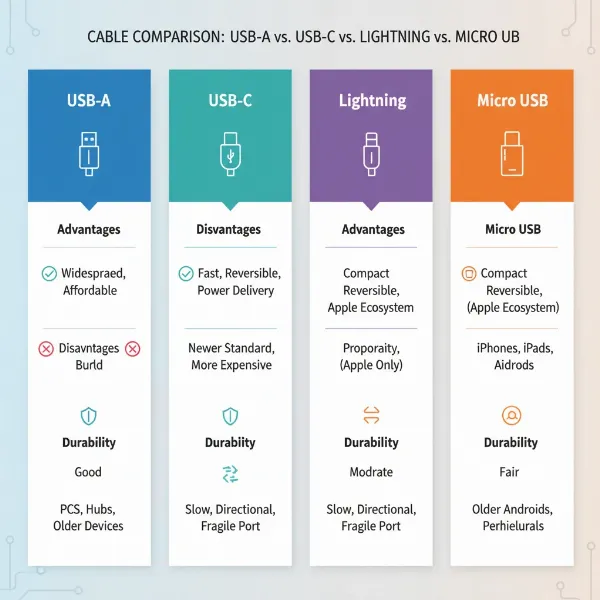
The most common types of charging cable connectors you’ll encounter are USB-A, USB-C, Lightning, and Micro USB. Each serves distinct purposes and boasts varying levels of compatibility and performance.
- USB-A: This is the traditional, rectangular connector found on one end of most older charging cables and nearly all wall adapters, power banks, and computer ports. While still ubiquitous, USB-A is primarily known for slower charging speeds and lower data transfer rates compared to newer standards. It’s not reversible, meaning you have to insert it the right way up.
- USB-C: The modern marvel of connectivity, USB-C is a small, oval-shaped, and fully reversible connector. It’s rapidly becoming the universal standard, capable of delivering high power (up to 240W), blistering data transfer speeds (up to 40Gbps with Thunderbolt 4), and even video output. You’ll find USB-C ports on newer Android phones, tablets, laptops, and even the latest iPhones and Apple devices.
- Lightning: Apple’s proprietary connector, Lightning is exclusively used for iPhones (older models), iPads, iPods, and various Apple accessories. It’s compact and reversible, much like USB-C, but its capabilities are generally limited to USB 2.0 speeds (480Mbps) for data transfer and up to 27W for fast charging, depending on the device.
- Micro USB: Once the standard for most Android phones and many other portable electronics before USB-C emerged, Micro USB is a smaller, trapezoidal connector. It’s largely being phased out due to its slower charging and data transfer speeds (typically capped at 480Mbps) and its non-reversible design, which often leads to frustration and port damage.
Choosing the right type depends entirely on your device’s port. While USB-C is the most versatile and future-proof option, Apple users will still need Lightning cables for many of their devices, and Micro USB remains relevant for older or budget gadgets.
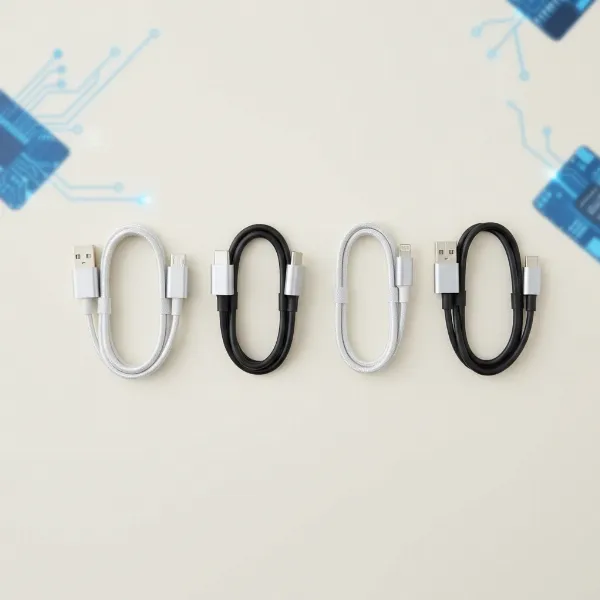 Various charging cable connectors including USB-A, USB-C, Lightning, and Micro USB, against a blurred tech background
Key Factors When Selecting a Charging Cable
When you’re looking for a new charging cable, it’s easy to focus on the price tag. However, smart purchasing means understanding a few critical factors that dictate a cable’s performance, longevity, and overall value.
Material and Durability
The construction material of a charging cable significantly impacts its lifespan and resistance to daily wear and tear. A poorly constructed cable might save you a few dollars upfront but will likely fail quickly, forcing you to buy a replacement sooner—the classic “buy cheap, buy twice” scenario.
- PVC (Polyvinyl Chloride): Historically common due to its low cost and flame resistance, PVC cables are prone to oxidation, discoloration, and becoming brittle over time, especially at the connector points. They are generally the least durable option and are less common in quality cables today.
- TPE (Thermoplastic Elastomer): A more environmentally friendly and flexible alternative to PVC, TPE offers a softer, more pliable feel. TPE cables provide good resistance to wear and tear and temperature changes. They strike a balance between flexibility and durability, making them a popular choice for many standard cables.
- Braided Nylon: These cables feature an outer layer woven from nylon or polyester fibers. Braided cables are renowned for their exceptional durability, resistance to bending, fraying, and tangling. They offer enhanced tensile strength and often have reinforced connectors, making them ideal for heavy, frequent use or for individuals who frequently carry their cables in bags. While often slightly thicker and pricier, their longevity can offer better long-term value.
- Silicone: Known for extreme softness, flexibility, and a “skin-friendly” feel, silicone cables are highly resistant to kinking and stay pliable even in cold temperatures. They are excellent for stationary setups like bedside charging where flexibility and a smooth feel are prioritized. However, some silicone cables can attract dust and lint more easily, and their durability against heavy mechanical stress might be less than braided options.
|
Our Picks for the Best Charging cable in 2026
As an Amazon Associate I earn from qualifying purchases.
|
||
| Num | Product | Action |
|---|---|---|
| 1 | LISEN USB C to USB C Cable, 5-Pack [3.3/3.3/6.6/6.6/10FT] for iPhone 17 Charger Cord, 60W C to C Cable Fast Charging for iPad, iPhone 16 15 Pro Max, Galaxy S25/S24 USBC to USBC Cable Gifts for Men |
![Check LISEN USB C to USB C Cable, 5-Pack [3.3/3.3/6.6/6.6/10FT] for iPhone 17 Charger Cord, 60W C to C Cable Fast Charging for iPad, iPhone 16 15 Pro Max, Galaxy S25/S24 USBC to USBC Cable Gifts for Men on Amazon](https://reviewasc.com/wp-content/plugins/amazon-tables/assets/images/buy.png)
|
| 2 | Teeind USB Type C Cable Fast Charging, Tpc001 5 Pack(6Ft 3A) Braided C Charger Cables Compatible with Samsung S10e/note 9/s10/s9/s8 Plus/A80/A50/A20 |
|
| 3 | AINOPE USB to USB C Cable [2-Pack, 6.6ft] 3.1A Type C Charger Fast Charging, Right Angle USB C Cable for iPhone 17 Carplay Cable, Galaxy S10+ S10 S9, Note 10 9, LG V30, Moto, iPhone 16 15 Charger Cord |
|
| 4 | Anker USB C to USB C Cable, Type-C 60W Fast Charging Cable (6 FT, 2Pack) for iPhone 17 Series, iPad mini 6 and More (Black) |
|
| 5 | LISEN USB C to USB C Cable, 240W C to C Cable Fast Charging [6.6FT, 2 Pack] Type C Charger Fast Charging USBC to USBC Cable for iPhone 17 16 15 Pro Max iPad MacBook Neo Air Pro Samsung S26 S25 Ultra |
|
| 6 | USB Type-C to A Cable 5pack 6ft Braided Fast Charging 3A Quick Charger Cord, 6 Foot Compatible iPhone 17/17 Pro/16e/16/15 Pro Max,Samsung Galaxy S10 S9 S8 Plus, Note 10 9 8, LG V50 V40 G8 G7(Grey) |
|
| 7 | INIU USB C to USB C Cable, 240W Fast Charging Type C Charger Cord, Braided USBC Phone Charger Cable for iPhone 17 16 Pro Max Samsung S26 S25 Laptops MacBook Air 15 M3 iPad Switch [6.6ft+6.6ft Black] |
|
| 8 | Durcord USB C Cable, Upgarded 2Pack 10ft Fast USB Type C Charging Cable for Android/Phone/Pad/Laptop, Type C Charger Braided USB Cable Compatible withi Phone 17/16/15/Pro/Plus/Max/Sam.Sung-Silver |
|
| 9 | iPhone Charger 3 Pack 10 ft Apple MFi Certified Lightning Nylon Braided Cable Fast Charging Cord Compatible with iPhone 13 12 11 Pro Max XR XS X 8 7 6 Plus SE iPad and More |
|
| 10 | Anker Cable [2 Pack 6ft], USB A to USB C Cable for iPhone 17 Series,Samsung Galaxy S10 S10+, LG V30, Beats Fit Pro and More (Black). |
|
“A durable cable isn’t just about saving money on replacements; it’s about reliability when you need it most and minimizing electronic waste.”
To extend your cable’s lifespan, avoid sharp bends, unplug it by gripping the connector, and store it neatly to prevent tangles and undue stress.
Compatibility and Charging Speed
The charging cable is a crucial link in the power delivery chain; its capabilities must match both your device and your charger to achieve optimal charging speeds.
First, identify your device’s required connector type (USB-C, Lightning, or Micro USB). Then, consider the charging speed. Fast charging has become a standard expectation, but it requires compatible components: a fast-charging device, a fast-charging adapter, and a cable that supports the necessary power delivery.
The two dominant fast-charging standards are:
- USB Power Delivery (PD): An open, universal standard developed by the USB-IF, PD is primarily associated with USB-C. It can deliver significantly higher power outputs (up to 240W with PD 3.1) and is compatible with a wide range of devices, including iPhones, Android phones, tablets, and laptops. PD intelligently negotiates the optimal voltage and current between the charger and device for efficient, safe charging. Many modern devices, including iPhones (when paired with a USB-C to Lightning or USB-C to USB-C cable), utilize PD for rapid power-ups.
- Qualcomm Quick Charge (QC): A proprietary standard developed by Qualcomm, Quick Charge is primarily found in Android smartphones powered by Qualcomm Snapdragon processors. While earlier versions increased voltage, newer versions like QC 4+ and QC 5 are backward-compatible and also incorporate USB Power Delivery standards. QC 5 supports over 100W, enabling extremely fast charging for compatible phones.
Some cables also support PPS (Programmable Power Supply), an advanced feature within the PD framework that allows for even more precise, step-by-step voltage and current adjustments, leading to cooler and more efficient charging.
To check if a cable supports fast charging, look for its power handling capability (often in watts, e.g., “60W” or “100W”) and mention of standards like “USB Power Delivery” or “Quick Charge” in the product description. Reputable brands will clearly state these specifications.
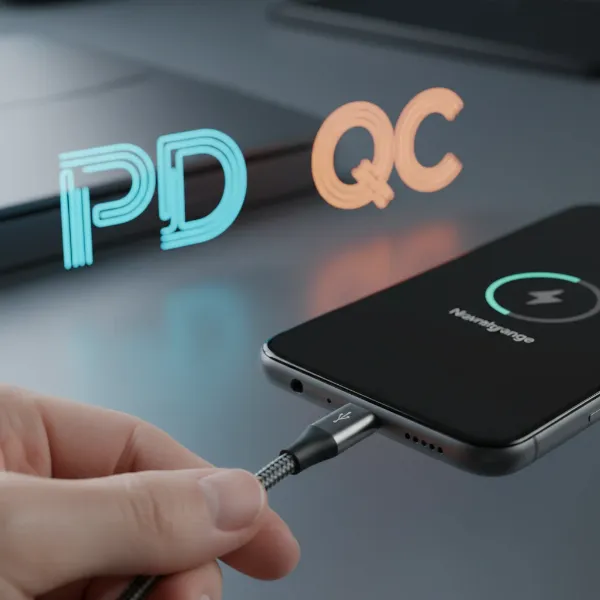 A charging cable plugged into a smartphone, with icons representing fast charging standards like USB Power Delivery (PD) and Quick Charge (QC) floating around, symbolizing compatibility and speed
Length and Design
The ideal cable length is often overlooked but can greatly enhance your charging experience and convenience.
- Shorter Cables (0.5m – 1m): Perfect for charging close to a power source, like in a car, with a power bank, or at a desk without excess clutter. They are more portable and less prone to tangling.
- Standard Cables (1.5m – 2m): A versatile choice for everyday use, offering enough reach for most bedside tables, sofas, or office setups.
- Longer Cables (3m+): Provide maximum flexibility for reaching distant outlets, allowing you to use your device comfortably while charging. However, extra-long cables can sometimes be bulkier, less portable, and, if not well-made, may experience a slight drop in charging speed due to increased resistance.
Beyond length, certain design elements offer additional benefits:
- 90-Degree (Angled) Connectors: These can be very practical for gaming or watching videos while charging, as the cable lies flat against the device, reducing strain on the port and improving grip.
- Retractable Cables: Built into chargers or stand-alone, these cables coil neatly, eliminating tangles and making them highly portable for travel. They often prioritize convenience over maximum speed.
- 3-in-1 Cables: Featuring multiple interchangeable connectors (e.g., USB-C, Lightning, Micro USB), these are excellent for households with diverse devices or for travel, reducing the number of cables you need to carry. However, they may not support the highest fast-charging speeds for all connectors.
- LED Indicators: Some cables incorporate small LED lights that show charging status or even current/voltage, offering a quick visual cue.
Comparing Popular Charging Cable Types on the Market
Choosing the right charging cable hinges on understanding the strengths and weaknesses of each common connector type. Here’s a comparative overview:
| Criteria | USB-A | USB-C | Lightning | Micro USB |
|---|---|---|---|---|
| Pros | Widely compatible with older chargers, very affordable | Reversible, fast charging (PD up to 240W), high data speeds, universal standard | Reversible, Apple ecosystem integration, compact | Affordable, compatible with many older devices/accessories |
| Cons | Not reversible, slower speeds, outdated for modern devices | Generally higher cost than Micro USB, potential for low-quality generic cables | Proprietary (Apple only), typically more expensive due to MFi licensing | Not reversible, slowest speeds, fragile connectors, being phased out |
| Durability | Varies by material, generally lower on basic cables | Good to excellent with quality materials (braided, reinforced) | Good with MFi-certified cables, but exposed pins can be fragile | Prone to damage at connector due to non-reversible design |
| Compatibility | Limited to older devices and USB-A ports | Broadest compatibility (Android, Apple, laptops, tablets, accessories) | Exclusively for Apple devices (iPhones, iPads, AirPods) | Limited to older Android phones, basic electronics |
Detailed Charging Cable Buying Guide
Making an informed decision on a charging cable involves a systematic approach, ensuring you get the best value for your money and a product that meets your needs.
Determine Your Usage Needs
Before you even look at products, clearly define what you need the cable for.
- Which device(s) do you need to charge? This is the most crucial step, as it dictates the connector type (USB-C, Lightning, Micro USB). Ensure the cable end that plugs into your device matches perfectly.
- Do you need fast charging? If you have a modern smartphone or laptop that supports fast charging (like USB Power Delivery or Quick Charge), invest in a cable rated for high wattage (e.g., 60W, 100W, 240W). If you only need to charge an older, basic accessory, a standard cable will suffice and save you money.
- What length do you require? Consider where and how you typically charge. Short cables are great for power banks or cars, standard lengths for desks, and longer cables for flexible use around the home.
- Are there any specific design preferences? Do you need a durable braided cable for travel, a flexible silicone one for bedside use, or an angled connector for gaming?
Research Reputable Brands
While it’s tempting to grab the cheapest cable, investing in reputable brands significantly reduces the risk of poor quality, slow charging, or even device damage. Established brands typically use better materials, adhere to safety standards, and offer warranties.
Some widely recognized and trusted brands for charging cables include:
- Anker: Known for high-quality, durable cables and chargers with excellent performance, often at competitive prices.
- Belkin: Offers a range of reliable, often Apple-certified (MFi) cables, frequently found in Apple Stores.
- UGREEN: Provides affordable yet reliable and certified cables for various needs.
- Aukey: Good quality USB-C cables, often supporting Power Delivery.
- Native Union: Focuses on stylish, premium cables with strong durability and certifications.
- Spigen: While known for phone cases, Spigen also produces durable cables with good warranties.
- Satechi: Offers quality braided USB-C cables, some even sold in Apple Stores.
Choosing a cable from these brands, even if slightly more expensive than no-name alternatives, provides peace of mind and often greater longevity.
Check Technical Specifications and Safety Certifications
Don’t just pick a cable based on looks or brand name alone. Dive into the details:
- Wattage (W) and Amperage (A) ratings: Ensure the cable’s specifications match or exceed your device’s charging requirements. For fast charging, look for cables rated for higher wattages (e.g., 60W, 100W).
- Data Transfer Speed: If you frequently transfer large files, check for specifications like “USB 3.0” (5Gbps), “USB 3.1 Gen 2” (10Gbps), or “Thunderbolt” (up to 40Gbps) in USB-C cables.
- Safety Certifications: These are crucial for protecting your devices and ensuring safe operation.
- MFi (Made for iPhone/iPad/iPod): Essential for Lightning cables. This Apple certification guarantees compatibility, safety, and proper function with iOS devices, preventing frustrating error messages or damage.
- USB-IF (USB Implementers Forum): This certification for USB-C cables and Power Delivery ensures they meet industry standards for power, data, and safety. Look for the USB-IF logo.
- UL (Underwriters Laboratories), CE (Conformité Européenne), FCC (Federal Communications Commission), RoHS (Restriction of Hazardous Substances): These are common safety and environmental compliance marks that indicate a product meets specific standards for electrical safety and material composition.
An “E-Marked” chip, often found in high-wattage USB-C cables, is an electronic marker that communicates the cable’s capabilities (like power handling) to connected devices, enabling safe and efficient charging, especially for laptops.
Top-Rated Charging Cables for Smart Choices
While specific model recommendations can change frequently, the principles for choosing the best value remain consistent. Here are general types of cables you should prioritize for different needs:
- For the Everyday Smartphone User (USB-C or Lightning): Look for a 60W USB-C cable (for Android/newer iPhones) or an MFi-certified Lightning cable (for older iPhones). Braided nylon is an excellent choice for durability, and a 1-meter to 2-meter length is versatile. Brands like Anker’s New Nylon Series or UGREEN offer great value.
- For Laptop and Power-Hungry Devices (USB-C): Opt for a 100W or even 240W USB-C to USB-C cable with an E-Marked chip. These are crucial for fast-charging laptops and ensuring safe power delivery. Belkin’s BoostCharge series or high-end Anker cables are strong contenders, balancing performance with brand reliability.
- For Travel or Multi-Device Households: Consider a high-quality 3-in-1 cable from a reputable brand for convenience, but be aware they might not always offer the fastest charging speeds for all connectors. Alternatively, a durable 1-meter braided USB-C cable paired with a short MFi-certified Lightning cable covers most bases efficiently.
- Budget-Conscious but Quality-Focused: Instead of the absolute cheapest generic cables, look for entry-level certified options from brands like UGREEN or Amazon Basics (checking recent reviews). Focus on TPE or basic braided cables for a good balance of durability and cost.
The goal is to find a cable that delivers the necessary performance and durability without paying for features you don’t need. A 240W cable for a phone that only draws 20W is overpaying, just as a flimsy cable for a heavy-use laptop is a false economy.
Conclusion
Choosing the right charging cable doesn’t have to be a bewildering experience, nor should it force you to overpay. By understanding your device’s specific needs, recognizing the importance of material quality and fast-charging standards, and prioritizing reputable brands with proper certifications, you can confidently select a cable that offers both exceptional performance and lasting value. Remember, a smart investment in a durable, compatible cable saves you money, prevents frustration, and keeps your devices powered safely. What’s the one feature you simply can’t compromise on when buying a new charging cable?
Frequently Asked Questions
How often should I replace my charging cable?
There’s no fixed schedule; replace your charging cable when you notice signs of wear like fraying, exposed wires, inconsistent charging, or if it no longer fits snugly into the port. A high-quality cable, properly cared for, can last for years.
Can a cheap cable damage my phone?
Yes, a poorly made or cheap charging cable can potentially damage your device. It might not regulate voltage properly, leading to overheating, slow charging, or even permanent damage to your device’s battery or charging port. Always prioritize certified cables from reputable brands.
What is an E-Marked chip in a charging cable?
An E-Marked chip (Electronic Marker) is a small chip embedded in certain high-power USB-C cables, particularly those supporting over 60W. It communicates the cable’s power capabilities to connected devices, ensuring safe and efficient power delivery, especially for laptops and other high-wattage devices.
Are 3-in-1 cables good for fast charging?
While convenient for reducing cable clutter, 3-in-1 cables typically prioritize versatility over maximum charging speed. They might support standard fast charging but often don’t reach the highest power delivery rates (e.g., 100W+) that dedicated, certified USB-C or Lightning cables can achieve.
How can I tell if a cable is truly fast charging compatible?
Look for explicit mentions of fast-charging standards like “USB Power Delivery” (PD) or “Quick Charge” (QC) and wattage ratings (e.g., “60W,” “100W”) on the cable’s packaging or product description. Also, ensure the cable has relevant safety certifications like MFi (for Apple Lightning) or USB-IF (for USB-C).