In our hyper-connected world, a reliable charging cable is as essential as the devices it powers. Yet, often overlooked, these conduits of power are crucial for keeping our smartphones, tablets, and laptops ready for action. Without the right cable, you might experience frustratingly slow charging, rapid wear and tear, or even potential damage to your valuable electronics. This comprehensive guide, informed by extensive testing and expert insights, will navigate the complex landscape of charging cables, helping you identify a high-quality, durable, and perfectly compatible solution for all your power needs.
Charging Cable: Overview and Essential Knowledge
Charging cables are more than just simple wires; they are vital arteries for our digital lives, facilitating both power transfer and data synchronization. Understanding the various types available is the first step toward making an informed purchase.
The market is primarily dominated by four key connector types:
- USB-A: This is the original, rectangular USB connector, widely recognized and still found on many wall adapters, computers, and older peripherals. While ubiquitous, USB-A typically offers slower charging speeds and data transfer rates compared to newer standards.
- USB-C: The contemporary standard, USB-C features a small, oval, and fully reversible connector, eliminating the frustration of incorrect insertion. It’s lauded for its versatility, supporting rapid charging via Power Delivery (PD), high-speed data transfer, and even video output. Most modern Android phones, tablets, laptops, and a growing number of other devices have embraced USB-C.
- Lightning: Apple’s proprietary 8-pin connector, introduced with the iPhone 5, is reversible and specifically designed for Apple devices (up to the iPhone 14 models). While it offers reliable performance, its exclusivity means it’s not interchangeable with non-Apple gadgets.
- Micro USB: Once the prevalent standard for Android phones and many other portable electronics before 2015, Micro USB has a distinct trapezoidal shape. While still found on budget devices and older accessories, it’s largely been superseded by USB-C due to its slower charging and data speeds, and its non-reversible design.
Each cable type offers distinct advantages and disadvantages. USB-A to Micro USB cables are affordable and widely compatible with older devices, but their charging and data transfer speeds are limited. Lightning cables provide seamless integration with the Apple ecosystem, often supporting fast charging when paired with a USB-C PD power adapter, though they come at a premium and are device-specific. USB-C cables, especially those supporting Power Delivery, excel in speed and versatility, making them ideal for a broad range of modern electronics, though they might be pricier.
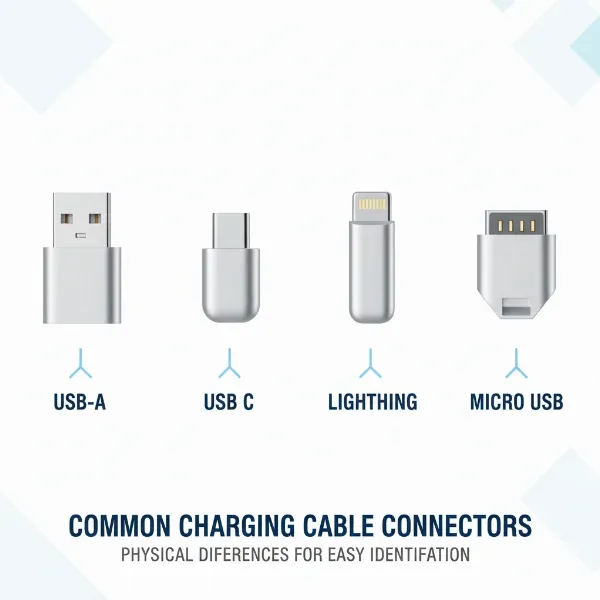 Detailed illustration of USB-A, USB-C, Lightning, and Micro USB charging cable connectors.
Key Factors When Choosing a Charging Cable
Selecting the right charging cable involves more than just picking the first one you see. Several critical factors influence a cable’s performance, durability, and safety.
Material and Durability of the Cable
The outer jacket of a charging cable plays a pivotal role in its longevity and how it withstands daily use. Different materials offer varying levels of resilience and flexibility.
- PVC (Polyvinyl Chloride): Often found in budget cables, PVC is stiff and smooth but notoriously prone to cracking, especially near the connectors, after repeated bending. It can also harden in cold temperatures and soften in heat, making it less ideal for demanding environments.
- TPE (Thermoplastic Elastomer): A softer and more flexible alternative, TPE mimics the feel of rubber and is used in many original phone charging cables due to its elasticity and environmental compliance. TPE cables offer good daily comfort and flexibility but can degrade over time when exposed to skin oils, sweat, or UV light, leading to yellowing and micro-cracks.
- Nylon Braided: Considered the “tanks of the cable world,” nylon braided cables feature a woven fiber layer around the inner jacket, providing exceptional tensile strength and resistance to bending, twisting, and abrasion. They are highly durable, less prone to tangling, and an excellent choice for heavy use or frequent travel, though they can be slightly thicker and less eco-friendly than TPE.
|
Our Picks for the Best Charging cable in 2026
As an Amazon Associate I earn from qualifying purchases.
|
||
| Num | Product | Action |
|---|---|---|
| 1 | LISEN USB C to USB C Cable, 240W C to C Cable Fast Charging [6.6FT, 2 Pack] Type C Charger Fast Charging USBC to USBC Cable for iPhone 17 16 15 Pro Max iPad MacBook Neo Air Pro Samsung S26 S25 Ultra |
![Check LISEN USB C to USB C Cable, 240W C to C Cable Fast Charging [6.6FT, 2 Pack] Type C Charger Fast Charging USBC to USBC Cable for iPhone 17 16 15 Pro Max iPad MacBook Neo Air Pro Samsung S26 S25 Ultra on Amazon](https://reviewasc.com/wp-content/plugins/amazon-tables/assets/images/buy.png)
|
| 2 | INIU USB C to USB C Cable, 240W Fast Charging Type C Charger Cord, Braided USBC Phone Charger Cable for iPhone 17 16 Pro Max Samsung S26 S25 Laptops MacBook Air 15 M3 iPad Switch [6.6ft+6.6ft Black] |
|
| 3 | Durcord USB C Cable, Upgarded 2Pack 10ft Fast USB Type C Charging Cable for Android/Phone/Pad/Laptop, Type C Charger Braided USB Cable Compatible withi Phone 17/16/15/Pro/Plus/Max/Sam.Sung-Silver |
|
| 4 | iPhone Charger 3 Pack 10 ft Apple MFi Certified Lightning Nylon Braided Cable Fast Charging Cord Compatible with iPhone 13 12 11 Pro Max XR XS X 8 7 6 Plus SE iPad and More |
|
| 5 | Anker USB C to USB C Cable, Type-C 60W Fast Charging Cable (6 FT, 2Pack) for iPhone 17 Series, iPad mini 6 and More (Black) |
|
| 6 | Teeind USB Type C Cable Fast Charging, Tpc001 5 Pack(6Ft 3A) Braided C Charger Cables Compatible with Samsung S10e/note 9/s10/s9/s8 Plus/A80/A50/A20 |
|
| 7 | LISEN USB C to USB C Cable, 5-Pack [3.3/3.3/6.6/6.6/10FT] for iPhone 17 Charger Cord, 60W C to C Cable Fast Charging for iPad, iPhone 16 15 Pro Max, Galaxy S25/S24 USBC to USBC Cable Gifts for Men |
|
| 8 | Anker Cable [2 Pack 6ft], USB A to USB C Cable for iPhone 17 Series,Samsung Galaxy S10 S10+, LG V30, Beats Fit Pro and More (Black). |
|
| 9 | AINOPE USB to USB C Cable [2-Pack, 6.6ft] 3.1A Type C Charger Fast Charging, Right Angle USB C Cable for iPhone 17 Carplay Cable, Galaxy S10+ S10 S9, Note 10 9, LG V30, Moto, iPhone 16 15 Charger Cord |
|
| 10 | USB Type-C to A Cable 5pack 6ft Braided Fast Charging 3A Quick Charger Cord, 6 Foot Compatible iPhone 17/17 Pro/16e/16/15 Pro Max,Samsung Galaxy S10 S9 S8 Plus, Note 10 9 8, LG V50 V40 G8 G7(Grey) |
|
To maximize your cable’s lifespan, regardless of its material, avoid sharp bends at the connector joints, coil it loosely when not in use, and store it away from extreme temperatures and direct sunlight. Reinforced stress points at the cable ends are a strong indicator of better durability.
Compatibility and Charging Speed
A cable is only as good as its ability to integrate with your devices and deliver power efficiently. Ensuring compatibility and understanding charging standards are crucial.
First, identify the exact connector type your device requires. Modern devices typically use USB-C, while iPhones (up to generation 14) utilize Lightning, and older Android devices might still rely on Micro USB. Mismatched connectors simply won’t work, and attempting to force them can damage ports.
Beyond physical compatibility, understanding fast charging standards is key for optimal performance.
- USB Power Delivery (PD): This is the industry-standard fast-charging protocol that operates over USB-C. USB-PD allows a power source (charger) and a sink (device) to intelligently negotiate the optimal voltage and current, enabling rapid charging for everything from smartphones to power-hungry laptops, supporting up to 240W with USB PD 3.1 Extended Power Range (EPR). Many modern phones advertising “fast charging” will achieve better sustained speeds when the adapter supports PPS (Programmable Power Supply) within the PD standard, which fine-tunes power delivery to reduce heat.
- Qualcomm Quick Charge (QC): Originally a proprietary fast-charging solution for Android smartphones with Snapdragon processors, Quick Charge has evolved to be largely compatible with USB Power Delivery in its later versions (QC 4.0 and newer).
For fast charging to work, both your device and your charger must support the specific fast-charging standard, and critically, the cable itself must be rated to handle the required power output. A cable designed for basic charging won’t deliver fast charging speeds even if your device and adapter are capable.
Length and Design of the Cable
While often overlooked, cable length and design features significantly impact user experience and practicality. Choosing the right length ensures convenience without compromising performance.
Consider your primary use case: a shorter cable (around 1-2 feet) is ideal for portability, connecting to power banks, or keeping a desk tidy. Longer cables (6-10 feet) offer greater flexibility, allowing you to comfortably use your device while charging from distant outlets, though excessively long cables can sometimes experience minor power loss or become more prone to tangling.
Beyond length, certain design elements can enhance a cable’s utility and lifespan. Reinforced connectors, often seen in braided cables, prevent common failure points where the cable meets the plug. Some cables incorporate features like LED indicators to confirm charging status or magnetic attachments for easy connection. A 90-degree connector, for example, can be incredibly useful for gaming or media consumption, reducing stress on the port and improving grip.
Comparing Popular Charging Cable Types
Choosing between the main cable types can be straightforward once you understand their core differences and intended applications. This table provides a quick comparison to help you match a cable to your specific needs.
Detailed Comparison Table
| Criterion | USB-A | USB-C | Lightning | Micro USB |
|---|---|---|---|---|
| Advantages | Inexpensive, ubiquitous, backward compatible with older ports. | Reversible, fast charging (PD), high data transfer, versatile, new standard. | Reversible, Apple ecosystem integration, durable connector design, supports fast charging (with USB-C PD). | Inexpensive, common on older devices and accessories. |
| Disadvantages | Slower speeds, non-reversible. | Higher cost, can be confusing with different power/data ratings. | Apple-exclusive, premium price, limited compatibility. | Slower speeds, non-reversible, less durable connector, increasingly phased out. |
| Typical Durability | Varies by material, generally moderate. | Varies by material, often high with reinforced designs. | Varies by material, generally moderate to high. | Varies by material, often lower due to connector design. |
| Compatibility | Broad (older devices, wall adapters). | Wide range of modern devices (Android, laptops, tablets, some Apple). | Apple devices only (iPhones, iPads, AirPods up to iPhone 14). | Older Android phones, budget devices, various accessories. |
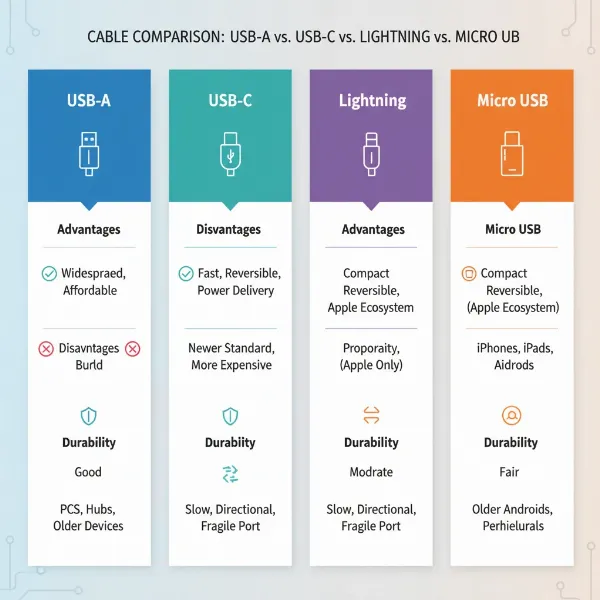 Visual representation of key features and differences between charging cable types.
Comprehensive Charging Cable Buying Guide
Navigating the myriad options for charging cables can be daunting. Follow this step-by-step guide to confidently select the best cable for your needs.
Identify Your Usage Needs
Before anything else, clarify what you need the cable for:
- Which devices will you charge? (e.g., iPhone 14 Pro, Samsung Galaxy S24, MacBook Air, portable speaker) This dictates the connector type.
- What charging speed do you require? Do you need rapid charging for a laptop (requiring USB-C PD with high wattage) or simply a standard charge for an older phone?
- What length is suitable? Consider where you’ll be using the cable most often. A short cable is great for a desk or power bank, while a longer one offers more freedom from a wall outlet.
- Will you also be transferring data? Some cables prioritize charging speed, while others are designed for high-speed data transfer (e.g., Thunderbolt 3/4 over USB-C).
Research Reputable Brands
Investing in a cable from a known brand significantly increases your chances of getting a quality product that meets safety standards. Some of the most trusted names in the charging cable market include:
- Anker: Widely praised for reliability, durability (especially their PowerLine series), and often offering great value. They provide a range of USB-C, Lightning, and Micro USB options.
- Belkin: A premium brand known for solid build quality and often MFi-certified (Made for iPhone/iPad) Lightning cables.
- Apple: While sometimes criticized for price, Apple’s proprietary Lightning cables often perform well in durability tests.
- Aukey: Offers durable cables, with some models even featuring useful wattage indicators.
- UGREEN: A popular brand offering a wide array of cables with good performance.
- Amazon Basics: Can be a surprisingly good budget option, with some cables showing excellent durability for their price point.
“Choosing a brand with a strong reputation for customer support and a good warranty can save you headaches down the line.” – Tech Gadget Guru, Lead Reviewer at Reviewasc.com
Check Specifications and Safety Certifications
A cable’s specifications and certifications are non-negotiable for safety and performance.
- Safety Certifications: Look for recognized certifications such as USB-IF (for USB cables), MFi (for Apple Lightning cables), CE, FCC, and RoHS. These indicate that the cable has met specific safety and performance standards, reducing the risk of overheating, short-circuiting, or damaging your devices.
- Technical Specifications: For fast charging, ensure the cable’s wattage (W) or amperage (A) rating matches or exceeds your device’s and charger’s requirements. For instance, a laptop requiring 65W will need a USB-C cable rated for at least 65W (e.g., 20V/3.25A). While a 100W cable can safely charge a 30W phone, a 30W cable cannot deliver optimal charging to a 100W device. High-quality cables will clearly state their power delivery capabilities.
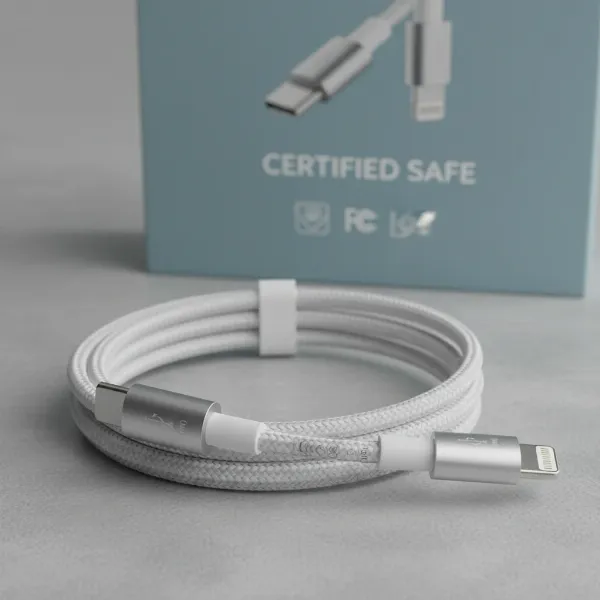 Illustrative representation of safety certifications on charging cables.
Top-Rated Charging Cables on the Market
While personal preference and device compatibility play a huge role, some cables consistently receive high marks for their performance, durability, and value.
For users prioritizing durability and fast charging, cables like the Anker PowerLine III Flow USB-C to USB-C are often recommended. Made with a soft-touch, silicone finish, they are incredibly flexible and tangle-resistant while supporting up to 100W Power Delivery, making them suitable for most laptops and smartphones. For Apple users seeking a robust Lightning option, Belkin BoostCharge Braided Lightning cables offer MFi certification and enhanced durability over standard cables.
If budget and basic functionality are your primary concerns, Amazon Basics USB-A to Lightning or USB-A to USB-C cables can offer surprising longevity and reliability for their price, though they might not support the absolute fastest charging speeds for high-power devices.
For those needing extreme toughness, nylon-braided options such as the Anker PowerLine+ III USB-C to USB-A or Native Union braided cables are excellent choices. They are built to withstand heavy bending and tugging, ideal for travelers or households with pets.
When choosing, always consider the specific connection type required by your devices and the wattage your charger provides. Some premium USB-C cables now even support Power Delivery up to 240W, perfect for the most demanding laptops, but ensure your charger and device can utilize such high power.
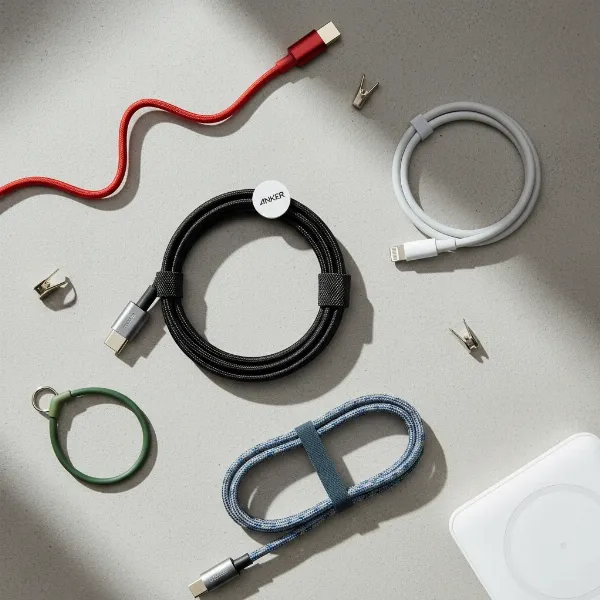 Arrangement of several top-rated charging cables (Anker, Belkin, etc.) on a clean surface.
Conclusion
The humble charging cable, though often overlooked, is a critical component in our daily tech ecosystem. Investing a little time in understanding its types, materials, speed capabilities, and safety certifications can prevent future frustrations, save money on replacements, and safeguard your valuable devices. From the robust durability of braided nylon to the rapid power delivery of USB-C PD, the perfect cable exists for every need and budget. By prioritizing compatibility, reputable brands, and essential safety features, you ensure a consistent and efficient charging experience every time you plug in.
What specific charging challenges do you face most often, and how has understanding cable technology helped you overcome them?
Frequently Asked Questions
What is the primary difference between USB Power Delivery (PD) and Quick Charge (QC)?
USB Power Delivery (PD) is an industry-standard fast-charging protocol that primarily operates over USB-C, allowing intelligent power negotiation up to 240W. Quick Charge (QC), conversely, originated as a proprietary solution for devices with Qualcomm Snapdragon processors. While QC has evolved to be compatible with PD in its newer versions, PD is the more universal and widely adopted standard for fast charging across various devices and manufacturers.
How can I tell if a charging cable supports fast charging for my device?
To verify fast charging support, first, check your device’s specifications to see which fast charging standard it uses (e.g., USB-PD, Quick Charge). Then, examine the cable’s packaging or product description for compatibility with that standard and its wattage rating (e.g., “Supports USB PD up to 60W”). Finally, ensure your wall adapter also supports the same fast charging protocol and wattage for optimal performance.