In today’s fast-paced digital world, a well-organized and efficient workspace is paramount, and at its heart lies a critical, yet often overlooked, component: the charging cable. Far from being a mere accessory, the right charging cable can dramatically enhance your productivity, ensure the longevity of your devices, and keep your desk free from clutter. With countless options flooding the market, from basic models to high-tech solutions, selecting the ideal charging cable for your specific needs can feel overwhelming. This comprehensive guide will equip you with the knowledge to navigate the choices, ensuring you invest in quality, durability, and optimal performance for every device in your professional arsenal.
Charging Cable: Overview and Essentials
Charging cables are the lifelines of our modern electronics, facilitating power delivery and data transfer between devices. Their importance in a workspace cannot be overstated; they keep your smartphone, laptop, tablet, and accessories powered, ensuring uninterrupted workflow. Understanding the different types available is the first step toward making an informed decision for your professional setup.
The most common types of charging cables you’ll encounter are USB-A, USB-C, Lightning, and Micro USB. Each connector serves different devices and offers varying capabilities. USB-A, the traditional rectangular connector, is widely compatible with older computers and power adapters but typically offers slower charging and data speeds. USB-C, on the other hand, is the modern, reversible oval-shaped connector, rapidly becoming the universal standard. It supports significantly faster charging speeds, higher data transfer rates, and can even carry video signals, making it highly versatile for laptops, newer smartphones, and many peripherals.
Lightning cables are Apple’s proprietary connector, exclusively used for iPhones, iPads, and other Apple accessories. While offering reliable performance within the Apple ecosystem, their limited compatibility makes them specific to Apple users. Lastly, Micro USB, a smaller trapezoidal connector, was once a widespread standard for Android phones and various portable devices but has largely been superseded by USB-C due to its slower speeds and non-reversible design. Each type presents a balance of convenience, speed, and compatibility, which dictates its suitability for different workspace demands.
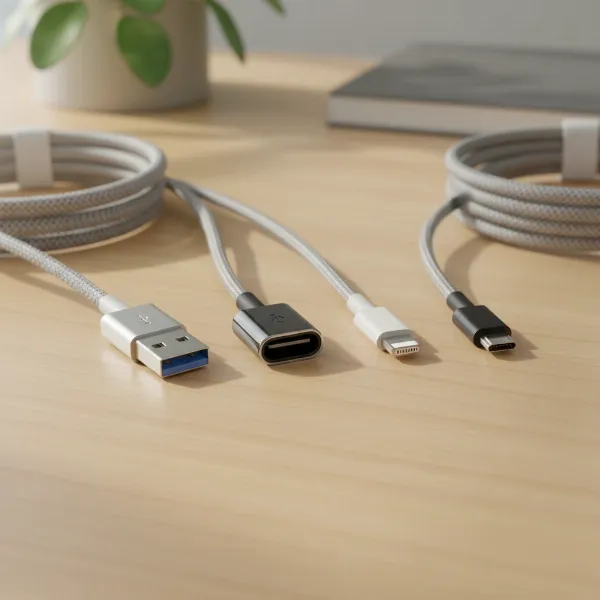 Various charging cable connectors including USB-A, USB-C, Lightning, and Micro USB, against a modern desk background
Key Factors When Selecting a Charging Cable
Choosing the right charging cable for your workspace goes beyond simply matching the connector type. Several crucial factors influence a cable’s performance, durability, and overall value. Paying attention to these details will ensure your cables meet the rigorous demands of daily professional use.
Material and Durability of Cables
|
Our Picks for the Best Charging cable in 2026
As an Amazon Associate I earn from qualifying purchases.
|
||
| Num | Product | Action |
|---|---|---|
| 1 | INIU USB C to USB C Cable, 240W Fast Charging Type C Charger Cord, Braided USBC Phone Charger Cable for iPhone 17 16 Pro Max Samsung S26 S25 Laptops MacBook Air 15 M3 iPad Switch [6.6ft+6.6ft Black] |
![Check INIU USB C to USB C Cable, 240W Fast Charging Type C Charger Cord, Braided USBC Phone Charger Cable for iPhone 17 16 Pro Max Samsung S26 S25 Laptops MacBook Air 15 M3 iPad Switch [6.6ft+6.6ft Black] on Amazon](https://reviewasc.com/wp-content/plugins/amazon-tables/assets/images/buy.png)
|
| 2 | iPhone Charger 3 Pack 10 ft Apple MFi Certified Lightning Nylon Braided Cable Fast Charging Cord Compatible with iPhone 13 12 11 Pro Max XR XS X 8 7 6 Plus SE iPad and More |
|
| 3 | USB Type-C to A Cable 5pack 6ft Braided Fast Charging 3A Quick Charger Cord, 6 Foot Compatible iPhone 17/17 Pro/16e/16/15 Pro Max,Samsung Galaxy S10 S9 S8 Plus, Note 10 9 8, LG V50 V40 G8 G7(Grey) |
|
| 4 | Anker Cable [2 Pack 6ft], USB A to USB C Cable for iPhone 17 Series,Samsung Galaxy S10 S10+, LG V30, Beats Fit Pro and More (Black). |
|
| 5 | Durcord USB C Cable, Upgarded 2Pack 10ft Fast USB Type C Charging Cable for Android/Phone/Pad/Laptop, Type C Charger Braided USB Cable Compatible withi Phone 17/16/15/Pro/Plus/Max/Sam.Sung-Silver |
|
| 6 | Anker USB C to USB C Cable, Type-C 60W Fast Charging Cable (6 FT, 2Pack) for iPhone 17 Series, iPad mini 6 and More (Black) |
|
| 7 | LISEN USB C to USB C Cable, 240W C to C Cable Fast Charging [6.6FT, 2 Pack] Type C Charger Fast Charging USBC to USBC Cable for iPhone 17 16 15 Pro Max iPad MacBook Neo Air Pro Samsung S26 S25 Ultra |
|
| 8 | LISEN USB C to USB C Cable, 5-Pack [3.3/3.3/6.6/6.6/10FT] for iPhone 17 Charger Cord, 60W C to C Cable Fast Charging for iPad, iPhone 16 15 Pro Max, Galaxy S25/S24 USBC to USBC Cable Gifts for Men |
|
| 9 | AINOPE USB to USB C Cable [2-Pack, 6.6ft] 3.1A Type C Charger Fast Charging, Right Angle USB C Cable for iPhone 17 Carplay Cable, Galaxy S10+ S10 S9, Note 10 9, LG V30, Moto, iPhone 16 15 Charger Cord |
|
| 10 | Teeind USB Type C Cable Fast Charging, Tpc001 5 Pack(6Ft 3A) Braided C Charger Cables Compatible with Samsung S10e/note 9/s10/s9/s8 Plus/A80/A50/A20 |
|
The material composition of a charging cable significantly impacts its lifespan and resilience. Common outer jacket materials include PVC, TPE, and nylon braiding, each offering distinct advantages and disadvantages. PVC (Polyvinyl Chloride) cables are often the most affordable but tend to be less flexible and prone to cracking or fraying over time, especially at connector points. They are susceptible to oxidation and discoloration.
TPE (Thermoplastic Elastomer) offers a more flexible and environmentally friendly alternative to PVC. TPE cables are softer to the touch, more resistant to wear and tear, and better adapt to temperature changes, providing a good balance of flexibility and durability. Nylon braided cables are generally considered the most durable option. Their woven fabric sheath provides exceptional protection against physical stress, making them highly resistant to bending, fraying, and tangling. This robust design ensures a prolonged lifespan, crucial for cables that see frequent use or travel within a workspace. To extend the life of any cable, avoid sharp bends, excessive pulling, and always grip the connector, not the cable, when unplugging.
Compatibility and Charging Speed
Understanding your devices’ charging requirements is paramount. Not all cables are created equal when it comes to power delivery. For modern devices, especially laptops and high-end smartphones, you’ll want cables that support fast charging standards like USB Power Delivery (PD) and Qualcomm Quick Charge (QC). USB PD, primarily delivered over USB-C, is an industry-standard protocol that can provide flexible power output, ranging from a few watts for small devices up to 240 watts (with PD 3.1 Extended Power Range) for power-hungry laptops. This allows a single USB-C port to power a wide array of devices.
Qualcomm Quick Charge is a proprietary fast-charging technology often found in Android smartphones with Qualcomm chipsets. While originally separate, newer QC versions are designed to be compatible with USB PD. To check if a cable supports fast charging, look for its wattage rating (e.g., 60W, 100W, 240W) and compatibility with PD or QC standards. High-quality USB-C cables often include an “e-marker” chip, which safely communicates the cable’s capabilities (like power and data transfer limits) to connected devices, preventing damage from overcurrent.
Length and Design of Cables
The ideal cable length for your workspace depends entirely on your setup and usage habits. Shorter cables (0.3m to 1m) are excellent for minimalist desks, power banks, or connecting devices close to a port, minimizing clutter. Longer cables (1.8m to 3m) offer greater flexibility for reaching distant outlets or charging devices while comfortably using them from a chair or bed. However, excessively long cables can lead to tangling and clutter, and in some cases, slight power loss.
Beyond length, consider design elements that enhance usability and durability. Angled connectors (L-shaped) can be useful in tight spaces or to reduce strain on ports. Magnetic cables offer convenience, allowing quick attachment and detachment while potentially protecting ports from accidental tugs. Features like LED indicators can show charging status, and integrated cable ties help with organization. Braided cables often come in various colors, which can be useful for color-coding cables for different devices or purposes, further improving workspace organization.
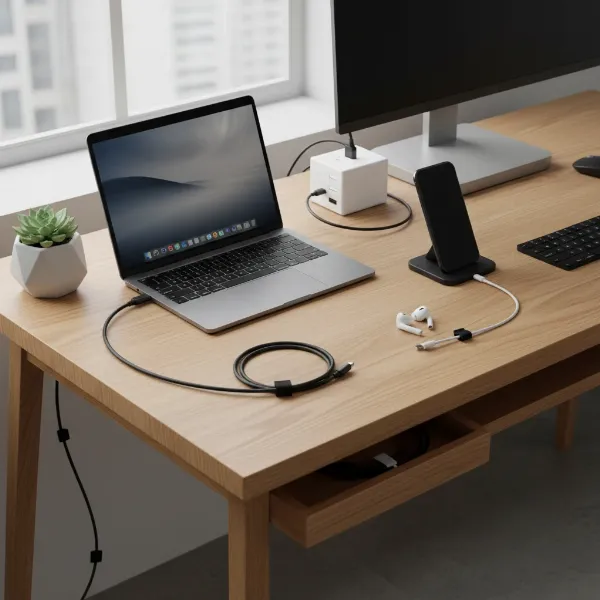 A neat workspace with various charging cables of different lengths and designs, charging multiple devices
Comparing Popular Charging Cables on the Market
Navigating the diverse world of charging cables can be simplified by understanding the core differences between the most common types. Each has its place, depending on the device ecosystem and performance requirements.
Detailed Comparison Table
Here’s a concise breakdown of the prominent charging cable types:
| Criterion | USB-A Cable | USB-C Cable | Lightning Cable | Micro USB Cable |
|---|---|---|---|---|
| Advantages | Inexpensive, highly common, broad legacy compatibility | Fast charging, high data transfer, reversible, universal standard for many new devices | Perfect compatibility within Apple ecosystem, consistent quality | Widely compatible with older Android/peripherals, affordable |
| Disadvantages | Slower charging & data, non-reversible, fading out | Potentially higher cost, requires USB-C ports on source/device | Exclusive to Apple devices, proprietary | Slowest charging & data, non-reversible, fragile connector, largely replaced |
| Durability | Varies greatly by build, often basic PVC | Varies, many premium options (braided) offer high durability | Good, but strain relief can be weak without proper care | Most prone to damage, especially the connector |
| Compatibility | Legacy devices, older chargers, basic power banks | Modern laptops, phones, tablets, monitors, power banks | iPhones, iPads, AirPods, specific Apple accessories | Older Android phones, cameras, e-readers, budget devices |
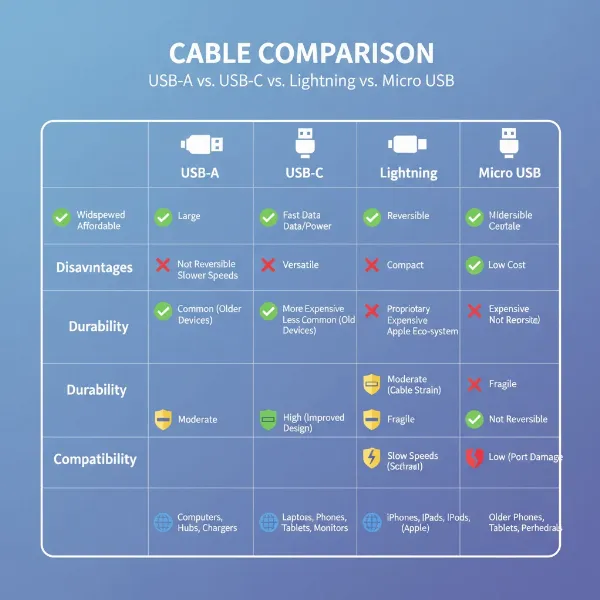 An illustrative chart comparing different charging cable types with icons representing their features
Detailed Charging Cable Buying Guide
Making an informed decision when purchasing a charging cable for your workspace involves a systematic approach, ensuring you select products that are not only effective but also safe and reliable.
Define Your Usage Needs
Before you begin shopping, take stock of your devices and their charging habits. Which devices do you need to charge (laptop, smartphone, tablet, headphones)? What kind of ports do they have? Do you require fast charging for your laptop to power through demanding tasks, or is a standard charge sufficient for your accessories? Consider how far your devices are from power outlets; this will determine the necessary cable length. For instance, a long, durable USB-C cable supporting 100W PD would be ideal for a laptop positioned far from a wall outlet, while a short, flexible USB-C cable might be perfect for charging your phone right on your desk from a hub. A multi-connector cable (e.g., USB-C to Lightning/Micro USB) can also reduce clutter if you have diverse devices.
Research Reputable Brands
Investing in cables from reputable brands is a smart move that guarantees quality, safety, and performance. Brands like Anker, Aukey, Belkin, UGREEN, Native Union, and Nomad are well-known for producing high-quality charging cables. Anker, for example, is often praised for its PowerLine series, known for durability and fast charging capabilities, with options supporting up to 240W. Belkin offers robust and reliable solutions, especially for Apple devices and general USB-C needs. Always check customer reviews and brand reputation for specific models, as even good brands can have varying product lines. Prioritize brands that offer clear specifications, good customer support, and warranty policies.
Check Specifications and Safety Certifications
The devil is in the details when it comes to cable specifications. Ensure the cable’s voltage and current ratings match or exceed your device’s charger output to enable optimal charging speeds. For USB-C Power Delivery, look for cables explicitly rated for the wattage you need (e.g., “USB-C 100W PD Cable”). For data transfer, check the USB generation (e.g., USB 3.2 Gen 2 for 10Gbps, Thunderbolt 4 for 40Gbps).
Safety certifications are non-negotiable. Look for certifications such as CE (Conformité Européenne), FCC (Federal Communications Commission), and RoHS (Restriction of Hazardous Substances). For Apple-specific cables, MFi (Made for iPhone/iPad/iPod) certification is crucial to ensure compatibility and safety. UL (Underwriters Laboratories) certification indicates rigorous safety testing. These certifications assure that the cable meets strict safety and quality standards, protecting your devices from potential damage due to overcurrent, overheating, or short-circuiting.
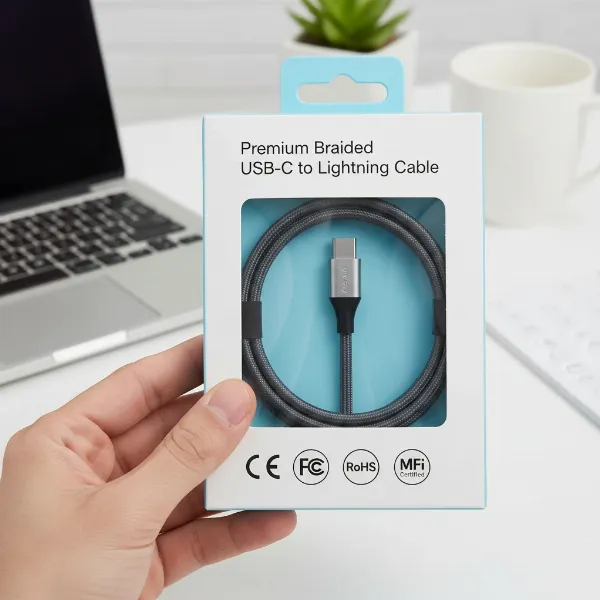 A hand holding a charging cable with various safety certification logos visible on its packaging
Top Charging Cables for Your Workspace
For those seeking robust and high-performance charging solutions for their workspace, certain models consistently stand out.
- Anker PowerLine III / PowerLine+ III USB-C Series: Renowned for exceptional durability, often featuring nylon braiding and impressive bend lifespan ratings. They support high Power Delivery wattages (e.g., 100W, 240W), making them ideal for charging laptops, tablets, and smartphones quickly and reliably.
- Anker Prime USB-C to USB-C Cable (240W, Upcycled-Braided): An eco-friendly yet powerful option, this cable offers extreme durability (over 300,000 bends) and supports the latest 240W PD, perfect for the most demanding devices like 16-inch MacBook Pros.
- JSaux USB-C to USB-C 2-Pack: A budget-friendly alternative that still delivers 100W charging, offering great value for money, especially if you need multiple long cables for different parts of your workspace.
- Native Union Belt Cable Duo (USB-C/Lightning): Excellent for those with mixed device ecosystems (Apple and USB-C devices). These often feature a durable braided design with a built-in strap for neat cable management, offering both convenience and style.
- Nomad Universal Cable for Apple Watch: While specialized, this offers a premium solution for Apple users, integrating charging for multiple Apple devices including the Watch. It’s known for its robust build quality and thoughtful design.
These options represent a blend of durability, fast-charging capabilities, and smart design features that make them well-suited for a dynamic workspace, catering to various budgets and device requirements.
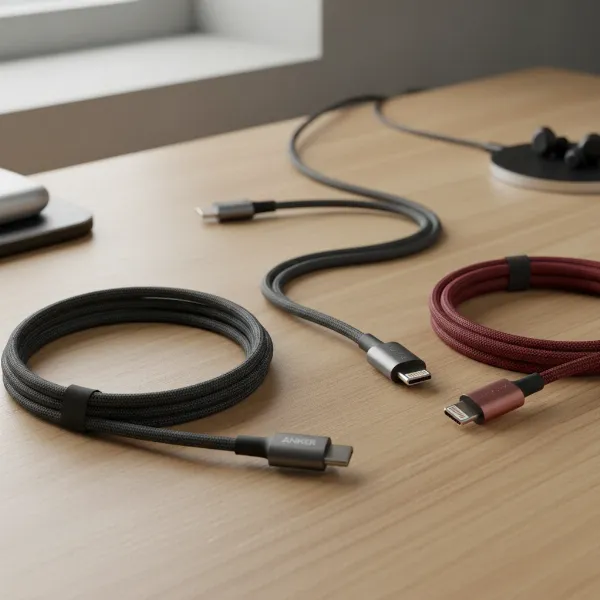 A collection of premium, braided charging cables from reputable brands neatly arranged on a modern desk
Conclusion
Choosing the right charging cable for your workspace is an investment in efficiency, durability, and peace of mind. By focusing on critical factors such as connector type, material for durability, fast charging compatibility, and appropriate length, you can assemble a collection of cables that reliably power all your devices. Prioritizing reputable brands and checking for essential safety certifications ensures that your cables are not only high-performing but also safe. A well-selected charging cable eliminates frustration, reduces clutter, and supports a seamless digital experience in your professional environment. How will you optimize your workspace with the perfect charging cables today?
Câu Hỏi Thường Gặp
How do I know if my charging cable supports fast charging?
To determine if your cable supports fast charging, check its specifications for wattage ratings (e.g., 60W, 100W, 240W) and compatibility with standards like USB Power Delivery (PD) or Qualcomm Quick Charge (QC). High-quality USB-C cables often have an “e-marker” chip that communicates their capabilities to devices.
Are braided charging cables really more durable?
Yes, braided charging cables are generally more durable than those with PVC or basic TPE jackets. Their woven nylon or polyester fabric sheath provides superior resistance to bending, fraying, tangling, and general wear and tear, leading to a significantly longer lifespan in demanding usage scenarios.
Can I use a high-wattage USB-C cable with a lower-wattage device?
Absolutely. A higher-wattage USB-C cable (e.g., 240W) is safe to use with devices that require less power (e.g., 60W or 100W). The USB Power Delivery (PD) protocol allows the cable and device to negotiate the appropriate power level, ensuring your device only draws what it needs, preventing damage.
What is the ideal length for a workspace charging cable?
The ideal length depends on your desk setup and device proximity. Shorter cables (0.3m-1m) are great for neat, minimalist setups or power banks, while longer cables (1.8m-3m) offer flexibility for distant outlets. Balance convenience with avoiding excessive clutter or potential power loss over very long distances.
Why are some charging cables more expensive than others?
The price difference often reflects the quality of materials, internal wiring, advanced features, and brand reputation. More expensive cables typically use durable braided exteriors, high-grade copper conductors, e-marker chips, and support higher power delivery (like 240W PD) and faster data transfer speeds, ensuring better performance and longevity.
Is MFi certification important for iPhone charging cables?
Yes, MFi (Made for iPhone/iPad/iPod) certification is crucial for iPhone charging cables. It signifies that the cable has been tested and approved by Apple, guaranteeing compatibility, safety, and optimal performance with your Apple devices. Non-MFi cables can cause charging issues or even damage.