In our increasingly connected world, keeping devices powered and managing energy consumption are daily challenges. You might find yourself weighing options, wondering if a simple charging cable suffices or if the allure of smart home automation through a smart plug offers a better solution. While both charging cables and smart plugs are integral to managing power, they serve fundamentally different purposes. This article will clarify the distinct roles of each technology, compare their features, and guide you in choosing the most appropriate solution for your specific needs, ensuring both efficiency and safety in your home.
The Essentials of Charging Cables: Direct Power for Your Devices
Charging cables are the lifeline connecting your electronic gadgets to a power source, enabling them to recharge and often transfer data. They are fundamental tools, designed for direct power delivery. Understanding the various types and their capabilities is crucial for optimal device performance and longevity.
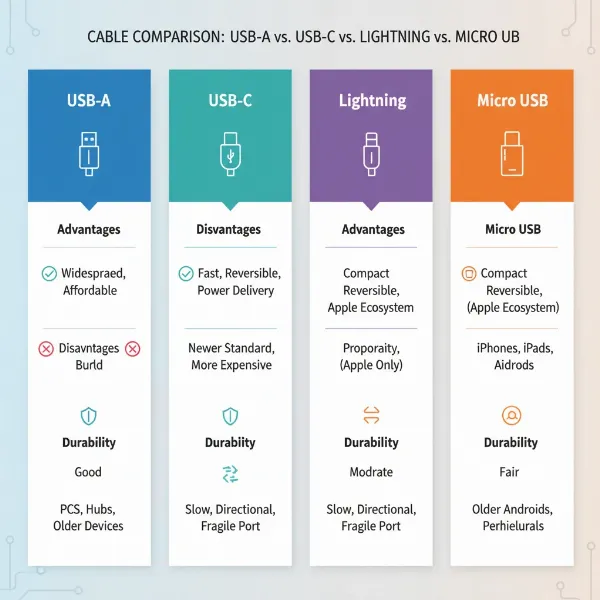
Different devices require different cable types. USB-A cables, with their rectangular connectors, were once ubiquitous but are now less common for primary device charging. Micro USB was a standard for many older Android phones and accessories, known for its trapezoidal shape. Apple devices primarily use Lightning cables, which are proprietary and reversible. The modern standard, USB-C, offers reversible connectors, higher power delivery capabilities, and faster data transfer, making it versatile for everything from smartphones to laptops. Each cable type has its own set of advantages and disadvantages, primarily revolving around compatibility, charging speed, and durability.
When selecting a charging cable, the associated power adapter (charger) is equally important. High-quality adapters are rigorously tested and certified for thermal stability, voltage regulation, and fault tolerance. They often include sophisticated battery management systems that communicate with your device to optimize charging, prevent overcharging, and manage heat, significantly impacting the safety and lifespan of your device’s battery.
Decoding Smart Plugs: Intelligent Control and Automation
Smart plugs are clever devices that transform any standard electrical outlet into a controllable smart outlet. They act as an intermediary between your wall outlet and your plugged-in device, allowing you to remotely control the power supply.
At their core, smart plugs operate by physically switching the AC (alternating current) input power to the connected device on or off. This simple yet powerful functionality unlocks a world of convenience. You can use a smartphone app or voice commands to turn appliances on or off from anywhere, schedule devices to operate at specific times, or integrate them into broader smart home routines. For instance, you can program your coffee maker to start brewing before you wake up or ensure lights turn off when you leave the house. Many smart plugs also offer energy monitoring features, allowing you to track the power consumption of connected devices, which can be helpful for identifying energy hogs. Smart plugs typically connect to your home network via Wi-Fi, though some utilize Bluetooth or more robust smart home protocols like Zigbee or Z-Wave for enhanced reliability and range.
[image-1|smart-plug-controlling-devices|A smart plug connected to an outlet with various electronic devices, showcasing smart home automation|
A realistic image of a white smart plug plugged into a wall outlet, with a modern lamp and a small fan plugged into it. The background shows a subtle, blurred living room environment. The scene is well-lit with natural light, emphasizing convenience and smart home integration. The style is clean and contemporary.]
Charging Cable vs. Smart Plug: A Head-to-Head Comparison
While both technologies deal with power, their application, capabilities, and underlying principles differ significantly. Understanding these distinctions is key to making an informed choice.
Core Functionality: Power Delivery vs. Power Control
|
Our Picks for the Best Charging cable in 2026
As an Amazon Associate I earn from qualifying purchases.
|
||
| Num | Product | Action |
|---|---|---|
| 1 | AINOPE USB to USB C Cable [2-Pack, 6.6ft] 3.1A Type C Charger Fast Charging, Right Angle USB C Cable for iPhone 17 Carplay Cable, Galaxy S10+ S10 S9, Note 10 9, LG V30, Moto, iPhone 16 15 Charger Cord |
![Check AINOPE USB to USB C Cable [2-Pack, 6.6ft] 3.1A Type C Charger Fast Charging, Right Angle USB C Cable for iPhone 17 Carplay Cable, Galaxy S10+ S10 S9, Note 10 9, LG V30, Moto, iPhone 16 15 Charger Cord on Amazon](https://reviewasc.com/wp-content/plugins/amazon-tables/assets/images/buy.png)
|
| 2 | Anker Cable [2 Pack 6ft], USB A to USB C Cable for iPhone 17 Series,Samsung Galaxy S10 S10+, LG V30, Beats Fit Pro and More (Black). |
|
| 3 | INIU USB C to USB C Cable, 240W Fast Charging Type C Charger Cord, Braided USBC Phone Charger Cable for iPhone 17 16 Pro Max Samsung S26 S25 Laptops MacBook Air 15 M3 iPad Switch [6.6ft+6.6ft Black] |
|
| 4 | Teeind USB Type C Cable Fast Charging, Tpc001 5 Pack(6Ft 3A) Braided C Charger Cables Compatible with Samsung S10e/note 9/s10/s9/s8 Plus/A80/A50/A20 |
|
| 5 | iPhone Charger 3 Pack 10 ft Apple MFi Certified Lightning Nylon Braided Cable Fast Charging Cord Compatible with iPhone 13 12 11 Pro Max XR XS X 8 7 6 Plus SE iPad and More |
|
| 6 | Durcord USB C Cable, Upgarded 2Pack 10ft Fast USB Type C Charging Cable for Android/Phone/Pad/Laptop, Type C Charger Braided USB Cable Compatible withi Phone 17/16/15/Pro/Plus/Max/Sam.Sung-Silver |
|
| 7 | USB Type-C to A Cable 5pack 6ft Braided Fast Charging 3A Quick Charger Cord, 6 Foot Compatible iPhone 17/17 Pro/16e/16/15 Pro Max,Samsung Galaxy S10 S9 S8 Plus, Note 10 9 8, LG V50 V40 G8 G7(Grey) |
|
| 8 | Anker USB C to USB C Cable, Type-C 60W Fast Charging Cable (6 FT, 2Pack) for iPhone 17 Series, iPad mini 6 and More (Black) |
|
| 9 | LISEN USB C to USB C Cable, 240W C to C Cable Fast Charging [6.6FT, 2 Pack] Type C Charger Fast Charging USBC to USBC Cable for iPhone 17 16 15 Pro Max iPad MacBook Neo Air Pro Samsung S26 S25 Ultra |
|
| 10 | LISEN USB C to USB C Cable, 5-Pack [3.3/3.3/6.6/6.6/10FT] for iPhone 17 Charger Cord, 60W C to C Cable Fast Charging for iPad, iPhone 16 15 Pro Max, Galaxy S25/S24 USBC to USBC Cable Gifts for Men |
|
A charging cable, in conjunction with its adapter, is solely focused on power delivery and, often, data transfer. It forms a direct electrical pathway, converting AC power from the wall into the DC power your device needs to charge its internal battery. Its primary purpose is to replenish your device’s charge.
A smart plug, on the other hand, is about power control. It doesn’t modify the power itself or charge a device; it simply enables or disables the flow of AC power to the outlet it’s plugged into. Think of it as an intelligent light switch for your entire wall socket. It controls whether a connected device (like a lamp, a fan, or even a traditional charging adapter) receives electricity or not.
Safety Considerations: Certification and Battery Health
When it comes to charging electronic devices, especially smartphones and tablets, safety is paramount. High-quality charging cables paired with original equipment manufacturer (OEM) wall adapters are designed with sophisticated internal circuitry. These adapters are rigorously tested and certified (e.g., UL/CE-certified) to deliver stable, low-noise DC power within strict tolerances. They incorporate features like thermal monitoring and intelligent integrated circuits that communicate with your device’s battery management system to prevent overcharging, overheating, and other issues that could degrade battery life or pose safety risks.
Using a smart plug to control your device’s charger, however, introduces an additional layer of complexity that generally offers no meaningful safety advantage over using the OEM charger directly. A smart plug only controls the AC input and cannot regulate the phone’s internal charging algorithm or prevent voltage spikes. In some cases, adding an unregulated switching layer, potential firmware bugs, or unpredictable on/off cycles (e.g., if the smart plug is programmed to cycle power frequently) could even introduce avoidable risks or negatively impact battery longevity. For critical charging safety, rely on the certified charger and cable designed for your device.
Convenience and Automation: Physical Connection vs. Remote Management
The convenience offered by charging cables is straightforward: a physical connection provides instant power and data transfer. They are universally understood and generally portable, allowing you to charge your device wherever an outlet and the correct adapter are available.
Smart plugs excel in convenience through remote management and automation. They free you from the need for a physical interaction to power a device. Whether you’re across the room or across town, you can use an app to turn something on or off. This allows for scheduled operations, voice control, and integration into complex smart home routines, offering a superior level of hands-off convenience for appliances that benefit from simple on/off control.
Energy Efficiency: True Savings vs. Phantom Load Misconceptions
Many consider smart plugs for their potential to save energy by cutting off “phantom load” – the small amount of electricity devices consume even when turned off or in standby. While this is true for some appliances, it’s a common misconception that smart plugs inherently save significant energy when used with modern phone chargers.
Modern phone chargers, when idle (not actively charging a device), consume a very small amount of standby power, typically in the range of 0.1-0.5 watts. In contrast, a smart plug itself consumes power to maintain its Wi-Fi connection and smart features, often around 1-2 watts continuously. This means that using a smart plug to switch off an idle phone charger might actually result in a net increase in power consumption, as the smart plug’s own draw can be higher than the charger’s phantom load.
Smart plugs are more effective for saving energy by cutting the phantom load of devices that genuinely draw more power in standby, like older televisions, stereos, or coffee makers without energy-efficient standby modes. They can also be beneficial if you leverage features like scheduling to charge devices only during off-peak electricity hours, which can lead to cost savings depending on your utility rates.
Comparison Table: Charging Cable vs. Smart Plug
| Feature | Charging Cable (with OEM Adapter) | Smart Plug |
|---|---|---|
| Primary Function | Deliver power/data to device | Control AC power to an outlet |
| Direct Device Control | Yes, via physical connection | No, controls the power source to the device |
| Charging Regulation | Adapter manages charging algorithm & safety | None (only cuts AC power to the charger) |
| Automation | Limited (e.g., OS battery optimization) | Extensive (scheduling, remote control, routines) |
| Safety for Charging | High (certified, stable, tested) | Adds complexity, no direct charging safety benefit for devices |
| Energy Saving (for idle chargers) | Minimal idle draw (0.1-0.5W) | Self-consumption (1-2W), potentially negating savings |
| Cost | Relatively low for quality cables | Additional cost for the plug |
| Connectivity | Physical, direct connection | Wireless (Wi-Fi, Bluetooth, Zigbee/Z-Wave) |
Making the Right Choice: When to Use Each Technology
Deciding between a charging cable and a smart plug isn’t about choosing one over the other; it’s about understanding when each tool is appropriate and how they can even complement each other.
When a High-Quality Charging Cable is Essential
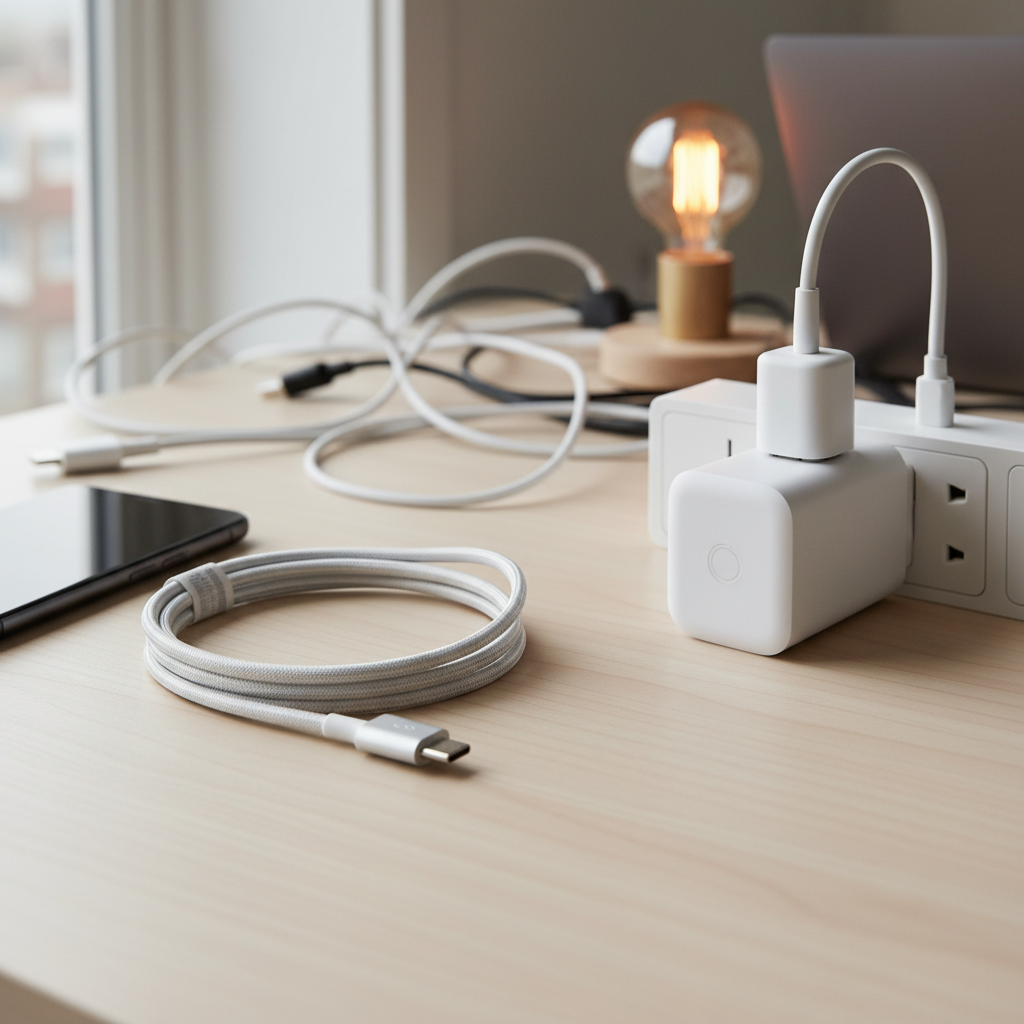
A high-quality charging cable, paired with its compatible and certified power adapter, is always the correct choice for directly charging your electronic devices like smartphones, tablets, laptops, and smartwatches. Prioritize cables that match your device’s specifications (e.g., USB-C Power Delivery for fast charging) and come from reputable brands. This ensures optimal charging speed, efficient power delivery, and, most importantly, protects your device’s battery health and ensures safety. For reliable, fast, and safe power replenishment, the charging cable and its adapter are indispensable.
[image-2|high-quality-charging-cable-charging-phone|A close-up of a high-quality braided USB-C charging cable plugged into a smartphone, with a fast charger in the background.|
A close-up, well-lit shot of a modern smartphone connected by a durable, braided USB-C charging cable to a power adapter (partially visible in the background). The focus is on the cable and phone connection, highlighting efficient and safe charging. The style is clean, technical, and realistic.]
When a Smart Plug Shines (and When to Reconsider)
Smart plugs are excellent additions to your smart home ecosystem for controlling non-charging appliances and managing phantom load effectively. Use them for:
- Lamps, fans, humidifiers, or decorative lights: To automate their on/off cycles or control them remotely.
- Appliances without smart features: Such as older coffee makers, slow cookers, or stereos, to bring them into your smart home ecosystem.
- Cutting true phantom load: For devices that genuinely draw significant power when idle.
- Time-of-use energy savings: If your electricity plan offers cheaper rates at certain times, smart plugs can schedule devices to only operate then.
However, reconsider using smart plugs primarily for managing phone or laptop charging if your main goal is safety or energy savings from phantom load. As discussed, they don’t inherently improve charging safety and might even increase overall power consumption due to their own operational draw. For optimal charging, connect your device’s certified charger and cable directly to a wall outlet.
“A smart plug is a fantastic way to bring basic automation to ‘dumb’ appliances, offering convenience and potentially energy management for high-draw standby devices. But for the nuanced and safety-critical process of charging your smartphone, always trust the certified charger and cable designed for it.” – Dr. Elena Petrova, Lead IoT Engineer, HomeTech Innovations
Recommended Products for Optimal Performance
For charging cables and adapters, look for reputable brands known for quality and safety. Brands like Anker, Aukey, Belkin, and the original manufacturers of your devices (Apple, Samsung, Google) consistently offer products that adhere to safety standards (like UL, CE, FCC) and support fast-charging protocols (e.g., USB Power Delivery, Quick Charge). Focus on robust materials like braided nylon for durability and ensure the cable length suits your use without being excessively long, which can sometimes impact charging efficiency slightly.
For smart plugs, leading brands include TP-Link Kasa, Meross, Wyze, and Amazon Basics (for Echo integration). Choose plugs that are compatible with your existing smart home ecosystem (e.g., Google Home, Amazon Alexa, Apple HomeKit) and offer features like energy monitoring if that’s a priority. Reliability of connection and ease of setup are also key factors to consider.
Conclusion
Both charging cables and smart plugs are valuable tools in the modern home, but they serve fundamentally different purposes. Charging cables, in conjunction with certified adapters, are purpose-built for the efficient, fast, and safe delivery of power directly to your electronic devices. They are the essential link for replenishing your device’s battery and ensuring its longevity. Smart plugs, conversely, are powerful automation tools designed to control the flow of AC electricity to an outlet, bringing “smart” capabilities to ordinary appliances.
While a smart plug offers unparalleled convenience for scheduling lights or turning off appliances remotely, it is not a substitute for a quality charging cable and adapter when it comes to charging your sensitive electronics. For the best of both worlds, use certified charging cables and adapters for device charging, and leverage smart plugs to automate and control your home’s other non-charging electronics. By understanding these distinctions, you can make smarter decisions about how you power and manage your devices, leading to a more efficient, safer, and convenient connected life. What specific aspect of device power management are you looking to optimize in your home?
Câu Hỏi Thường Gặp
Is it safe to charge my phone through a smart plug overnight?
While a smart plug can turn the power off after a set time, it offers no additional safety benefits for charging your phone beyond what a certified charger provides. Modern phones and their chargers have built-in battery management to prevent overcharging and overheating, making the smart plug largely redundant for safety and potentially introducing risks from power cycling.
Can a smart plug truly save energy on my device chargers?
For modern phone chargers, a smart plug is unlikely to provide significant energy savings. Idle phone chargers consume very little power (0.1-0.5W), whereas the smart plug itself consumes power (1-2W) to operate. Smart plugs are more effective for saving energy by cutting power to appliances with higher standby consumption, like older TVs or stereos, or by scheduling devices to charge during off-peak electricity hours.
What are the main benefits of using a smart plug?
The main benefits of a smart plug include remote control of devices via a smartphone app, scheduling devices to turn on/off automatically, voice control integration with smart assistants, and the ability to cut power to appliances that draw phantom load when not in use (excluding most modern chargers). They offer convenience and automation for non-smart appliances.
Why should I prioritize a high-quality charging cable?
A high-quality charging cable, paired with a certified adapter, ensures efficient, fast, and safe power delivery to your device. It protects your device’s battery from damage due to unstable voltage or current fluctuations, supports fast-charging protocols, and offers better durability, ultimately extending the lifespan of both your cable and your device.
Can I use a smart plug with any charging cable?
Yes, you can plug any standard charging adapter (with its cable) into a smart plug. However, the smart plug will only control the AC power to the adapter. It will not change the charging characteristics or safety features of the charger and cable itself.