Living in a small apartment often means navigating a constant battle against clutter, and few things contribute more to this chaos than a tangle of charging cables. From smartphones and tablets to smartwatches and earbuds, our daily lives are intertwined with electronic devices, all demanding power. The challenge in a compact living space isn’t just finding an outlet, but doing so without creating an unsightly mess or sacrificing precious counter space. This article will guide you through selecting the best charging cables and solutions tailored for small apartment living, helping you achieve a functional, clutter-free, and efficiently powered home.
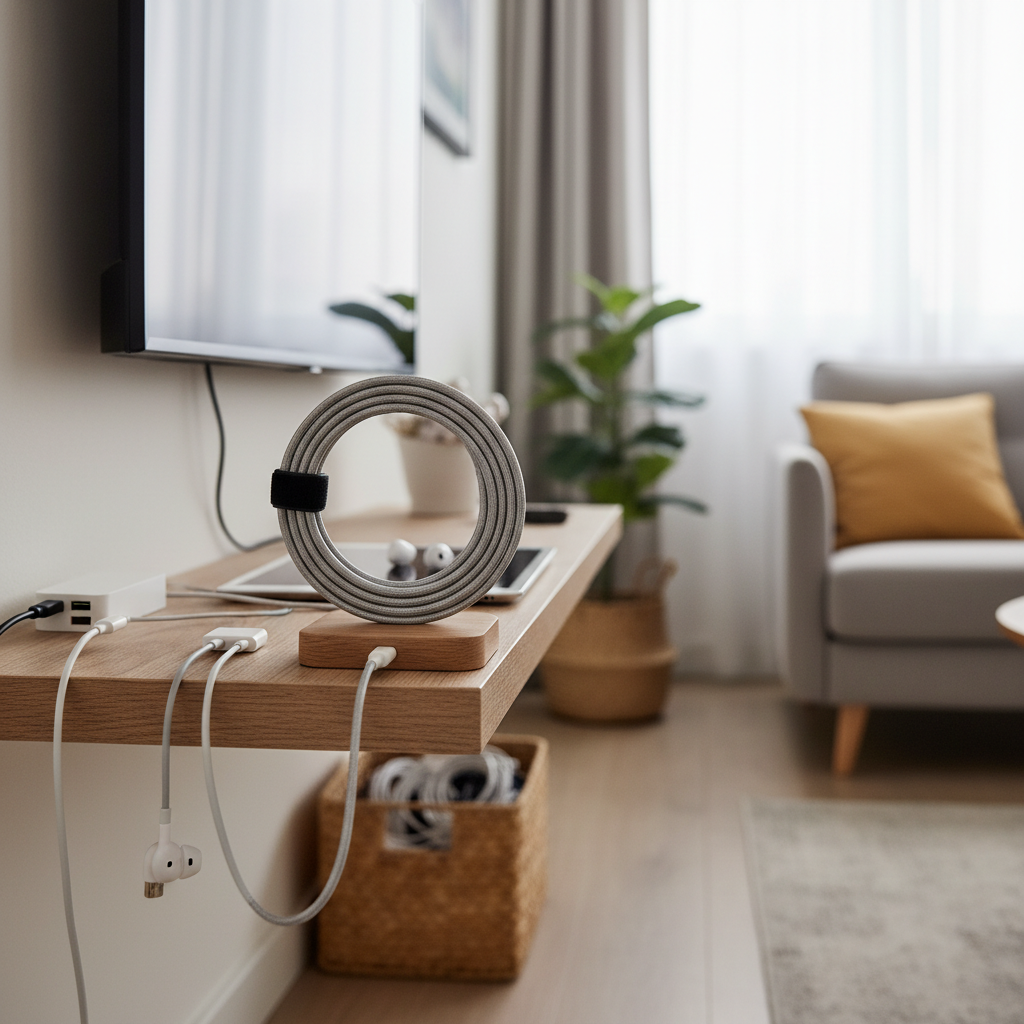
Charging Cable Essentials for Compact Living
Charging cables are the lifelines of our digital world, yet their ubiquity can quickly lead to disorganization in tight quarters. Understanding the different types and their implications for small spaces is the first step toward a streamlined setup.
The most common cable types you’ll encounter are USB-A, USB-C, Lightning, and Micro USB. USB-A, the rectangular connector, is the oldest and still prevalent for many chargers and older devices. USB-C, with its symmetrical, reversible design, is rapidly becoming the standard due to its versatility and ability to support faster charging and data transfer. For Apple users, the Lightning cable remains essential for iPhones, iPads, and AirPods. Finally, Micro USB cables are still in use for many older Android phones, e-readers, and various accessories.
In a small apartment, the key is to minimize the sheer number of physical cables. Multi-charging cables, which combine several connector types into one, are incredibly valuable as they can power various devices with a single cord, drastically reducing cable clutter. Wireless charging stations also play a crucial role, allowing you to charge multiple devices like a phone, smartwatch, and earbuds simultaneously without any physical cable connection to the devices themselves.
While USB-A cables are common, their slower speeds and bulkier connectors make them less ideal for a minimalist, fast-charging setup in a small apartment. USB-C cables, conversely, offer rapid charging capabilities, support Power Delivery (PD) for laptops, and their reversible design makes them user-friendly, proving highly advantageous in compact environments. Lightning cables are non-negotiable for Apple device owners but, like Micro USB, are proprietary or becoming less common, meaning you’ll need specific solutions for them. Investing in versatile, multi-functional cables and charging hubs can transform your small space into an organized and efficient power station.
Key Considerations When Choosing Charging Cables for Small Apartments
Selecting the right charging cables and accessories for a small apartment goes beyond mere compatibility. It involves a thoughtful assessment of durability, charging efficiency, and how the cable’s design integrates into your limited space.
Material and Durability of Cables
|
Our Picks for the Best Charging cable in 2026
As an Amazon Associate I earn from qualifying purchases.
|
||
| Num | Product | Action |
|---|---|---|
| 1 | Anker USB C to USB C Cable, Type-C 60W Fast Charging Cable (6 FT, 2Pack) for iPhone 17 Series, iPad mini 6 and More (Black) |

|
| 2 | iPhone Charger 3 Pack 10 ft Apple MFi Certified Lightning Nylon Braided Cable Fast Charging Cord Compatible with iPhone 13 12 11 Pro Max XR XS X 8 7 6 Plus SE iPad and More |
|
| 3 | Teeind USB Type C Cable Fast Charging, Tpc001 5 Pack(6Ft 3A) Braided C Charger Cables Compatible with Samsung S10e/note 9/s10/s9/s8 Plus/A80/A50/A20 |
|
| 4 | Anker Cable [2 Pack 6ft], USB A to USB C Cable for iPhone 17 Series,Samsung Galaxy S10 S10+, LG V30, Beats Fit Pro and More (Black). |
|
| 5 | INIU USB C to USB C Cable, 240W Fast Charging Type C Charger Cord, Braided USBC Phone Charger Cable for iPhone 17 16 Pro Max Samsung S26 S25 Laptops MacBook Air 15 M3 iPad Switch [6.6ft+6.6ft Black] |
|
| 6 | LISEN USB C to USB C Cable, 5-Pack [3.3/3.3/6.6/6.6/10FT] for iPhone 17 Charger Cord, 60W C to C Cable Fast Charging for iPad, iPhone 16 15 Pro Max, Galaxy S25/S24 USBC to USBC Cable Gifts for Men |
|
| 7 | Durcord USB C Cable, Upgarded 2Pack 10ft Fast USB Type C Charging Cable for Android/Phone/Pad/Laptop, Type C Charger Braided USB Cable Compatible withi Phone 17/16/15/Pro/Plus/Max/Sam.Sung-Silver |
|
| 8 | USB Type-C to A Cable 5pack 6ft Braided Fast Charging 3A Quick Charger Cord, 6 Foot Compatible iPhone 17/17 Pro/16e/16/15 Pro Max,Samsung Galaxy S10 S9 S8 Plus, Note 10 9 8, LG V50 V40 G8 G7(Grey) |
|
| 9 | LISEN USB C to USB C Cable, 240W C to C Cable Fast Charging [6.6FT, 2 Pack] Type C Charger Fast Charging USBC to USBC Cable for iPhone 17 16 15 Pro Max iPad MacBook Neo Air Pro Samsung S26 S25 Ultra |
|
| 10 | AINOPE USB to USB C Cable [2-Pack, 6.6ft] 3.1A Type C Charger Fast Charging, Right Angle USB C Cable for iPhone 17 Carplay Cable, Galaxy S10+ S10 S9, Note 10 9, LG V30, Moto, iPhone 16 15 Charger Cord |
|
In a small apartment, cables are often subjected to more stress—being coiled tightly, tucked into drawers, or frequently moved. Therefore, the material and construction of your charging cable are paramount for longevity. Common materials include PVC, TPE, and nylon braiding. PVC (polyvinyl chloride) and TPE (thermoplastic elastomer) cables are standard, offering flexibility and basic protection. However, they can be prone to fraying and tangling over time, especially with frequent use and storage in confined spaces.
Nylon braided cables are often considered the gold standard for durability. The woven nylon exterior provides superior resistance to kinks, tears, and everyday wear and tear, making them less likely to fray even when bent or coiled repeatedly. Many durable cables also feature reinforced stress points where the cable meets the connector, further preventing common points of failure. Proper storage, such as using reusable cable ties or clips to keep them neatly coiled when not in use, can significantly extend a cable’s lifespan, preventing the constant need for replacements that adds to both cost and waste.
Compatibility and Charging Speed
Before purchasing any charging cable, identifying your devices’ specific needs is crucial. Do you primarily use Apple devices, Android gadgets, a laptop, or a mix? This will dictate the types of connectors you need (Lightning, USB-C, Micro USB, or multi-cables).
Beyond mere connection, consider charging speed. Modern devices often support fast charging standards like Qualcomm’s Quick Charge or USB Power Delivery (PD). Power Delivery, in particular, is critical for rapidly charging larger devices like laptops, tablets, and newer smartphones via USB-C. Ensure both your cable and your power adapter support the same fast-charging standard and wattage for optimal performance. A high-quality USB-C to USB-C cable, for example, is essential to leverage the full capabilities of a 60W or 100W PD charger for your laptop. [cite: 2_2] Checking the specifications of both the cable and your devices will prevent frustratingly slow charging times and ensure you get the most efficient power delivery possible.
Length and Design of Cables
In a small apartment, cable length and design directly impact organization and aesthetics. Overly long cables can create significant clutter, become tripping hazards, and make your space look untidy. Conversely, cables that are too short might limit where you can comfortably charge your devices.
For charging stations on a desk or nightstand, shorter cables (1-3 feet) are ideal as they reduce excess slack. For wall outlets that are further away or for use while lounging on a sofa, a medium-length cable (6 feet) might be more practical. Consider flat cables, which are less prone to tangling and can be run discreetly along walls or under furniture using cable raceways or adhesive clips. Retractable cables offer the ultimate space-saving design, coiling neatly into a compact unit when not in use, making them perfect for on-the-go or for minimizing visible clutter. [cite: 1_2] Look for features like magnetic cable ties or integrated cable management solutions that help keep cords tidy and out of sight.
Comparing Popular Charging Cable Types
Choosing the right cable type for your small apartment involves understanding the unique advantages and disadvantages of each. The table below provides a concise comparison to help you make informed decisions, especially when space efficiency and versatility are priorities.
| Criteria | USB-A Cable | USB-C Cable | Lightning Cable | Micro USB Cable | Multi-Charging Cable |
|---|---|---|---|---|---|
| Pros | Widely compatible with older chargers | Fast, reversible, supports PD, increasingly universal | Apple ecosystem compatibility | Common for older accessories | Versatile, reduces cable clutter, portable |
| Cons | Slower speeds, non-reversible | Still not fully universal, may require new adapters | Proprietary, Apple-only | Slower, less durable connector | May have slower speeds if multiple devices are charging simultaneously, can be bulky if not well designed |
| Durability | Varies by material | Generally good, supports high power | Varies by material | Prone to damage at connector | Varies, braided preferred |
| Space Efficiency | Moderate | Good, especially with multi-port chargers | Moderate | Low | Excellent, reduces total cable count |
This comparison highlights that while dedicated USB-C and Lightning cables are necessary for specific devices, multi-charging cables offer unparalleled space efficiency by consolidating several cable types into one. This makes them a strong contender for anyone looking to minimize cable count in a small living space.
[image-1|apartment-charging-station|An organized multi-device charging station in a small apartment living room with various cables and devices neatly arranged|
A neatly organized multi-device charging station on a compact side table in a modern, small apartment living room. The station includes a slim power strip with USB-A and USB-C ports, several braided charging cables (USB-C, Lightning), and a wireless charging pad. A smartphone, a pair of wireless earbuds, and a smartwatch are charging. The cables are secured with small, adhesive clips, and a small decorative box conceals excess cable length. Soft, warm lighting from a nearby lamp. Realistic, editorial style.]
Smart Buying Guide for Charging Cables in Small Apartments
Transforming your charging setup from chaotic to streamlined in a small apartment requires a strategic approach. This buying guide will walk you through the steps to identify your needs, choose reputable products, and embrace solutions that prioritize both functionality and aesthetics.
Assess Your Needs
Start by taking inventory of all your electronic devices that require charging. List them out and note the specific connector type (USB-A, USB-C, Lightning, Micro USB) for each. Consider your typical charging habits: do you mainly charge devices overnight by your bed, at a desk during the day, or intermittently throughout your living area? This assessment will inform the number of cables you need, the types of connectors, and the ideal lengths. For instance, if you have multiple devices that use different ports but charge in the same location, a multi-charging cable or a multi-port charging station would be a smart investment. Determine if fast charging is a priority for all your devices, as this impacts the type of cable and power brick required.
Reputable Brands and Safety Standards
Investing in quality from reputable brands like Anker, Belkin, or Aukey is crucial for both performance and safety. These brands are known for their durable products and adherence to safety standards. Always check for certifications such as UL-listed (Underwriters Laboratories), CE (Conformité Européenne), FCC (Federal Communications Commission), and RoHS (Restriction of Hazardous Substances). For Apple devices, ensure Lightning cables are MFi (Made for iPhone/iPad/iPod) certified to guarantee compatibility and prevent damage. [cite: 1_2] In small spaces where power strips and multiple devices are common, using surge protectors is vital to safeguard your electronics from power fluctuations. Prioritizing safety not only protects your devices but also gives you peace of mind in a compact living environment.
Embrace Space-Saving Charging Solutions
Beyond individual cables, consider integrated charging solutions that maximize space and minimize clutter. Multi-port USB hubs and charging stations are excellent for consolidating several devices into one power source, reducing the number of wall adapters needed. Wireless charging pads, especially 3-in-1 stations for your phone, smartwatch, and earbuds, eliminate multiple cables entirely, contributing significantly to a cleaner nightstand or desk. [cite: 2_2, 5_2]
Cable management accessories, such as adhesive cable clips, reusable ties, and cable management boxes, are invaluable for keeping cords tidy and out of sight. These simple tools can transform a tangled mess into an organized, unobtrusive setup. For a more integrated approach, consider furniture with built-in USB ports or explore creative “hiding” solutions like drawer charging stations, decorative boxes, or cable raceways that blend with your decor. Even a small under-desk tray can effectively hide power strips and excess cable length, keeping your floors clear.
Top Charging Cable Picks for Small Apartments
When space is at a premium, certain charging cables and accessories stand out for their ability to deliver efficient power while minimizing clutter. These top picks offer practical solutions for the unique challenges of apartment living.
- Multi-Device Charging Cables: These versatile cables are a game-changer for anyone with multiple gadgets. Products like the Anker Powerline II 3-in-1 cable or the Rolling Square inCharge XL typically feature a USB-A or USB-C input with multiple output connectors (Lightning, USB-C, Micro USB), allowing you to charge various devices with just one cord. [cite: 1_2, 2_2] This significantly reduces the number of individual cables you need to keep track of, making them perfect for desks, nightstands, or travel.
- **Compact Wireless Charging