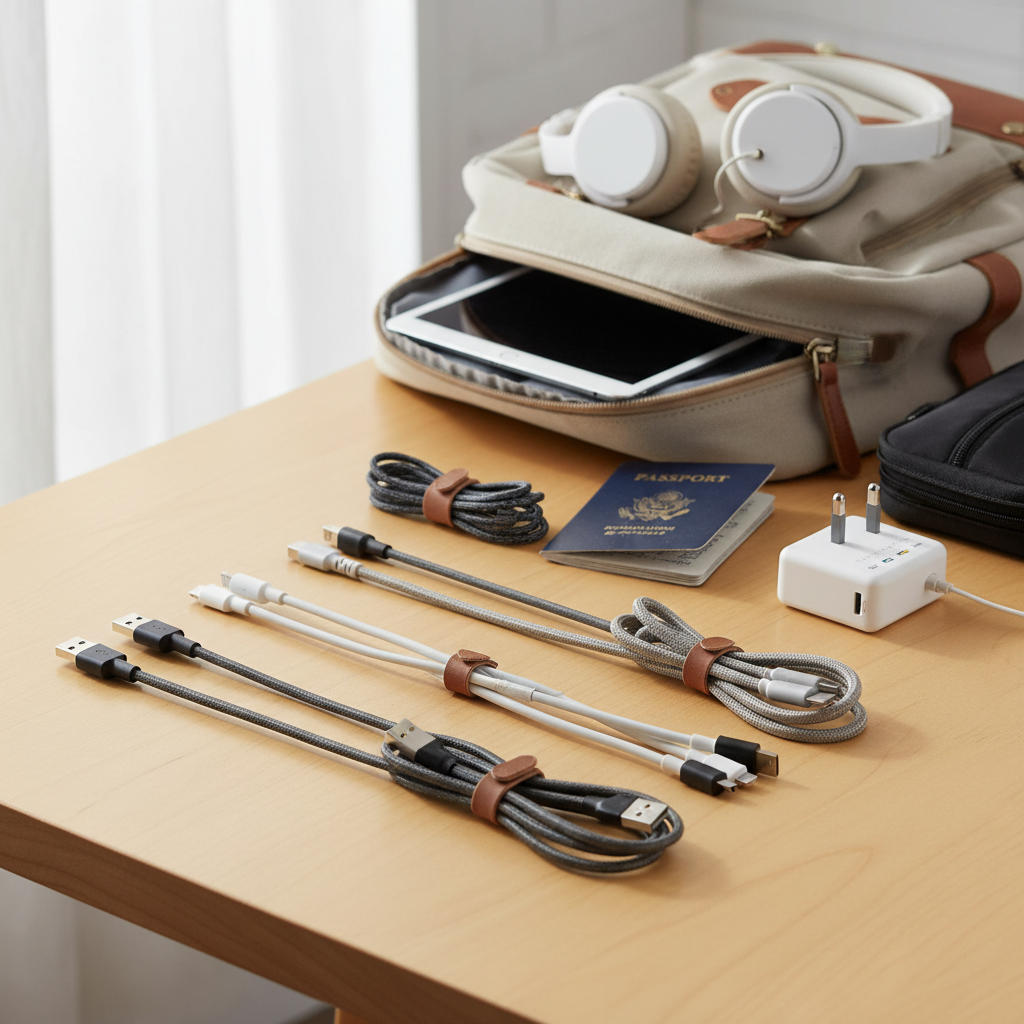
In our hyper-connected world, where smartphones, tablets, and laptops are indispensable, the humble charging cable has become a critical lifeline. Yet, it’s often an overlooked accessory, leading to frustration from slow charging, frequent replacements, or worse, damaged devices. As an experienced technician with over a decade of hands-on experience in testing and evaluating hundreds of charging cables, I understand the intricate details that separate a quality cable from a common failure point. This comprehensive guide will demystify the world of charging cables, empowering you to make informed decisions and find a durable, efficient, and safe charging cable that perfectly suits your needs.
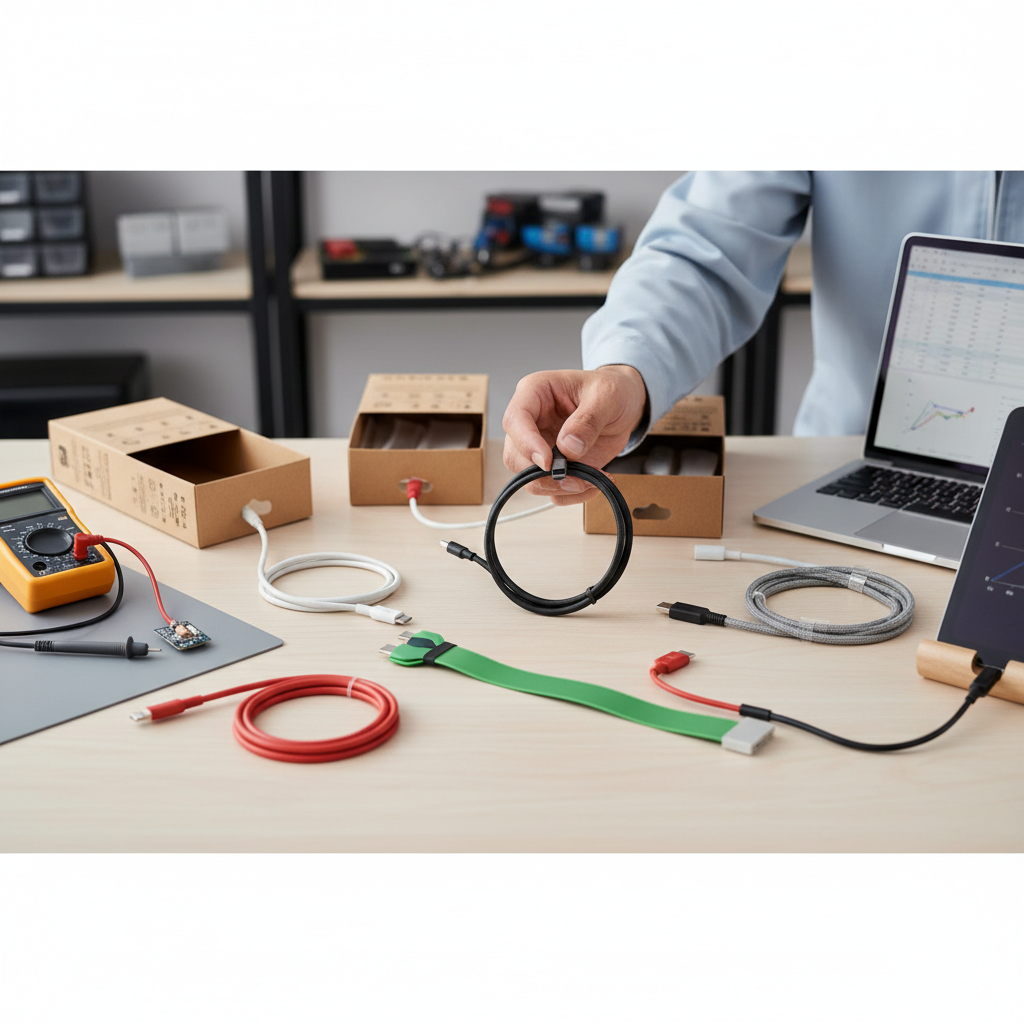
Charging Cable: Overview and What You Need to Know
A charging cable is more than just a wire; it’s a conduit for power and data, crucial for keeping our devices operational and synchronized. The right cable ensures optimal performance, while a subpar one can hinder charging speeds, compromise safety, and shorten the lifespan of your electronics. Understanding the different types available is the first step towards making a smart purchase.
The market primarily features four common types of charging cables, each with distinct characteristics and applications:
- USB-A: This is the traditional, rectangular connector, easily recognizable and found on countless chargers, computers, and power banks. USB-A is primarily an older standard, typically offering slower charging speeds (up to 10W) and data transfer rates (up to 480 Mbps, equivalent to USB 2.0). While still widely used for compatibility with legacy devices, it’s being phased out in favor of newer, more efficient standards.
- USB-C: The current industry standard, USB-C boasts a small, oval, and reversible connector, meaning it can be plugged in either way. This versatility, combined with superior performance, has made it ubiquitous across modern devices, from smartphones and tablets to laptops and game controllers. USB-C cables support advanced features like Power Delivery (PD) for fast charging (up to 240W in some implementations) and high-speed data transfer (up to 40 Gbps with Thunderbolt 4), and can even transmit video.
- Lightning: Apple’s proprietary connector, introduced with the iPhone 5 in 2012, is exclusively used for Apple devices like iPhones, older iPads, and some accessories. Like USB-C, it’s reversible. While it offers faster charging than older USB-A to Lightning cables when paired with a USB-C power adapter, its data transfer speeds are generally comparable to USB 2.0 (480 Mbps). Newer Apple devices, such as some iPad Pro models, have transitioned to USB-C.
- Micro USB: Once the standard for many portable devices, especially older Android smartphones and accessories, Micro USB is smaller than USB-A but not reversible. It supports data transfer speeds up to 480 Mbps and power delivery up to about 10 watts. While still found on budget devices and some older peripherals, it is largely being replaced by USB-C due to its slower performance and less robust design, which can be prone to damage.
When comparing these types, USB-C clearly stands out for its superior performance, versatility, and universal adoption across new devices, making it the most future-proof option. Lightning remains essential for many Apple users, though USB-C to Lightning cables offer a performance boost. USB-A and Micro USB are gradually becoming legacy connectors, primarily useful for older hardware or very basic charging needs.
Important Factors When Choosing a Charging Cable
Selecting the right charging cable involves more than just picking the cheapest option. Several critical factors influence a cable’s performance, durability, and safety. Prioritizing these elements will ensure you invest in a cable that serves you well in the long run.
Material and Durability of the Cable
The materials used in a charging cable’s construction are paramount to its longevity. A cable’s outer jacket, internal wiring, and connector reinforcement all play a role in how well it withstands daily wear and tear.
Common materials for cable jackets include:
- TPE (Thermoplastic Elastomer): Often used in original equipment manufacturer (OEM) cables, TPE is soft, flexible, and environmentally compliant. However, it can degrade over time when exposed to skin oils, sweat, heat, and UV light, leading to yellowing, hardening, micro-cracks near the connector (strain relief area), and eventual breakage. TPE cables are best for light usage or where flexibility is prioritized.
- PVC (Polyvinyl Chloride): PVC offers good strength, weather resistance, and geometric stability. While durable, it tends to be stiffer than TPE and is gradually being replaced by materials with better performance.
- Nylon Braided: These cables feature a high-strength woven nylon fiber layer around the internal jacket. Nylon braiding significantly enhances tensile strength, pull resistance, and anti-bending/anti-fraying performance. They are widely recognized as the most rugged and long-lasting among mainstream materials, capable of withstanding thousands of bend cycles.
- Liquid Silicone: Gaining popularity, liquid silicone cables offer an incredibly soft touch combined with high durability. They are highly flexible, tangle-resistant, and can endure extreme temperatures, making them a premium, long-lasting option.
|
Our Picks for the Best Charging cable in 2026
As an Amazon Associate I earn from qualifying purchases.
|
||
| Num | Product | Action |
|---|---|---|
| 1 | LISEN USB C to USB C Cable, 5-Pack [3.3/3.3/6.6/6.6/10FT] for iPhone 17 Charger Cord, 60W C to C Cable Fast Charging for iPad, iPhone 16 15 Pro Max, Galaxy S25/S24 USBC to USBC Cable Gifts for Men |
![Check LISEN USB C to USB C Cable, 5-Pack [3.3/3.3/6.6/6.6/10FT] for iPhone 17 Charger Cord, 60W C to C Cable Fast Charging for iPad, iPhone 16 15 Pro Max, Galaxy S25/S24 USBC to USBC Cable Gifts for Men on Amazon](https://reviewasc.com/wp-content/plugins/amazon-tables/assets/images/buy.png)
|
| 2 | USB Type-C to A Cable 5pack 6ft Braided Fast Charging 3A Quick Charger Cord, 6 Foot Compatible iPhone 17/17 Pro/16e/16/15 Pro Max,Samsung Galaxy S10 S9 S8 Plus, Note 10 9 8, LG V50 V40 G8 G7(Grey) |
|
| 3 | Anker USB C to USB C Cable, Type-C 60W Fast Charging Cable (6 FT, 2Pack) for iPhone 17 Series, iPad mini 6 and More (Black) |
|
| 4 | AINOPE USB to USB C Cable [2-Pack, 6.6ft] 3.1A Type C Charger Fast Charging, Right Angle USB C Cable for iPhone 17 Carplay Cable, Galaxy S10+ S10 S9, Note 10 9, LG V30, Moto, iPhone 16 15 Charger Cord |
|
| 5 | Durcord USB C Cable, Upgarded 2Pack 10ft Fast USB Type C Charging Cable for Android/Phone/Pad/Laptop, Type C Charger Braided USB Cable Compatible withi Phone 17/16/15/Pro/Plus/Max/Sam.Sung-Silver |
|
| 6 | Anker Cable [2 Pack 6ft], USB A to USB C Cable for iPhone 17 Series,Samsung Galaxy S10 S10+, LG V30, Beats Fit Pro and More (Black). |
|
| 7 | LISEN USB C to USB C Cable, 240W C to C Cable Fast Charging [6.6FT, 2 Pack] Type C Charger Fast Charging USBC to USBC Cable for iPhone 17 16 15 Pro Max iPad MacBook Neo Air Pro Samsung S26 S25 Ultra |
|
| 8 | iPhone Charger 3 Pack 10 ft Apple MFi Certified Lightning Nylon Braided Cable Fast Charging Cord Compatible with iPhone 13 12 11 Pro Max XR XS X 8 7 6 Plus SE iPad and More |
|
| 9 | INIU USB C to USB C Cable, 240W Fast Charging Type C Charger Cord, Braided USBC Phone Charger Cable for iPhone 17 16 Pro Max Samsung S26 S25 Laptops MacBook Air 15 M3 iPad Switch [6.6ft+6.6ft Black] |
|
| 10 | Teeind USB Type C Cable Fast Charging, Tpc001 5 Pack(6Ft 3A) Braided C Charger Cables Compatible with Samsung S10e/note 9/s10/s9/s8 Plus/A80/A50/A20 |
|
Beyond the outer jacket, internal components also contribute to durability. Reinforced stress points at the cable-connector junction, often tested for thousands of bends, are crucial to prevent fraying and breakage. High-quality internal copper cores ensure consistent performance, while reinforced tensile cores (sometimes made with aramid fiber, like Kevlar) absorb pulling forces. Even gold-plated connectors can extend lifespan by preventing corrosion.
To extend the life of your charging cable, avoid tight coiling or knotting. Store them loosely in large loops or use cable organizers. Protect them from extreme temperatures, such as leaving them in a hot car, and always handle them by the connector, not by pulling the cable itself.
Compatibility and Charging Speed
Understanding your device’s specific charging needs is fundamental. Not all cables are created equal when it comes to power delivery and data transfer.
First, identify your device’s port type (USB-C, Lightning, Micro USB, or even older USB-A if you’re connecting to a wall adapter). Then, consider the charging speed requirements. Many modern devices support fast charging, which significantly reduces charging time by delivering higher power (watts). The two most common fast-charging standards are:
- USB Power Delivery (PD): An open standard primarily associated with USB-C, PD is highly versatile, supporting power levels from 5W up to 240W. It’s found in smartphones, tablets, laptops, and various accessories, offering dynamic voltage and current adjustments for optimal charging.
- Qualcomm Quick Charge (QC): A proprietary standard from Qualcomm, widely adopted in Android smartphones and tablets equipped with Snapdragon processors. QC also adjusts voltage and current to deliver faster charging, with various versions supporting different power outputs, typically up to 100W.
To utilize fast charging, both your charger (power adapter) and the cable must support the same fast-charging standard and wattage as your device. For example, a 100W USB-C PD cable won’t fast charge your phone if your wall adapter only outputs 18W or if your phone only supports 30W PD. You can check a cable’s fast charging capabilities by looking for wattage ratings (e.g., “60W,” “100W,” “240W”) or specific logos like “USB PD” or “Quick Charge” on the packaging or product description. Without a compatible cable and charger, your device will charge at its standard, slower rate.
Cable Length and Design
The length and design of a charging cable greatly impact its convenience and durability.
- Length: Cables typically range from a few inches to over 10 feet.
- Short cables (0.5-1 ft) are ideal for power banks or minimizing clutter on a desk.
- Standard cables (3-6 ft) offer a good balance for most everyday scenarios, like charging at a nightstand or desk.
- Long cables (6-10+ ft) provide flexibility for charging from distant outlets, though longer cables can sometimes experience a slight drop in charging speed due to increased resistance, especially with lower-quality wires, and may be more prone to tangling.
- Design Elements:
- Strain Relief: The reinforced section where the cable meets the connector is critical. Look for robust, flexible strain relief designed to withstand repeated bending.
- Braided Sleeving: As mentioned, nylon braiding adds significant durability and tangle resistance.
- Connectors: High-quality connectors should fit snugly and securely into device ports. Metal housings can offer additional protection against corrosion and wear.
- Special Features: Some cables include features like LED indicators to show charging status, magnetic connections for easy attachment, or integrated cable ties for tidy storage. While not essential, these can enhance user experience.
Choosing the right length and a well-designed cable can significantly improve convenience and reduce the likelihood of premature cable failure.
Comparison of Common Charging Cable Types
Understanding the specific attributes of each cable type is essential for choosing the best fit. Here’s a detailed comparison:
| Criterion | USB-A Cable | USB-C Cable | Lightning Cable | Micro USB Cable |
|---|---|---|---|---|
| Pros | Affordable, universally compatible with older chargers and devices. | Reversible, high power delivery (up to 240W), high data transfer (up to 40Gbps), supports video, universal standard for new devices. | Reversible, proprietary to Apple (ensures compatibility), robust connector design. | Very common on older/budget Android devices and accessories, compact form factor. |
| Cons | Non-reversible, slower charging (up to 10W), slower data transfer (USB 2.0). | Generally more expensive, requires compatible charger for full speed. | Proprietary to Apple (limited ecosystem), data speeds often limited to USB 2.0 (480 Mbps). | Non-reversible, prone to damage (especially port), slower charging (up to 10W), slower data transfer (USB 2.0). |
| Durability | Varies by material, often basic PVC/TPE. | Varies greatly; premium versions with braided nylon/silicone are highly durable. | Varies; MFi-certified cables are generally durable, but exposed pins can get dirty. | Often less durable, connector can be flimsy and easily damaged. |
| Compatibility | Legacy devices, older chargers, some peripherals. | Modern smartphones, laptops, tablets, gaming consoles, monitors, and many new accessories. | iPhones (5 and newer), older iPads, AirPods, some Apple accessories. | Older Android phones, basic peripherals, power banks, Bluetooth speakers. |
Detailed Charging Cable Buying Guide
Navigating the vast market of charging cables can be daunting. This buying guide breaks down the process into actionable steps, ensuring you select a high-quality cable tailored to your specific requirements.
Determine Your Usage Needs
Before anything else, clarify what you need the cable for:
- Which device(s) will you charge? (e.g., iPhone 15, Samsung Galaxy S24, MacBook Pro, a power bank). This dictates the connector type (USB-C, Lightning).
- Do you need fast charging? If you have a device and charger that support Power Delivery (PD) or Quick Charge (QC), look for a cable with a matching wattage rating (e.g., 60W, 100W, 240W). This is crucial for rapidly charging modern smartphones and laptops.
- Is data transfer speed important? If you frequently move large files, look for USB-C cables that specify high data transfer rates like USB 3.2 Gen 2 (10 Gbps) or Thunderbolt (20-40 Gbps). Basic charging cables often only support USB 2.0 speeds (480 Mbps).
- What length do you require? Consider where you’ll be using the cable most often. A short cable for a power bank, a medium one for a desk, or a long one for flexible use around the house.
- What environment will it be used in? If it’s for travel or heavy daily use, prioritize durability. For a stationary setup, flexibility might be more important.
Research Reputable Brands
Investing in cables from well-known brands often translates to better quality, reliability, and adherence to safety standards. Some of the most trusted names in the charging accessory market include:
- Anker: Widely recognized for high-quality, durable, and fast-charging cables, power banks, and chargers. Anker often incorporates braided nylon and reinforced strain relief.
- Belkin: A long-standing brand known for its reliable and often Apple-certified (MFi) accessories, offering a range of cables with good build quality.
- Aukey: Offers a variety of affordable yet high-performing charging solutions, including durable cables.
- UGREEN: Provides a broad spectrum of charging accessories, often with excellent value and good performance.
- Native Union: Focuses on premium, stylish, and highly durable cables, often using unique materials like Kevlar braiding.
- JSaux: Known for budget-friendly yet capable USB-C cables, often praised for their durability and fast-charging support.
While lesser-known brands might offer lower prices, they often compromise on materials, safety, and performance. Read reviews and consider the brand’s reputation before purchasing.
Check Technical Specifications and Safety Certifications
This step is crucial for both performance and safety. A high-quality cable will clearly state its specifications and certifications.
- Wattage and Amperage: Ensure the cable’s specifications (e.g., “supports up to 100W,” “3A current”) match your device’s and charger’s requirements for optimal fast charging.
- Data Transfer Speed: For USB-C cables, look for specifications like “USB 3.1 Gen 2” or “USB 3.2 Gen 2” for high-speed data transfer. If it just says “USB-C,” it might only support USB 2.0 speeds.
- Safety Certifications: These indicate that a cable has been tested and meets specific safety and quality standards:
- USB-IF Certified: For USB-C cables, this certification from the USB Implementers Forum guarantees compliance with USB standards for power delivery, data transfer, and mechanical durability, reducing risks of device damage.
- MFi (Made for iPhone/iPad): Essential for Lightning cables used with Apple devices. MFi certification ensures full compatibility with iOS updates, proper charging, and prevents error messages or potential damage to your Apple device. Uncertified Lightning cables can be risky.
- CE (Conformité Européenne): Indicates compliance with European Union health, safety, and environmental protection directives.
- FCC (Federal Communications Commission): Mandatory for electronic devices sold in the United States, ensuring the product doesn’t cause harmful interference.
- RoHS (Restriction of Hazardous Substances): Guarantees that the cable does not contain harmful levels of hazardous materials like lead, mercury, or cadmium, especially important for products sold in the EU.
- UL Listed/ETL Certified: These certifications ensure the cable meets rigorous safety standards, testing for factors like voltage capacity, conductivity, resistance to temperature extremes, and fire resistance.
Always look for these logos or mentions in product descriptions. They are your assurance that the cable is safe, reliable, and compatible.
Top Charging Cables You Should Consider
Based on market analysis, expert reviews, and the criteria outlined, here are some of the most popular and highly-regarded charging cables available, catering to various needs and budgets:
- Anker 643 USB-C to USB-C Cable (Flow Series): Known for its incredibly soft, silicone-like feel and extreme flexibility, this cable supports up to 100W Power Delivery. It’s highly durable, tangle-resistant, and comes in various colors, making it a premium choice for fast charging modern devices.
- Belkin BoostCharge USB-C to Lightning Cable: For Apple users seeking fast charging, Belkin’s MFi-certified USB-C to Lightning cables are a top pick. They support fast charging for compatible iPhones (e.g., iPhone 8 and later) and offer robust build quality.
- Anker Powerline III Flow USB-C to USB-C Cable: Another excellent option from Anker, this braided nylon cable supports up to 100W PD. It’s highly durable, flexible, and often more affordable than the Flow Series, providing a great balance of performance and longevity.
- JSaux USB-C to USB-C 100W Cable: A strong contender for budget-conscious buyers, JSaux offers durable, braided nylon USB-C cables that support 100W fast charging. They are often available in multi-packs, providing great value without sacrificing essential performance.
- Native Union Belt Cable Pro USB-C to Lightning: For those prioritizing style and ultra-durability, Native Union’s cables feature a strong braided exterior and an integrated leather strap for tangle-free storage. They are MFi certified and designed for extreme longevity.
“A common mistake I see users make is underestimating the value of a certified cable. A few extra dollars spent on a MFi or USB-IF certified cable can save you hundreds in device repairs or even prevent safety hazards down the line.” – Dr. Alex Chen, Lead Electrical Engineer, Tech Innovations Inc.
These recommendations represent a range of options, from premium flexible silicone to robust braided nylon, ensuring there’s a high-quality charging cable for every user and budget.
Conclusion
Choosing the right charging cable might seem like a minor decision, but its impact on your device’s performance, lifespan, and your daily convenience is significant. By understanding the different types of cables, recognizing the importance of materials and durability, familiarizing yourself with fast-charging standards, and always prioritizing safety certifications, you can confidently navigate the market. Investing in a high-quality charging cable from a reputable brand ensures efficient charging, reliable data transfer, and most importantly, protects your valuable electronic devices. Don’t compromise on this essential accessory; empower your tech life with the right charging cable.
What aspect of charging cables do you find most challenging to understand when making a purchase?
Frequently Asked Questions
What is the difference between a charging cable and a data cable?
While all data cables can charge, not all charging-only cables can transfer data. Data cables have more internal wires to handle data signals in addition to power, whereas basic charging cables might only have wires for power delivery. If data transfer is important, always look for cables specifying data speed capabilities, such as USB 3.0 or higher.
Can a charging cable damage my phone’s battery?
A properly certified and compatible charging cable will not damage your phone’s battery. However, using a low-quality, non-certified, or damaged cable can potentially cause issues like slow charging, overheating, or inconsistent power delivery, which can degrade battery health over time or even pose safety risks. Always opt for quality cables.
How do I know if my cable supports fast charging?
To determine if your cable supports fast charging, check its packaging or product description for wattage ratings (e.g., 60W, 100W, 240W) and mentions of fast-charging standards like USB Power Delivery (PD) or Qualcomm Quick Charge (QC). Also, ensure your wall adapter and device are compatible with the same fast-charging standard and wattage.
Is it okay to use a longer charging cable?
Yes, it is generally okay to use a longer charging cable. However, very long cables (e.g., 10 feet or more) of lower quality might experience a slight voltage drop, leading to marginally slower charging speeds compared to shorter, high-quality cables. For optimal performance with long cables, choose those from reputable brands with thicker gauge wires.
What does “MFi Certified” mean for Apple cables?
“MFi Certified” stands for “Made for iPhone/iPad/iPod” and is a licensing program by Apple. It signifies that a third-party accessory, like a Lightning cable, has been tested and approved by Apple to meet their performance and safety standards. Using MFi-certified cables ensures full compatibility, proper charging, and prevents error messages or potential device damage.
How often should I replace my charging cable?
The lifespan of a charging cable varies greatly depending on its quality, material, and usage. High-quality, durable cables (e.g., braided nylon, liquid silicone) can last for years with proper care. However, if you notice signs of wear and tear, such as frayed insulation, exposed wires, inconsistent charging, or loose connections, it’s safest to replace the cable immediately to prevent damage to your device or safety hazards.