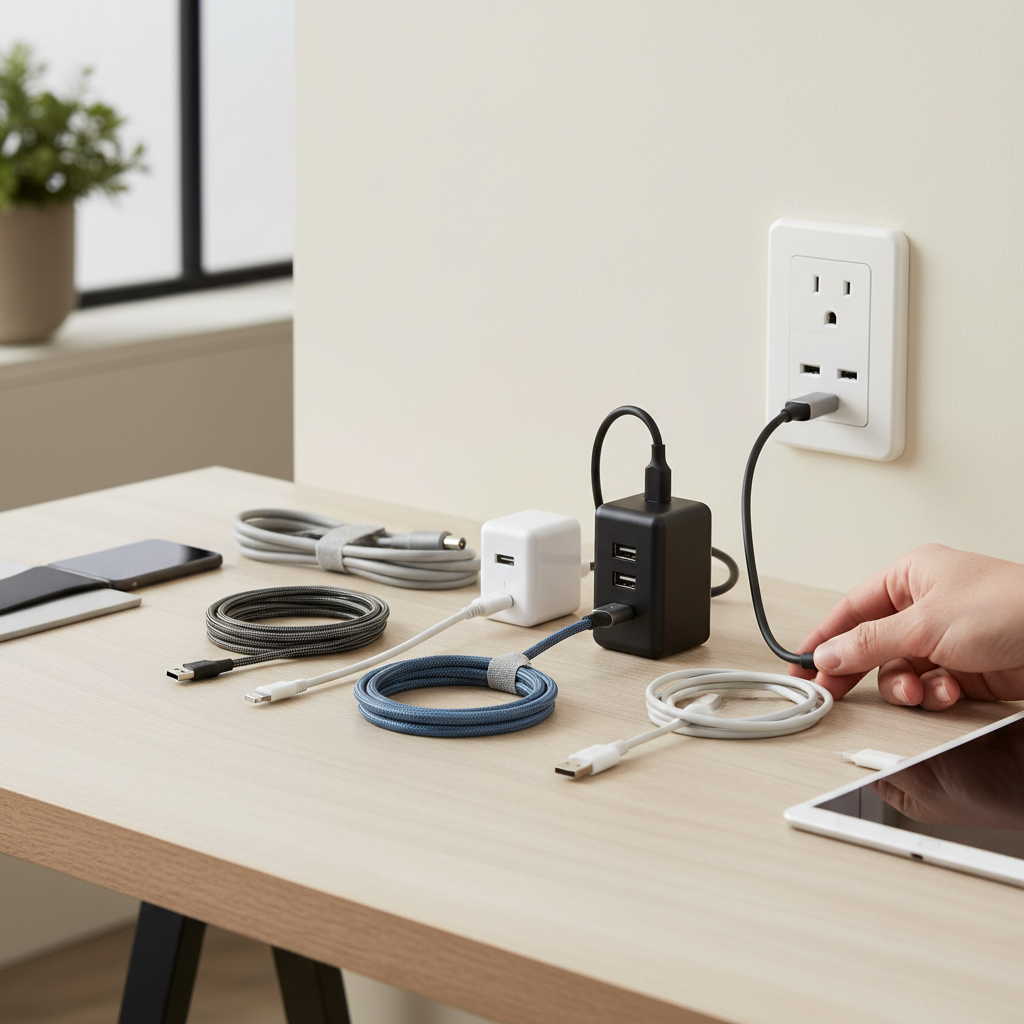
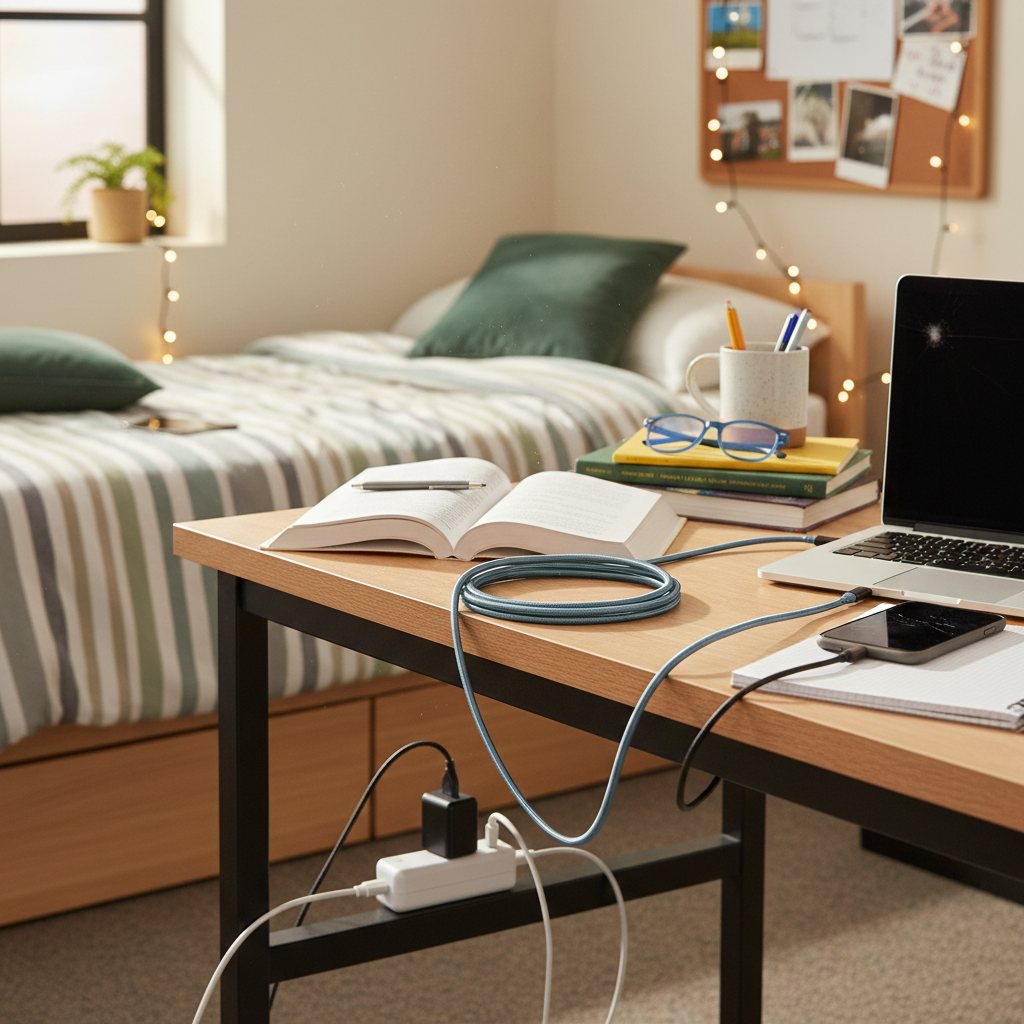
Entering college marks a new chapter, and with it comes the need for a reliable and efficient tech setup. In the compact, often quirky environment of a college dorm room, a high-quality charging cable isn’t just a convenience—it’s an absolute necessity. From keeping your laptop powered during late-night study sessions to ensuring your phone is ready for early morning classes, the right charging cable can significantly impact your daily routine. Dorm rooms are notorious for their limited and awkwardly placed power outlets, making long, durable, and fast-charging cables indispensable for any student. This guide will walk you through everything you need to know to select the best charging cable for your college dorm room setup, ensuring your devices are always charged and ready for whatever college life throws your way.
Charging Cable: Overview and Essentials
Charging cables are the lifelines of our electronic devices, facilitating both power transfer and data synchronization. In the modern world, where most aspects of academic and social life are tied to technology, understanding the different types of charging cables and their applications is crucial. For college students, a robust and versatile charging cable setup is paramount to staying connected and productive.
The most common types of charging cables you’ll encounter today include:
- USB-A: The traditional rectangular USB connector, widely recognized and found on many older devices and power adapters. While still prevalent, its charging speeds are typically slower compared to newer standards.
- USB-C: A reversible, oval-shaped connector that has become the industry standard for many new smartphones, tablets, and laptops. USB-C offers higher power delivery, faster data transfer rates, and a universal design.
- Lightning: Apple’s proprietary connector, exclusively used for iPhones, iPads, and other Apple accessories (though newer iPads and iPhones are transitioning to USB-C). Lightning cables are identifiable by their slim, reversible design.
- Micro USB: An older, trapezoidal connector common on many pre-2019 Android phones, budget tablets, and various accessories. It is gradually being phased out in favor of USB-C due to slower speeds and a non-reversible design.
Each cable type has its own set of advantages and disadvantages. USB-A is ubiquitous and affordable, making it easy to find replacements, but its limited power output can mean longer charging times. USB-C shines with its versatility, supporting high wattage charging (up to 100W or even 240W in some cases) and rapid data transfer, making it ideal for charging laptops and multiple devices. However, USB-C cables can be more expensive. Lightning cables offer seamless compatibility with Apple devices and support fast charging with the right power adapter, but they are exclusive to the Apple ecosystem. Micro USB, while still found on some devices, is generally the slowest and least durable option. For a college dorm, prioritizing USB-C and MFi-certified Lightning cables will cover most modern devices and charging needs.
Key Factors When Choosing a Charging Cable
Selecting the perfect charging cable for a dorm room involves more than just picking a color. Several critical factors come into play, influencing everything from longevity to charging efficiency. Students need cables that can withstand daily wear and tear, charge devices quickly, and adapt to the often-awkward layouts of dorm rooms.
Material and Durability of Cable
Dorm life can be tough on electronics, and charging cables are no exception. They are constantly plugged, unplugged, bent, coiled, and potentially stepped on. Therefore, the material and overall durability are paramount.
Common materials used in charging cables include:
- PVC (Polyvinyl Chloride): Often found in standard, inexpensive cables. PVC is flexible but can be prone to cracking and fraying over time, especially at the connector joints.
- TPE (Thermoplastic Elastomer): A rubber-like material that offers better flexibility and durability than PVC, with improved resistance to bends and twists. TPE jackets are found in many rugged cables.
- Nylon Braided: Cables with a braided nylon exterior are highly popular for their exceptional durability. The interwoven fibers provide a protective layer that resists tangling, fraying, and general wear and tear, often with enhanced strain relief at the connectors. Many durable cables feature aramid fiber cores for added strength, capable of withstanding tens of thousands, or even hundreds of thousands, of bends.
|
Our Picks for the Best Charging cable in 2026
As an Amazon Associate I earn from qualifying purchases.
|
||
| Num | Product | Action |
|---|---|---|
| 1 | INIU USB C to USB C Cable, 240W Fast Charging Type C Charger Cord, Braided USBC Phone Charger Cable for iPhone 17 16 Pro Max Samsung S26 S25 Laptops MacBook Air 15 M3 iPad Switch [6.6ft+6.6ft Black] |
![Check INIU USB C to USB C Cable, 240W Fast Charging Type C Charger Cord, Braided USBC Phone Charger Cable for iPhone 17 16 Pro Max Samsung S26 S25 Laptops MacBook Air 15 M3 iPad Switch [6.6ft+6.6ft Black] on Amazon](https://reviewasc.com/wp-content/plugins/amazon-tables/assets/images/buy.png)
|
| 2 | LISEN USB C to USB C Cable, 240W C to C Cable Fast Charging [6.6FT, 2 Pack] Type C Charger Fast Charging USBC to USBC Cable for iPhone 17 16 15 Pro Max iPad MacBook Neo Air Pro Samsung S26 S25 Ultra |
|
| 3 | LISEN USB C to USB C Cable, 5-Pack [3.3/3.3/6.6/6.6/10FT] for iPhone 17 Charger Cord, 60W C to C Cable Fast Charging for iPad, iPhone 16 15 Pro Max, Galaxy S25/S24 USBC to USBC Cable Gifts for Men |
|
| 4 | AINOPE USB to USB C Cable [2-Pack, 6.6ft] 3.1A Type C Charger Fast Charging, Right Angle USB C Cable for iPhone 17 Carplay Cable, Galaxy S10+ S10 S9, Note 10 9, LG V30, Moto, iPhone 16 15 Charger Cord |
|
| 5 | Teeind USB Type C Cable Fast Charging, Tpc001 5 Pack(6Ft 3A) Braided C Charger Cables Compatible with Samsung S10e/note 9/s10/s9/s8 Plus/A80/A50/A20 |
|
| 6 | Anker Cable [2 Pack 6ft], USB A to USB C Cable for iPhone 17 Series,Samsung Galaxy S10 S10+, LG V30, Beats Fit Pro and More (Black). |
|
| 7 | Durcord USB C Cable, Upgarded 2Pack 10ft Fast USB Type C Charging Cable for Android/Phone/Pad/Laptop, Type C Charger Braided USB Cable Compatible withi Phone 17/16/15/Pro/Plus/Max/Sam.Sung-Silver |
|
| 8 | Anker USB C to USB C Cable, Type-C 60W Fast Charging Cable (6 FT, 2Pack) for iPhone 17 Series, iPad mini 6 and More (Black) |
|
| 9 | USB Type-C to A Cable 5pack 6ft Braided Fast Charging 3A Quick Charger Cord, 6 Foot Compatible iPhone 17/17 Pro/16e/16/15 Pro Max,Samsung Galaxy S10 S9 S8 Plus, Note 10 9 8, LG V50 V40 G8 G7(Grey) |
|
| 10 | iPhone Charger 3 Pack 10 ft Apple MFi Certified Lightning Nylon Braided Cable Fast Charging Cord Compatible with iPhone 13 12 11 Pro Max XR XS X 8 7 6 Plus SE iPad and More |
|
To maximize your cable’s lifespan, always handle it gently by pulling from the connector, not the cable itself. Avoid extreme bends and store cables neatly, perhaps with integrated straps or cable ties, to prevent tangles and stress on the wires.
Compatibility and Charging Speed
Understanding your devices’ needs is the first step in choosing the right cable. Different devices require different connectors, and the demand for power can vary significantly.
- Determine Your Device’s Connector: Most modern devices use USB-C, but iPhones still rely on Lightning (though newer models are shifting to USB-C), and older gadgets might use Micro USB. Ensure your cable has the correct connector for your phone, tablet, or laptop.
- Fast Charging Standards: For rapid power-ups, look for cables that support fast charging protocols like Power Delivery (PD) or Quick Charge (QC).
- Power Delivery (PD): Predominantly used with USB-C, PD can deliver high wattages (e.g., 60W, 100W, 240W), making it ideal for charging laptops, tablets, and phones quickly. A USB-C to USB-C cable is typically required, along with a compatible PD wall charger.
- Quick Charge (QC): A proprietary technology from Qualcomm, commonly found in Android devices. While effective, PD is becoming the more universal standard for fast charging.
- MFi Certification: For Apple Lightning devices, always choose an MFi (Made For iPhone/iPad/iPod) certified cable. This certification ensures the cable meets Apple’s performance and safety standards, preventing compatibility issues or potential damage to your device.
- Checking Compatibility: To confirm fast charging support, check the cable’s specifications for wattage (W) or amperage (A) ratings. For instance, a USB-C cable advertised with “100W PD” indicates it can support high-speed charging for compatible laptops and phones.
Length and Design of Cable
Dorm rooms rarely have outlets conveniently located next to your bed or desk. This makes cable length a critical consideration for student setups.
- Optimal Length: While standard cables are often 3-6 feet long, a 10-foot or 12-foot charging cable is often recommended for dorm rooms. This extra length allows you to comfortably use your device while charging, even if the nearest outlet is far away or located high on a wall. It’s particularly useful for those on top bunks.
- Design Factors:
- Angled Connectors: Cables with L-shaped or angled connectors can be more comfortable for gaming or using your phone while it’s plugged in, reducing strain on the cable and port.
- Weighted Knots: Some premium cables feature an adjustable weighted knot that keeps the cable from falling off your desk or nightstand when unplugged, offering added convenience.
- LED Indicators: A small LED light on the connector can be a subtle but helpful feature, indicating when the cable is receiving power or charging.
- Magnetic or Retractable Designs: While less common for primary charging, these designs can help with organization and portability, preventing tangles in backpacks.
Choosing the right length and a thoughtfully designed cable can significantly improve your charging experience and minimize frustration in a confined dorm space.
Comparing Popular Charging Cables on the Market
To help you navigate the options, here’s a detailed comparison of the most popular charging cable types:
Detailed Comparison Table
| Criteria | USB-A Cables | USB-C Cables | Lightning Cables | Micro USB Cables |
|---|---|---|---|---|
| Pros | Affordable, widely available, backward compatible | Reversible, fast charging (PD), high data speeds, universal standard | MFi certified (Apple), durable (when MFi), reversible | Very inexpensive, still common for older devices |
| Cons | Slower charging, non-reversible, lower data speeds | Can be more expensive, compatibility with older USB-A devices requires adapters | Apple-exclusive, often higher cost | Slowest charging, non-reversible, prone to damage, outdated |
| Durability | Varies by material, can be fragile with PVC | Excellent with braided nylon/TPE, reinforced stress points | Good with MFi-certified, braided options | Often poor, especially at connector |
| Compatibility | Limited to USB-A ports, older devices | Wide range: modern phones, laptops, tablets, accessories | Exclusively Apple devices (iPhone, iPad, AirPods) | Older Android phones, many basic accessories |
Detailed Charging Cable Buying Guide
Navigating the vast market of charging cables can be overwhelming. This buying guide aims to simplify the process, helping you make an informed decision for your college dorm setup. Focus on your specific needs, reputable brands, and essential safety features to ensure a reliable and long-lasting purchase.
Determine Your Needs
Before you even start looking at cables, clarify what you need:
- What Devices Do You Need to Charge? List all your devices (smartphone, laptop, tablet, headphones, portable charger). This will help determine the types of connectors you need (USB-C, Lightning, Micro USB). A college student often has a mix, so consider multi-device solutions.
- What Charging Speed Do You Require? If you have a modern smartphone or laptop that supports fast charging (e.g., Power Delivery), invest in cables that can deliver that speed. For devices like smartwatches or earbuds, slower charging might be acceptable, allowing for more budget-friendly cables. Fast charging can significantly cut down the time your devices are tethered to an outlet, which is a huge benefit in a busy dorm.
- What Length is Essential for Your Setup? Given the typical dorm room layout, extra-long cables (10-12 feet) are highly recommended. Measure the distance from your most-used charging spot (bed, desk) to the nearest accessible outlet. A longer cable provides flexibility and convenience.
- How Many Cables Do You Need? It’s often smart to have at least two primary cables for your most-used devices—one for your desk/bed and a spare for your backpack or for simultaneous charging. Consider a multi-port charging station for a centralized charging hub, reducing the number of wall adapters needed and providing multiple ports for various cable types.
Research Reputable Brands
Investing in cables from well-known and trusted brands usually pays off in terms of quality, durability, and safety. These brands often offer better warranties and customer support.
Some highly recommended brands include:
- Anker: Known for its wide range of durable and fast-charging cables, power banks, and chargers. Anker’s PowerLine series is particularly praised for its robust build quality and reliability. Many of their USB-C cables support up to 100W Power Delivery and come with high bend lifespan ratings.
- Belkin: Offers a variety of MFi-certified Lightning cables and high-quality USB-C options, often with good durability and sleek designs.
- UGREEN: A popular brand for affordable yet high-performing charging solutions, including a good selection of durable USB-C and Lightning cables. They also offer multi-port charging stations ideal for dorms.
- Native Union: Focuses on premium design and enhanced durability, often featuring weighted knots and reinforced braiding for convenience and longevity.
- Naztech: Provides extra-long, fast-charging cables (e.g., 12-foot USB-C to Lightning) with robust construction and features like integrated straps for organization.
- OtterBox: Primarily known for phone cases, OtterBox also offers rugged and durable charging cables designed to withstand significant wear and tear.
Always read reviews and look for personal experiences to gauge real-world performance and durability.
Check Specifications and Safety Certifications
Don’t overlook the technical details. These ensure your cable is compatible, performs as expected, and, most importantly, is safe to use.
- Power Output (Wattage/Amperage): Match the cable’s power capabilities to your device’s charging requirements. For laptops or fast-charging phones, look for cables supporting at least 60W or 100W Power Delivery. Lower wattage cables are fine for slower charging accessories.
- Data Transfer Speed: While not always the primary concern for a charging cable, if you frequently transfer large files, look for cables that support higher data transfer rates (e.g., USB 3.0 at 5Gbps, USB 3.1/3.2 at 10Gbps, or Thunderbolt/USB4 for even faster speeds up to 80Gbps).
- Safety Certifications: Look for certifications like CE, FCC, and RoHS, which indicate the cable meets certain safety and environmental standards. For Apple devices, MFi certification is crucial for safety and full functionality. These certifications ensure the cable won’t damage your device or pose a fire hazard.
“For college students, a charging cable isn’t just about power; it’s about resilience. Prioritize braided materials and robust strain relief—those few extra dollars will save you from endless frustration and premature replacements.” – Alex Chen, Lead Technician, Reviewasc.com
Top Charging Cables for Dorm Room Setups
Given the unique demands of a college dorm—limited outlets, frequent movement, and the need for speed—certain charging cables stand out. Here are some of the best types and specific models worth considering:
-
Long and Durable USB-C to USB-C Cables:
- Anker PowerLine III USB-C to USB-C (100W, 10ft): This cable is a top contender for its excellent durability and high wattage support. It’s flexible, resists tangling, and can fast-charge laptops and smartphones with ease. The 10-foot length is perfect for reaching distant dorm outlets.
- JSaux USB-C to USB-C (100W, 10ft): A budget-friendly alternative that still offers great durability and 100W charging capabilities. It’s a solid choice for students needing multiple long, fast-charging cables.
- Native Union Belt Cable XL (100W, 10ft): Features a stylish braided design with an adjustable weighted knot, making it convenient to keep the cable organized and accessible on a desk or nightstand.
-
Long and MFi-Certified USB-C to Lightning Cables:
- Naztech Fast Charge USB-C to MFi Lightning (60W, 12ft): This extra-long cable is ideal for iPhone and iPad users, offering rapid charging (0-50% in 30 minutes) and exceptional reach for those hard-to-access outlets. Its reinforced construction ensures longevity.
- Native Union Night Cable (60W, 10ft): Similar to its USB-C counterpart, this MFi-certified Lightning cable boasts superior durability and the signature weighted knot, perfect for students who need their cable to stay put.
- Amazon Basics USB-C to Lightning (6ft or 10ft): A reliable and cost-effective option for Apple users, providing MFi certification and decent durability for everyday dorm use.
-
Durable USB-A to USB-C/Lightning Cables (for older adapters):
- Anker PowerLine+ USB-A to USB-C 3.0 (6ft): While not as fast for charging as USB-C to USB-C, this cable is incredibly durable with its braided sheath and robust strain relief, making it a good option for connecting to older USB-A wall adapters or power banks. Similar durable options exist for USB-A to Lightning.
When making your final selection, consider your budget, but remember that investing slightly more in a durable, fast-charging cable from a reputable brand can save you money and hassle in the long run.
Conclusion
Choosing the right charging cable for your college dorm room setup is a strategic decision that impacts your daily convenience and productivity. By prioritizing durability, appropriate length, fast-charging capabilities, and brand reputation, you can ensure your devices remain powered and ready for all academic and social demands. Investing in high-quality USB-C and MFi-certified Lightning cables, especially those with braided exteriors and reinforced connectors, will provide the resilience needed for dorm life. Don’t underestimate the value of an extra-long cable, which can solve many of the logistical challenges posed by limited and inconveniently placed power outlets. A well-chosen charging cable isn’t just an accessory; it’s a critical tool for success in college.
What’s the one feature you wish all charging cables had to make dorm life easier?
Frequently Asked Questions
What is MFi certification and why is it important for Apple users?
MFi stands for “Made For iPhone/iPad/iPod” and is Apple’s licensing program for third-party accessories. An MFi-certified charging cable ensures it has been tested and approved by Apple to work safely and efficiently with your Apple devices. Using non-MFi cables can lead to compatibility issues, slow charging, or even damage to your device over time.
How long should a charging cable be for a college dorm room?
For a college dorm room, a charging cable between 6 to 12 feet (2 to 3.6 meters) is generally recommended. Dorm room outlets are often far from desks or beds, particularly for those on top bunks. An extra-long cable provides the flexibility to comfortably use your device while it charges, without being restricted by outlet proximity.
Can I use a regular charging cable for fast charging my laptop?
No, not all charging cables support fast charging for laptops. Laptops typically require higher power delivery (e.g., 60W, 100W, or more) which is usually supported by USB-C to USB-C cables that adhere to Power Delivery (PD) standards. Always check the cable’s specifications to ensure it matches or exceeds your laptop’s required wattage for fast charging.
What are the signs of a durable charging cable?
Durable charging cables often feature braided nylon exteriors, which resist fraying and tangling more effectively than standard PVC. Look for reinforced strain relief at the connector joints, as this is a common point of failure. Cables with aramid fiber cores also indicate enhanced strength and a higher bend lifespan, making them more resilient to daily wear and tear.
Is it safe to leave a charging cable plugged into the wall without a device attached?
Generally, it is safe to leave a charging cable plugged into the wall without a device attached. Modern chargers and cables are designed to draw minimal to no power when not connected to a device. However, for energy conservation and to minimize any potential (though rare) risks, it’s a good practice to unplug chargers and cables when not in use for extended periods.