In our increasingly connected world, charging cables are far more than simple accessories; they are vital conduits powering our digital lives. From keeping our smartphones alive to juicing up power-hungry laptops, the humble charging cable plays a critical role. Yet, with a market flooded with countless options, distinguishing between a high-quality, durable cable and a flimsy, slow one can be a daunting task. Understanding the nuances of cable technology, safety standards, and performance features is essential for making an informed choice that truly meets your needs. This comprehensive guide will explore the various types of charging cables available, delve into the crucial factors to consider before purchase, compare popular options, offer a detailed buying guide, and highlight some of the top-rated cables on the market, helping you discover the best charging solution for your devices.
Charging Cables: Overview and Essential Knowledge
Charging cables are the lifeline for our electronic devices, facilitating both power delivery and data transfer. Their importance has grown exponentially with our reliance on mobile technology, making a reliable and efficient cable indispensable for daily use.
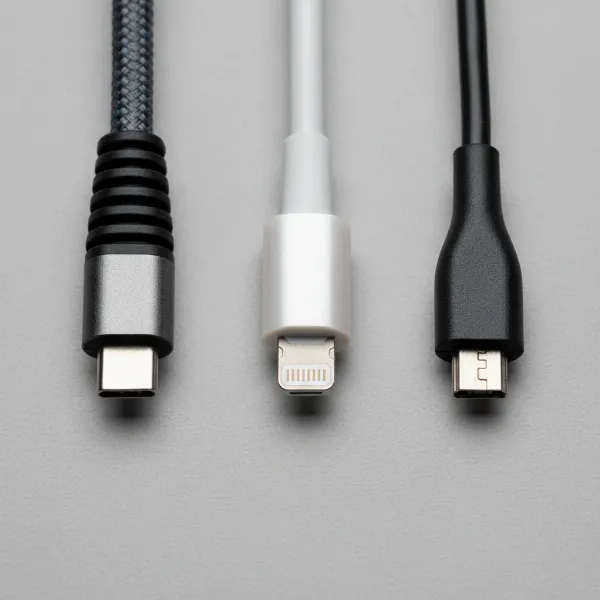
Currently, the market is primarily dominated by four key types of connectors: USB-A, USB-C, Lightning, and Micro USB. Each serves different devices and offers varying capabilities in terms of speed, power delivery, and versatility.
- USB-A: This is the original, rectangular USB connector, familiar to most users. While still ubiquitous on many power adapters, computers, and older peripherals, USB-A is generally associated with slower charging and data transfer speeds compared to its newer counterparts. Cables typically feature a USB-A connector on one end, paired with a different type on the other, such as USB-A to Lightning or USB-A to USB-C.
- USB-C: The latest and most advanced USB standard, USB-C is celebrated for its reversible design, meaning it can be plugged in either way. It offers significantly faster charging speeds, with modern iterations supporting Power Delivery (PD) up to 240 watts (PD 3.1), and high-speed data transfer rates, reaching up to 40 Gigabits per second (Gbps) with Thunderbolt 3 or 4 compatibility. USB-C has become the universal standard for a wide array of modern devices, including smartphones, tablets, laptops, and gaming consoles, offering unmatched versatility.
- Lightning: Apple’s proprietary connector, introduced with the iPhone 5 in 2012, is compact and designed specifically for the Apple ecosystem. It is found on iPhones, most iPads, AirPods, and various Apple accessories. While efficient for Apple devices, Lightning cables typically offer more limited data and power delivery capabilities compared to USB-C. However, some newer Apple devices, such as certain iPad Pro models, have transitioned to USB-C.
- Micro USB: Once a prevalent standard for many portable devices, Micro USB is an older connector type that is gradually being phased out. It is still found on older Android smartphones, some budget devices, cameras, and power banks. Micro USB generally provides slower charging speeds, typically capped around 10 watts, and data transfer rates of up to 480 megabits per second (Mbps). Its non-reversible design can also make it less user-friendly than USB-C.
Understanding the specific connector types your devices utilize is the first crucial step in selecting the right charging cable, ensuring compatibility and optimal performance.
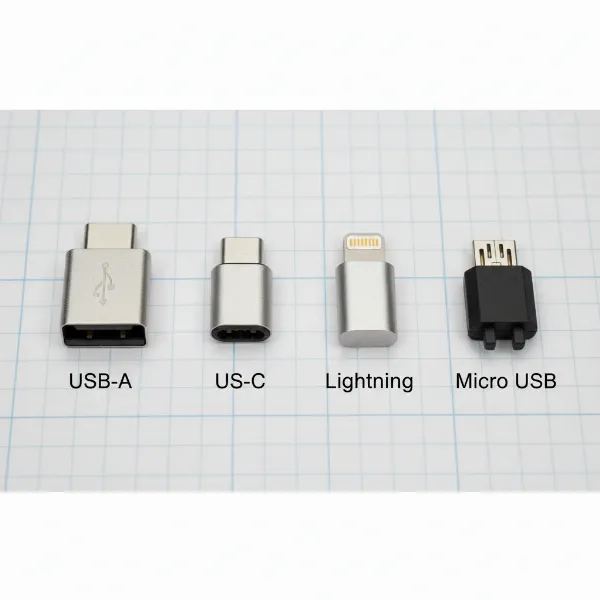 An illustrative comparison of different charging cable types: USB-A, USB-C, Lightning, and Micro USB connectors.
Key Factors When Choosing a Charging Cable
When you’re ready to upgrade your charging setup, or simply replace a worn-out cable, several key factors come into play beyond just the connector type. These elements directly impact a cable’s performance, durability, and suitability for your specific devices and lifestyle.
Materials and Durability of the Cable
The materials used in a charging cable’s construction are paramount to its longevity and resistance to wear and tear. A robust cable can withstand the rigors of daily use, frequent coiling, and accidental tugs, saving you money and frustration in the long run.
Common materials for outer jackets include:
- PVC (Polyvinyl Chloride): Often found in more affordable cables, PVC is flexible but can be prone to cracking and fraying over time, especially at the connector points.
- TPE (Thermoplastic Elastomer): TPE offers better flexibility and a softer feel than PVC, making it more resistant to tangles. It’s generally more durable than basic PVC but can still show signs of wear with heavy use.
- Braided Nylon: Cables encased in braided nylon are highly favored for their superior durability. The woven fabric exterior provides excellent resistance against abrasions, bending, and tangles. Some premium braided cables incorporate strong fibers like Kevlar aramid to enhance their tensile strength, making them incredibly robust.
|
Our Picks for the Best Charging cable in 2026
As an Amazon Associate I earn from qualifying purchases.
|
||
| Num | Product | Action |
|---|---|---|
| 1 | Teeind USB Type C Cable Fast Charging, Tpc001 5 Pack(6Ft 3A) Braided C Charger Cables Compatible with Samsung S10e/note 9/s10/s9/s8 Plus/A80/A50/A20 |

|
| 2 | LISEN USB C to USB C Cable, 240W C to C Cable Fast Charging [6.6FT, 2 Pack] Type C Charger Fast Charging USBC to USBC Cable for iPhone 17 16 15 Pro Max iPad MacBook Neo Air Pro Samsung S26 S25 Ultra |
|
| 3 | Anker USB C to USB C Cable, Type-C 60W Fast Charging Cable (6 FT, 2Pack) for iPhone 17 Series, iPad mini 6 and More (Black) |
|
| 4 | LISEN USB C to USB C Cable, 5-Pack [3.3/3.3/6.6/6.6/10FT] for iPhone 17 Charger Cord, 60W C to C Cable Fast Charging for iPad, iPhone 16 15 Pro Max, Galaxy S25/S24 USBC to USBC Cable Gifts for Men |
|
| 5 | USB Type-C to A Cable 5pack 6ft Braided Fast Charging 3A Quick Charger Cord, 6 Foot Compatible iPhone 17/17 Pro/16e/16/15 Pro Max,Samsung Galaxy S10 S9 S8 Plus, Note 10 9 8, LG V50 V40 G8 G7(Grey) |
|
| 6 | INIU USB C to USB C Cable, 240W Fast Charging Type C Charger Cord, Braided USBC Phone Charger Cable for iPhone 17 16 Pro Max Samsung S26 S25 Laptops MacBook Air 15 M3 iPad Switch [6.6ft+6.6ft Black] |
|
| 7 | iPhone Charger 3 Pack 10 ft Apple MFi Certified Lightning Nylon Braided Cable Fast Charging Cord Compatible with iPhone 13 12 11 Pro Max XR XS X 8 7 6 Plus SE iPad and More |
|
| 8 | AINOPE USB to USB C Cable [2-Pack, 6.6ft] 3.1A Type C Charger Fast Charging, Right Angle USB C Cable for iPhone 17 Carplay Cable, Galaxy S10+ S10 S9, Note 10 9, LG V30, Moto, iPhone 16 15 Charger Cord |
|
| 9 | Anker Cable [2 Pack 6ft], USB A to USB C Cable for iPhone 17 Series,Samsung Galaxy S10 S10+, LG V30, Beats Fit Pro and More (Black). |
|
| 10 | Durcord USB C Cable, Upgarded 2Pack 10ft Fast USB Type C Charging Cable for Android/Phone/Pad/Laptop, Type C Charger Braided USB Cable Compatible withi Phone 17/16/15/Pro/Plus/Max/Sam.Sung-Silver |
|
Beyond the outer jacket, the internal wiring and connector construction are equally vital. Thicker gauge copper wires typically allow for more efficient power flow and are less prone to breakage. Reinforced connectors and strong strain relief—the flexible sleeve where the cable meets the connector—are critical features that prevent common points of failure, such as fraying and internal wire damage from repeated bending. To extend your cable’s lifespan, avoid sharp bends, excessive pulling, and always hold the connector when unplugging.
Compatibility and Charging Speed
Ensuring your charging cable is compatible with both your device and your power adapter is fundamental for optimal performance and safety. An incompatible cable might not charge at all, or worse, could lead to inefficient charging that damages your device’s battery over time.
First, confirm the physical connector type needed for your device (e.g., USB-C for a modern Android phone, Lightning for an iPhone). Next, consider the charging standards. Many modern devices support fast charging technologies like:
- USB Power Delivery (PD): This is a universal fast-charging standard, primarily associated with USB-C, capable of delivering much higher power (up to 240W with PD 3.1) than older USB standards. It’s ideal for quickly charging smartphones, tablets, and even high-power laptops. For PD to work, both your device, charger, and cable must support the standard and the desired wattage. High-quality USB-C cables designed for PD often contain an “e-marker chip” which communicates the cable’s capabilities (power and data speed) to the connected devices.
- Quick Charge (QC): Developed by Qualcomm, Quick Charge is another widely adopted fast-charging technology found in many Android devices. While distinct from PD, many modern chargers and cables support both.
To check if a cable supports fast charging, look for its wattage rating (e.g., 60W, 100W, 240W) and compatibility with PD or QC standards on the product packaging or specifications. The cable’s internal resistance, length, and the quality of its connectors all play a significant role in how efficiently power is transferred, directly impacting charging speed.
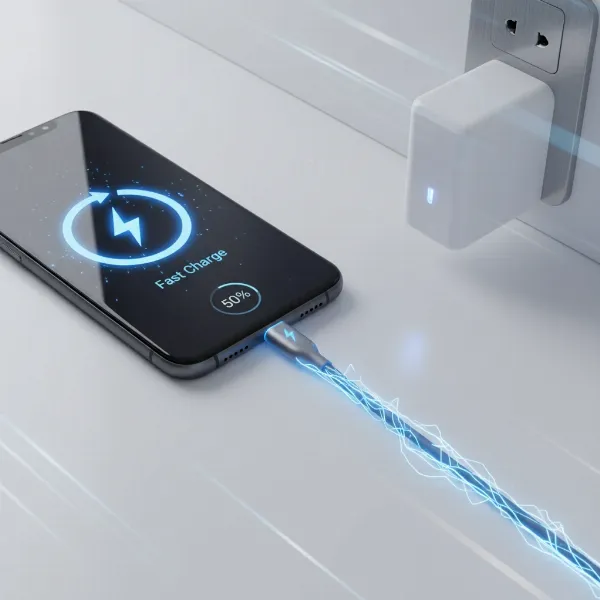 A visual representation of fast charging technology with compatible devices and cables.
Length and Design of the Cable
The length and overall design of a charging cable might seem like minor details, but they significantly impact usability, convenience, and even charging efficiency.
-
Length:
- Shorter cables (under 1 meter): These are generally more efficient for fast charging because they have less electrical resistance, leading to minimal power loss. They are ideal for power banks, desktop charging, or in-car use where proximity to the power source is not an issue, reducing clutter.
- Longer cables (1.5 meters or more): Offering greater flexibility and freedom of movement, longer cables are perfect for charging devices while using them from a distance, such as in bed, on a couch, or at a larger desk. However, longer cables can experience more voltage drop, potentially leading to slightly slower charging speeds compared to their shorter counterparts, especially if the cable quality is subpar. It’s about striking a balance between convenience and optimal charging performance.
-
Design:
- Flexibility: Some cables, like those made with silicone, offer exceptional flexibility, making them tangle-free and easy to coil for storage. This is a significant convenience feature for users on the go.
- Special Features: The market also offers cables with unique design elements, such as LED indicators that show charging status or wattage, magnetic connectors for easy attachment, or even multi-tip cables that adapt to different ports (USB-C, Lightning, Micro USB) using interchangeable heads. While these features can enhance user experience, always prioritize core performance aspects like durability and charging capabilities. The overall aesthetic, such as braided textures or unique colors, can also contribute to personal preference and style.
Comparing Popular Charging Cable Types
Choosing the right charging cable often comes down to understanding the strengths and weaknesses of each common type. While USB-C is rapidly becoming the universal standard, Lightning and Micro USB cables still serve specific device ecosystems and older gadgets. Here’s a comparison to help differentiate them:
Detailed Comparison Table
| Criteria | USB-A | USB-C | Lightning | Micro USB |
|---|---|---|---|---|
| Advantages | Inexpensive, widely compatible (legacy chargers/ports), simple design. | Fast charging (up to 240W), high-speed data transfer (up to 40Gbps), reversible connector, universal standard for modern devices. | Optimized for Apple devices, compact size, ensures seamless integration with iOS ecosystem. | Affordable, compatible with a vast number of older and budget devices, still widely available. |
| Disadvantages | Slower charging speeds (typically <15W), slower data transfer (up to 480Mbps), non-reversible connector, being phased out on many new devices. | Generally higher initial cost than USB-A/Micro USB cables. | Apple-specific (ecosystem lock-in), typically lower power/data capabilities than high-end USB-C, tends to be more expensive due to licensing. | Slowest charging speeds (typically <10W), slowest data transfer (up to 480Mbps), non-reversible connector, prone to damage, being phased out. |
| Durability | Varies widely; depends heavily on build materials and brand quality. | Generally good with reinforced designs (braided nylon, strong strain relief). Supports higher current, requiring better internal components. | Varies; Apple’s older rubberized cables were known for fraying, but newer braided options are more robust. | Often lower due to thin wires and less robust connector design, susceptible to bending and damage. |
| Compatibility | Broadly compatible with older chargers, computers, and devices featuring USB-A ports. | Broadly compatible with modern smartphones, tablets, laptops, gaming consoles, and newer power adapters. | Exclusive to Apple iPhones, most iPads, AirPods, and certain Apple accessories. | Older Android phones, e-readers, power banks, Bluetooth speakers, and various budget electronic devices. |
Comprehensive Charging Cable Buying Guide
Navigating the multitude of charging cables can be overwhelming, but a systematic approach based on your needs and product quality indicators can simplify the process. Investing in the right cable means optimizing your device’s performance and ensuring long-term reliability.
Identifying Your Needs
Before even looking at brands or technical specifications, clarify what you need the cable for. This helps narrow down your options significantly:
- For which device(s) do you need a cable? This determines the connector type (USB-C, Lightning, Micro USB, or a combination). For example, an iPhone user will primarily need Lightning cables, while an Android user will likely need USB-C. Many households now have a mix of devices, making multi-tip or universal USB-C cables attractive.
- Do you prioritize fast charging or standard charging? If you have devices that support fast charging (like a Power Delivery-enabled smartphone or laptop) and a compatible fast charger, you’ll need a cable explicitly rated for higher wattages (e.g., 60W, 100W, or 240W) to leverage those speeds. For overnight charging or older devices, a standard cable may suffice.
- What is your ideal cable length? Consider where and how you typically use your devices while charging. A shorter cable (0.5m-1m) is great for portability and faster charging efficiency, perfect for power banks or desks. A longer cable (1.5m-3m) offers more flexibility for use in bed, on a couch, or in hard-to-reach outlets, though it might slightly reduce charging speed.
Reputable Brands
Choosing cables from established and trusted brands is a strong indicator of quality, reliability, and adherence to safety standards. These manufacturers often invest in better materials, rigorous testing, and offer warranties. Some of the most recognized and highly-rated brands in the charging cable market include:
- Anker: Widely respected for its durable Powerline series, Anker cables are known for reliable performance, good strain relief, and supporting fast charging. They are a go-to for many users seeking a balance of quality and value.
- Belkin: A premium brand that consistently delivers high-quality charging solutions, including robust BoostCharge cables that support high wattage and feature excellent construction with quality braiding and reinforced connectors.
- UGREEN: A popular brand offering a wide range of cables that often strike a good balance between performance and affordability. UGREEN cables frequently support Power Delivery and fast data transfer, garnering positive customer reviews.
- Apple: While primarily focused on Lightning cables for its ecosystem, Apple’s proprietary cables are optimized for seamless integration. Newer Apple cables, especially braided options, have improved durability.
- JSaux: Often recommended as a strong budget-friendly option, JSaux provides reliable USB-C cables, including longer variants, that can handle 100W charging speeds effectively.
- Baseus: Gaining recognition for producing durable and high-quality charging accessories, Baseus cables are praised by many users for their robust build and consistent performance.
When evaluating brands, consider not just their reputation but also specific product reviews, especially those that highlight long-term durability and performance under various conditions.
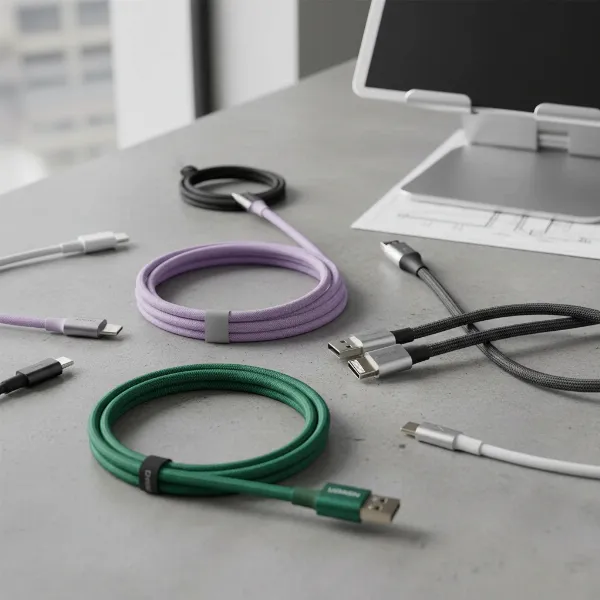 A collection of quality charging cables from reputable brands like Anker, Belkin, and UGREEN, showcasing their durable designs.
Technical Specifications and Safety Certifications
The technical details and safety certifications are non-negotiable aspects when purchasing a charging cable, directly impacting both the performance and safety of your devices.
- Technical Specifications:
- Voltage (V) & Current (A) / Wattage (W): Always check the cable’s specifications for its maximum supported voltage, current, and wattage. For instance, a cable rated for 5A/100W can deliver significantly more power than a 2A/10W cable. Ensure these align with your device’s charging requirements and your power adapter’s output. Using a cable with insufficient capacity for a fast charger will limit charging speed.
- Data Transfer Speed: If you frequently transfer large files, look for cables that support higher data transfer standards (e.g., USB 3.1 Gen 2 for 10Gbps, or Thunderbolt 3/4 for 20-40Gbps) instead of basic USB 2.0 (480Mbps).
- Certifications: Official certifications guarantee that a cable has been tested and meets specific safety, quality, and performance standards. They protect you and your devices from potential hazards like overcharging, overheating, or electrical shorts. Key certifications to look for include:
- CE (Conformité Européenne): Mandatory for products sold in the European Union, indicating compliance with EU health, safety, and environmental protection directives.
- FCC (Federal Communications Commission): Required for electronic devices sold in the United States, ensuring the product does not cause harmful electromagnetic interference. While typically found on adapters, it’s a good sign of overall product quality if mentioned for a cable sold with an adapter.
- RoHS (Restriction of Hazardous Substances): A global standard, especially important in the EU, that ensures products do not contain dangerous levels of hazardous materials such as lead, mercury, and cadmium.
- USB-IF (USB Implementers Forum) Certification: This is a voluntary, but highly recommended, certification for USB products (including cables). It assures that the cable adheres to USB standards for performance, compatibility, and safety, guaranteeing interoperability with other USB-IF certified devices.
- UL (Underwriters Laboratories): Primarily certifies the safety of the cable components, ensuring they meet specific fire and electrical safety standards.
Prioritizing cables with these certifications ensures you’re choosing a product that is not only effective but also safe for daily use.
Top-Rated Charging Cables on the Market
With a clear understanding of cable types, key features, and buying considerations, let’s explore some of the top-rated charging cables that excel in different aspects, catering to various needs and budgets.
- Anker Powerline III USB-C to USB-C Cable: Consistently praised as an excellent all-rounder, this cable is known for its durability and ability to handle up to 100W Power Delivery, making it suitable for fast-charging both phones and many laptops. Its silicone finish makes it flexible and tangle-free.
- Belkin BoostCharge 240W USB-C to USB-C Cable: For those needing maximum power, the Belkin BoostCharge supports the highest USB Power Delivery rate of 240W. It features quality braiding and robust overmolding, making it a premium and highly reliable choice for the most demanding devices.
- JSaux USB-C to USB-C 2-Pack: An outstanding value option, especially if you need multiple cables or longer lengths. These cables offer fast 100W charging and a durable build, providing impressive performance at a more affordable price point.
- Anker Powerline+ USB-C to USB-A 3.0 Cable: If you still rely on older USB-A ports on your chargers or computers but need to connect to modern USB-C devices, this Anker cable is highly durable with a braided sheath and offers good data transfer speeds (up to 5 Gbps) for a USB-A connection. Note that its charging is limited by the USB-A standard (typically 15W).
- UGREEN Nexode/Flow Series USB-C Cables: UGREEN offers a strong lineup of USB-C cables known for their good value, robust construction, and support for various Power Delivery wattages and data speeds. They are a reliable choice for everyday use.
- Apple Braided USB-C to Lightning Cable: For iPhone users with fast charging-capable iPhones (iPhone 8 and newer), an Apple-certified USB-C to Lightning cable paired with a USB-C power adapter is essential. Apple’s braided versions offer enhanced durability compared to older models.
When making your final selection, consider a cable’s overall value, balancing its price with its promised durability, charging capabilities, and compatibility with your specific devices. Reading user reviews and professional tests can provide further insights into real-world performance.
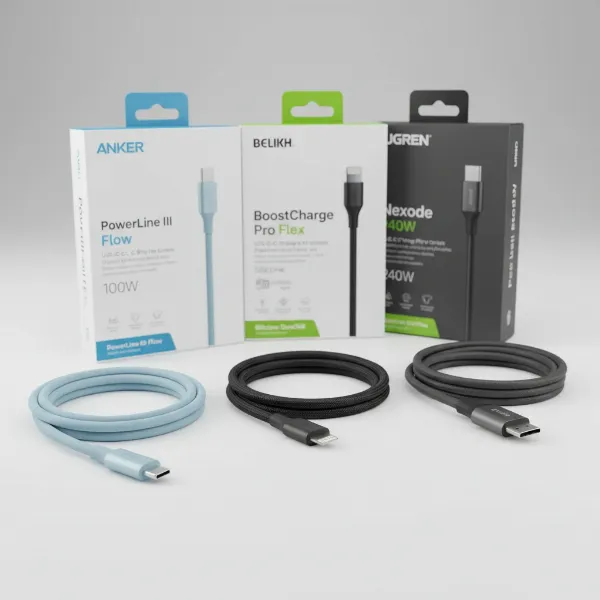 A selection of the best-rated charging cables laid out with their respective packaging, highlighting key features and brands.
Conclusion
Choosing the right charging cable is more than a simple purchase; it’s an investment in the longevity and optimal performance of your valuable electronic devices. We’ve explored the diverse landscape of charging cables, from the universal USB-C to Apple’s proprietary Lightning and the legacy Micro USB, each serving distinct purposes. Understanding key factors like material durability, compatibility with fast charging standards like Power Delivery, and appropriate cable length are paramount. Opting for reputable brands and verifying safety certifications like CE, FCC, and RoHS ensures you acquire a reliable and secure product. By carefully considering your specific needs and prioritizing quality, you can select a charging cable that not only meets but exceeds your expectations, providing efficient power and data transfer for years to come. What features do you value most in your charging cables, and how has a good quality cable impacted your daily tech experience?
Frequently Asked Questions
How does cable length affect charging speed?
Cable length directly impacts charging speed due to electrical resistance. Longer cables have higher resistance, leading to a greater voltage drop and potentially slower charging times. For optimal fast charging, shorter cables (typically under 1 meter) are generally more efficient, as they minimize power loss during transmission.
Can I use any charging cable for fast charging?
No, not all charging cables support fast charging. For fast charging to occur, both your device, your power adapter, and the cable itself must all be compatible with a fast charging standard like USB Power Delivery (PD) or Quick Charge (QC). The cable must be rated to handle the higher wattage and current required for fast charging.
Are expensive charging cables always better?
Not necessarily, but there’s often a correlation between price and quality. More expensive cables from reputable brands typically use higher-quality materials for durability, feature advanced internal wiring for efficient power delivery, and carry essential safety certifications. However, an overly expensive cable might offer features you don’t need; focus on specifications and certifications rather than just price.
What is an MFi certification?
MFi stands for “Made for iPhone/iPad/iPod.” It’s a licensing program by Apple for third-party hardware accessories. MFi certified cables and accessories have met Apple’s performance and quality standards, ensuring safe and reliable compatibility with Apple devices. This certification is crucial for Lightning cables to avoid issues like “accessory not supported” messages or potential damage.
Why do some charging cables break easily?
Charging cables often break easily due to poor material quality, inadequate strain relief at the connector points, or thin internal wiring. Frequent bending, tugging, or coiling can stress these weak points, leading to fraying of the outer jacket or breakage of internal conductors. Investing in cables with braided nylon exteriors and reinforced connectors from trusted brands can significantly improve durability.