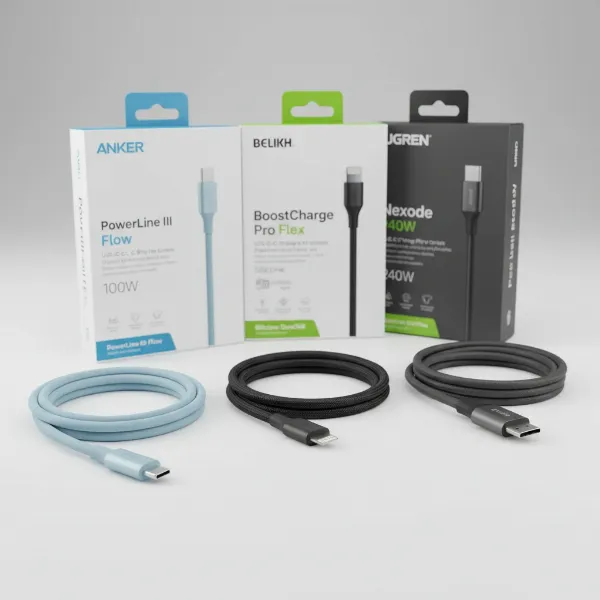
In our increasingly connected world, where smartphones, tablets, and laptops are indispensable, the humble charging cable remains a critical component of our daily lives. While wireless charging gains popularity, cables still offer unmatched speed, efficiency, and reliability for powering our devices and transferring data. Understanding the intricacies of these essential accessories is key to making informed choices that extend device lifespan and enhance user experience. This comprehensive guide will navigate through the diverse landscape of charging cables, detailing their types, crucial selection factors, and top recommendations to help you find the perfect power conduit for your digital companions.
Charging Cable: Overview and Essentials
Despite the rise of wireless charging technologies, charging cables continue to be the most common and often most efficient method for powering electronic devices and facilitating data transfer. They provide direct, consistent power delivery, which is especially crucial for fast charging and high-bandwidth data synchronization that wireless alternatives cannot always match. The world of charging cables, however, can be complex, with various standards and connectors designed for different purposes and devices.
The market primarily features four main types of charging cables, each with distinct characteristics. USB-A is the oldest and most widely recognized standard, featuring a flat, rectangular connector typically found on the host side of most charging blocks and computer ports. While ubiquitous, it generally offers slower charging speeds and data transfer rates compared to newer technologies. In contrast, USB-C represents the modern standard, boasting a symmetrical, reversible connector that plugs in either way, eliminating fumbling. It supports significantly higher power delivery, often up to 240 watts, and blazing-fast data transfer speeds, making it the preferred choice for contemporary smartphones, laptops, and gaming consoles.
For Apple users, the Lightning cable has been the proprietary standard for iPhones (up to iPhone 14), iPads, and various Apple accessories. This 8-pin connector is also reversible and known for its robust connection within the Apple ecosystem, supporting fast charging when paired with a compatible USB-C power adapter. Lastly, Micro USB serves as a miniaturized version of USB-A, commonly found on older Android phones, smaller electronic accessories, and portable power banks. Its non-reversible design and slower performance have led to its gradual replacement by USB-C in newer devices. Knowing the distinctions between these types is the first step toward selecting the right cable for your specific needs.
Key Factors When Choosing a Charging Cable
Selecting the right charging cable goes beyond simply matching the connector type; several critical factors influence performance, durability, and overall value. Paying attention to these elements will ensure you invest in a cable that truly serves your devices and lifestyle.
Material and Durability of the Cable
|
Our Picks for the Best Charging cable in 2026
As an Amazon Associate I earn from qualifying purchases.
|
||
| Num | Product | Action |
|---|---|---|
| 1 | AINOPE USB to USB C Cable [2-Pack, 6.6ft] 3.1A Type C Charger Fast Charging, Right Angle USB C Cable for iPhone 17 Carplay Cable, Galaxy S10+ S10 S9, Note 10 9, LG V30, Moto, iPhone 16 15 Charger Cord |
![Check AINOPE USB to USB C Cable [2-Pack, 6.6ft] 3.1A Type C Charger Fast Charging, Right Angle USB C Cable for iPhone 17 Carplay Cable, Galaxy S10+ S10 S9, Note 10 9, LG V30, Moto, iPhone 16 15 Charger Cord on Amazon](https://reviewasc.com/wp-content/plugins/amazon-tables/assets/images/buy.png)
|
| 2 | Anker Cable [2 Pack 6ft], USB A to USB C Cable for iPhone 17 Series,Samsung Galaxy S10 S10+, LG V30, Beats Fit Pro and More (Black). |
|
| 3 | iPhone Charger 3 Pack 10 ft Apple MFi Certified Lightning Nylon Braided Cable Fast Charging Cord Compatible with iPhone 13 12 11 Pro Max XR XS X 8 7 6 Plus SE iPad and More |
|
| 4 | Durcord USB C Cable, Upgarded 2Pack 10ft Fast USB Type C Charging Cable for Android/Phone/Pad/Laptop, Type C Charger Braided USB Cable Compatible withi Phone 17/16/15/Pro/Plus/Max/Sam.Sung-Silver |
|
| 5 | Teeind USB Type C Cable Fast Charging, Tpc001 5 Pack(6Ft 3A) Braided C Charger Cables Compatible with Samsung S10e/note 9/s10/s9/s8 Plus/A80/A50/A20 |
|
| 6 | INIU USB C to USB C Cable, 240W Fast Charging Type C Charger Cord, Braided USBC Phone Charger Cable for iPhone 17 16 Pro Max Samsung S26 S25 Laptops MacBook Air 15 M3 iPad Switch [6.6ft+6.6ft Black] |
|
| 7 | LISEN USB C to USB C Cable, 5-Pack [3.3/3.3/6.6/6.6/10FT] for iPhone 17 Charger Cord, 60W C to C Cable Fast Charging for iPad, iPhone 16 15 Pro Max, Galaxy S25/S24 USBC to USBC Cable Gifts for Men |
|
| 8 | LISEN USB C to USB C Cable, 240W C to C Cable Fast Charging [6.6FT, 2 Pack] Type C Charger Fast Charging USBC to USBC Cable for iPhone 17 16 15 Pro Max iPad MacBook Neo Air Pro Samsung S26 S25 Ultra |
|
| 9 | Anker USB C to USB C Cable, Type-C 60W Fast Charging Cable (6 FT, 2Pack) for iPhone 17 Series, iPad mini 6 and More (Black) |
|
| 10 | USB Type-C to A Cable 5pack 6ft Braided Fast Charging 3A Quick Charger Cord, 6 Foot Compatible iPhone 17/17 Pro/16e/16/15 Pro Max,Samsung Galaxy S10 S9 S8 Plus, Note 10 9 8, LG V50 V40 G8 G7(Grey) |
|
The longevity and resilience of a charging cable are largely determined by its construction materials. Common cable jackets include PVC (Polyvinyl Chloride), TPE (Thermoplastic Elastomer), and braided nylon. While PVC and TPE are flexible and cost-effective, they are generally less resistant to wear and tear. Braided nylon, often seen in premium cables, offers superior resistance to abrasion, cuts, and the frustrating fraying that frequently occurs near connector ends. This woven material also helps prevent tangles, making it a popular choice for durability.
Beyond the jacket, the points where the cable meets the connector are notorious weak spots. High-quality cables often feature reinforced connectors and enhanced strain relief to withstand thousands of bends, twists, and pulls. Manufacturers like Anker are recognized for integrating these reinforcements, significantly extending cable lifespan. Some heavy-duty cables are even advertised to endure tens of thousands, or even hundreds of thousands, of bends, promising exceptional longevity. To maximize your cable’s lifespan, avoid sharp bends near the connectors and excessive tugging.
Compatibility and Charging Speed
Device compatibility is paramount; the cable’s connectors must physically match your device’s charging port. Modern Android phones, tablets, and laptops predominantly use USB-C, while older iPhones (up to the iPhone 14) and certain Apple accessories require a Lightning cable. Older Android devices and some smaller gadgets typically utilize Micro USB. Ensuring this physical match is the foundation of a functional connection.
Beyond physical fit, understanding charging speed protocols is crucial for optimizing your device’s charging experience. USB Power Delivery (PD) is a prevalent fast-charging standard supported by USB-C, capable of delivering up to 240 watts, allowing for rapid charging of everything from smartphones to high-power laptops. For Apple devices, Lightning cables can achieve fast charging when paired with a compatible USB-C PD power adapter. It’s also worth noting that some device manufacturers, such as Huawei, OPPO, and Xiaomi, use proprietary fast-charging protocols that may require their original cables or specifically adapted third-party alternatives to achieve peak speeds. To verify fast-charging support, check the wattage and amperage ratings on the cable and your device. For USB-C cables, those designed for high-power delivery (exceeding 3A or 60W) often incorporate an E-Marker chip to communicate their capabilities, ensuring safe and efficient power transfer. Additionally, if you frequently transfer large files or connect external displays, prioritize cables that support high data transfer speeds, such as USB 3.0, 3.1, 3.2, or the latest USB4 and Thunderbolt standards.
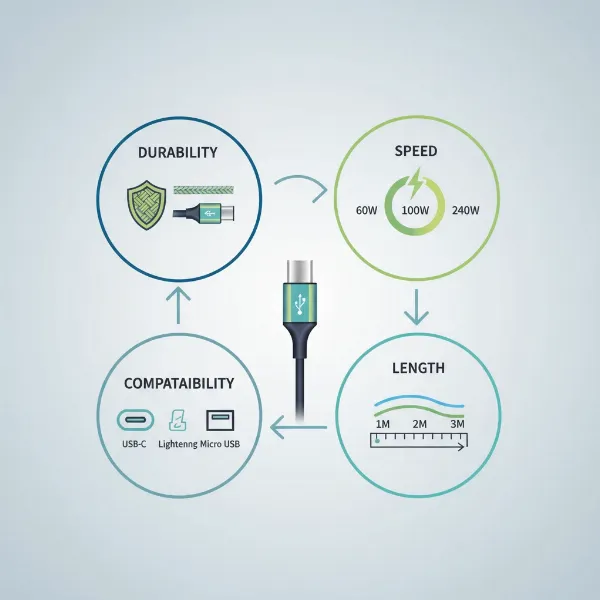 An illustrative image showcasing various charging cable factors like durability, speed, and connector types.
Cable Length and Design
The ideal cable length is highly dependent on your intended use case. Ultra-short cables (under 1 foot) are perfect for connecting to power banks or for minimalist desk setups to reduce clutter. Standard lengths (3-6 feet) are versatile for everyday desk or bedside charging. Longer cables (6-10 feet or more) provide greater flexibility, allowing you to comfortably use your device while it charges from a distant outlet, such as from a couch or in a spacious workspace. Conversely, using an excessively long cable without sufficient power delivery can sometimes lead to slightly slower charging speeds due to increased resistance.
Beyond length, cable design can also enhance usability and durability. Features like right-angle connectors can be beneficial for gaming or when using devices in tight spaces, preventing strain on the cable and port. Some cables incorporate LED indicators that show charging status or even glowing effects, adding an aesthetic touch. Multi-connector cables, which combine several popular port types (e.g., USB-C, Lightning, Micro USB) on one end, offer versatility for users with a variety of devices, simplifying your charging setup.
Comparing Popular Charging Cable Types on the Market
Understanding the strengths and weaknesses of each common cable type is essential for making an informed purchasing decision. The table below provides a detailed comparison of USB-A, USB-C, Lightning, and Micro USB cables across key criteria.
Detailed Comparison Table
| Criteria | USB-A Cable | USB-C Cable | Lightning Cable | Micro USB Cable |
|---|---|---|---|---|
| Advantages | Widely available, very affordable, universal for older devices | High-speed charging (up to 240W), fast data transfer (up to 80Gbps), reversible connector, versatile (data, video, power) | Reversible connector, robust connection, MFi certified for Apple, fast charging with compatible adapter | Very common on older devices, inexpensive, compact |
| Disadvantages | Slower charging, slower data transfer, non-reversible, outdated standard | Higher initial cost, requires compatible charger/device to maximize speed | Exclusive to Apple devices, relatively higher cost | Slowest charging, slow data transfer, non-reversible, prone to damage, becoming obsolete |
| Durability | Varies widely by brand and material, basic plastic versions prone to fraying | Often features robust construction (braided nylon, reinforced connectors), good long-term durability | Generally well-built, MFi standard ensures quality, but outer sheath can fray over time | Most susceptible to physical damage, especially at connector point |
| Compatibility | Universal host connector for chargers/computers, limited device-side connections | Wide compatibility with modern smartphones, laptops, tablets, game consoles | Exclusively for Apple iPhones (up to 14), iPads, AirPods, etc. | Primarily older Android phones, basic accessories, some power banks |
Detailed Charging Cable Buying Guide
Navigating the multitude of options can be daunting, but a structured approach can simplify the process of finding the perfect charging cable. This buying guide will walk you through the necessary steps to ensure you make a smart investment.
Determine Your Usage Needs
Before diving into specifications, identify your primary requirements. First, what device are you charging? An iPhone 14 requires a Lightning cable, while an iPhone 15 or a new Android phone needs USB-C. For a laptop, a high-wattage USB-C PD cable is essential. Next, consider your speed requirements. Do you need rapid charging for a quick power boost, or is standard overnight charging sufficient? For fast charging, look for cables supporting Power Delivery (PD) for USB-C or ensuring MFi certification for Apple devices.
Think about the length you need. A short cable might be ideal for a power bank or car, while a longer one offers convenience from a distant wall outlet. Lastly, evaluate your data transfer needs. If you frequently sync large files or connect external monitors via your cable, prioritize options with high data transfer rates (e.g., USB 3.0, USB4). If the cable is solely for charging, data speed might be less critical. Clearly defining these needs will narrow down your search considerably.
Research Reputable Brands
Investing in cables from well-known and respected brands often ensures better quality, performance, and safety. Anker is a highly recommended brand, frequently praised for its durable PowerLine series cables that feature reinforced connectors and excellent fast-charging capabilities. Their cables are designed to withstand significant wear and tear, making them a long-lasting choice. Belkin is another reliable option, offering MFi-certified Lightning cables and high-wattage USB-C cables, often presented as worthy alternatives to official Apple products due to their strong internal construction.
While Apple’s original cables guarantee optimal compatibility and often have robust internal wiring, their outer sheaths have a reputation for fraying over time, prompting many users to seek more durable third-party alternatives. Other brands like KEUTEK and JSAUX also receive positive mentions for their heavy-duty, fast-charging USB-C offerings, with some claiming lifespans of tens of thousands of bends. Prioritizing brands with strong reviews and a reputation for quality can save you money and frustration in the long run.
Check Technical Specifications and Safety Certifications
Once you’ve identified your needs and preferred brands, scrutinize the technical specifications and look for essential safety certifications. Ensure the cable’s wattage (W), amperage (A), and voltage (V) ratings align with your device’s power requirements and your charger’s output. For USB-C cables supporting fast charging above 3A or 60W, verify the presence of an E-Marker chip, which is crucial for safely negotiating higher power delivery between devices. Also, consider the cable’s AWG (American Wire Gauge); a lower AWG number (e.g., 24-gauge) indicates thicker internal wires, allowing for greater current flow and faster charging.
For Apple device users, MFi (Made for iPhone/iPad/iPod) certification is non-negotiable. This certification from Apple guarantees that the cable meets strict performance and safety standards, preventing compatibility issues or potential damage to your expensive Apple devices. While not always explicitly listed in search results, generally look for universally recognized safety certifications like CE, FCC, and RoHS on any charging cable, as these indicate compliance with European, American, and hazardous substance directives, respectively. These certifications provide peace of mind that the cable has undergone rigorous testing and adheres to industry safety standards.
“A quality charging cable is an investment in your device’s longevity and performance. Don’t underestimate the impact of proper materials and certifications.” – Tech Reviewer, Lead Analyst at DeviceCare Labs
Top Charging Cables Favored by Users
With a clear understanding of what to look for, here are some of the most popular and highly-rated charging cables currently on the market, catering to various needs and budgets.
For an excellent all-around USB-C to USB-C option, the Anker PowerLine III USB-C stands out. Praised for its flexibility, durability, and ability to carry up to 100W of power, it’s a top choice for fast-charging modern smartphones and many laptops. If you still rely on older USB-A wall chargers but need a robust USB-A to USB-C cable, the Anker Premium Nylon USB-A to C is an affordable yet durable pick, offering reliable charging performance.
For users seeking the absolute highest power delivery, the Belkin BoostCharge 240-watt charging cable is a strong contender. This cable supports the maximum USB Power Delivery rate and provides a high-quality alternative to more expensive proprietary options, known for its commendable internal construction. For those prioritizing extreme resilience, KEUTEK ProSeries Max USB-C cables are designed to be heavy-duty, offering a blend of fast charging and exceptional durability, often rated to last significantly longer than standard cables. Lastly, the Anker Prime 100 Year USB-C Cable is notable for its incredible durability claims (surviving over 300,000 bends in some tests), making it an excellent choice for reliable iPhone and iPad charging, though its data transfer speeds are more modest.
Conclusion
Choosing the right charging cable is more than a trivial decision; it’s an investment in the efficiency, longevity, and safety of your electronic devices. By understanding the different connector types—USB-A, USB-C, Lightning, and Micro USB—and carefully considering crucial factors like material durability, compatibility with fast-charging protocols, appropriate length, and design features, you empower yourself to make intelligent purchases. Prioritizing reputable brands and verifying technical specifications and safety certifications further ensures you acquire a high-quality product that meets your needs without compromise. The charging cable is a fundamental link in our digital lives, and an informed choice guarantees seamless power and data flow. What aspects of a charging cable are most important for your daily routine?
Frequently Asked Questions
What is MFi certification for charging cables?
MFi stands for “Made for iPhone/iPad/iPod” and is a licensing program by Apple Inc. for accessory manufacturers. An MFi-certified cable guarantees it meets Apple’s strict performance and safety standards, ensuring full compatibility, optimal charging speeds, and preventing potential damage to your Apple devices.
Can I use a fast-charging cable with any charger?
While a fast-charging cable can be used with any charger, it will only achieve fast-charging speeds if both your charger and your device also support the same fast-charging protocol (e.g., USB Power Delivery) and wattage. If any component in the chain doesn’t support fast charging, the device will charge at the slowest common denominator.
How long do charging cables typically last?
The lifespan of a charging cable varies significantly based on its material quality, build, and usage habits. Cheap, standard cables might last a few months to a year, while high-quality, braided cables with reinforced connectors from reputable brands can last several years, often with bend lifespans rated into the tens or hundreds of thousands.
What is an E-Marker chip in a USB-C cable?
An E-Marker (Electronically Marked) chip is a small integrated circuit found in some USB-C cables, particularly those designed for high power delivery (over 3A or 60W) or high data transfer speeds. It communicates the cable’s capabilities (like wattage and data speed support) to connected devices, ensuring safe and optimal power negotiation.
Why are some charging cables more expensive than others?
More expensive charging cables typically justify their price with superior build quality (e.g., braided nylon, reinforced connectors), higher power delivery capabilities, faster data transfer speeds, embedded E-Marker chips, and often MFi or other safety certifications. Brand reputation and extensive warranty coverage can also contribute to a higher cost.