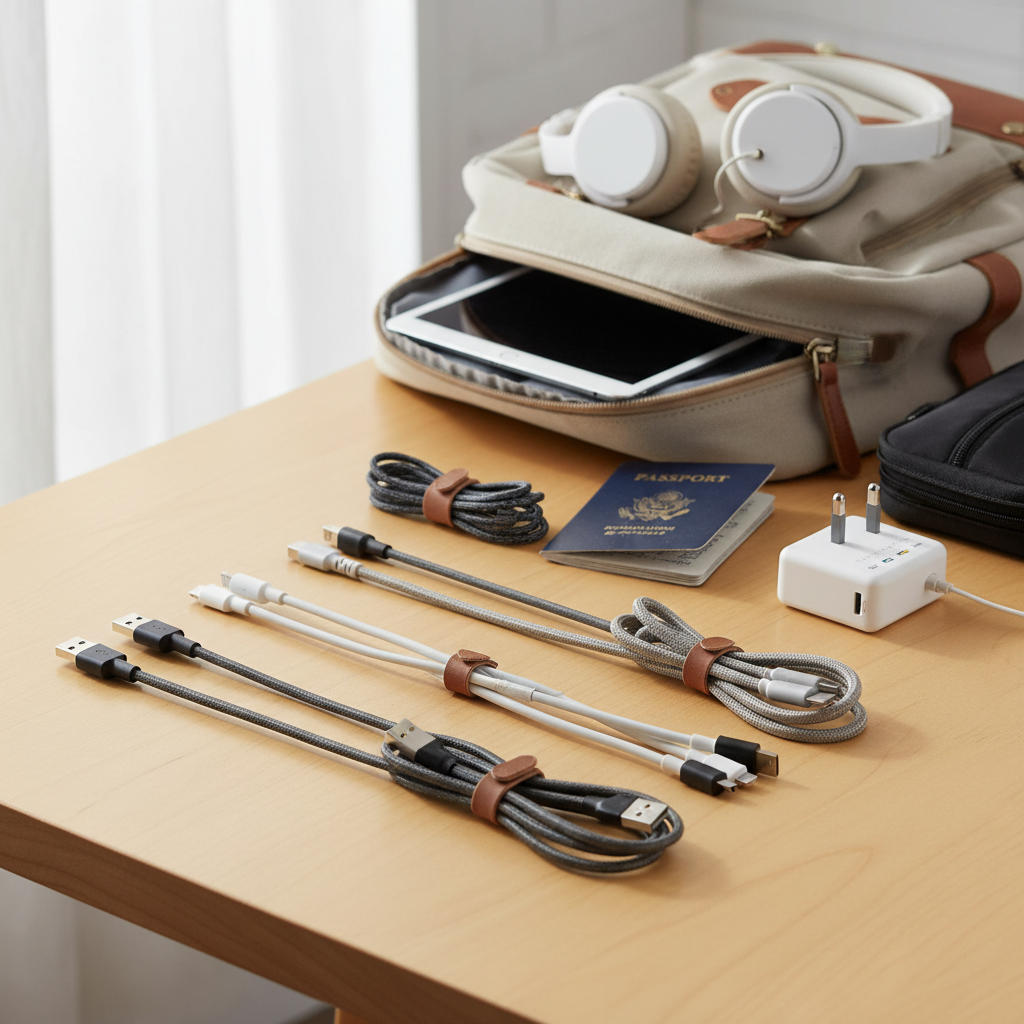
In today’s fast-paced professional world, our reliance on technology means a constant need for power. From laptops and tablets to smartphones and specialized peripherals, every device keeps the gears of business turning. However, a single faulty or inefficient charging cable can disrupt workflows, slow down productivity, and even pose safety risks. Choosing the right charging cable for a professional office isn’t just about plugging in; it’s about investing in reliability, efficiency, and durability to ensure your team stays powered up and connected without interruption. This guide will walk you through everything you need to know to select the optimal charging cables for your office environment.
Charging Cables: Overview and Essential Knowledge
Charging cables are the lifelines of our electronic devices, transmitting power and data to keep everything operational. Their importance in a modern office cannot be overstated, as they bridge the gap between power sources and essential tools. Understanding the various types available is the first step toward making informed decisions for your professional setting.
Currently, the most common types of charging cable connectors you’ll encounter are USB-A, USB-C, Lightning, and Micro USB. USB-A is the traditional rectangular connector, still widely used with older power adapters and computer ports. Micro USB, a smaller trapezoidal connector, was once common for Android phones and many accessories but is now largely phased out in newer devices. Lightning cables are proprietary to older Apple iPhones, iPads, and accessories, featuring a reversible design.
The undisputed leader in modern connectivity for professional environments is USB-C. This reversible, oval-shaped connector has become a universal standard, capable of transmitting not only power but also high-speed data and video signals through a single cable. Its versatility and robust capabilities make it ideal for powering everything from smartphones and tablets to high-performance laptops and external monitors. While USB-A to USB-C cables are still useful for connecting newer devices to older chargers, USB-C to USB-C cables are increasingly becoming the norm for maximizing charging speeds and data transfer.
Key Factors When Choosing a Charging Cable for Office Use
Selecting the right charging cable for a professional office demands careful consideration of several critical factors beyond just finding one that fits. Durability, compatibility, charging speed, and practical design elements all play a pivotal role in ensuring efficient and reliable operation.
Material and Durability of Cable
|
Our Picks for the Best Charging cable in 2026
As an Amazon Associate I earn from qualifying purchases.
|
||
| Num | Product | Action |
|---|---|---|
| 1 | Teeind USB Type C Cable Fast Charging, Tpc001 5 Pack(6Ft 3A) Braided C Charger Cables Compatible with Samsung S10e/note 9/s10/s9/s8 Plus/A80/A50/A20 |

|
| 2 | USB Type-C to A Cable 5pack 6ft Braided Fast Charging 3A Quick Charger Cord, 6 Foot Compatible iPhone 17/17 Pro/16e/16/15 Pro Max,Samsung Galaxy S10 S9 S8 Plus, Note 10 9 8, LG V50 V40 G8 G7(Grey) |
|
| 3 | INIU USB C to USB C Cable, 240W Fast Charging Type C Charger Cord, Braided USBC Phone Charger Cable for iPhone 17 16 Pro Max Samsung S26 S25 Laptops MacBook Air 15 M3 iPad Switch [6.6ft+6.6ft Black] |
|
| 4 | iPhone Charger 3 Pack 10 ft Apple MFi Certified Lightning Nylon Braided Cable Fast Charging Cord Compatible with iPhone 13 12 11 Pro Max XR XS X 8 7 6 Plus SE iPad and More |
|
| 5 | Anker Cable [2 Pack 6ft], USB A to USB C Cable for iPhone 17 Series,Samsung Galaxy S10 S10+, LG V30, Beats Fit Pro and More (Black). |
|
| 6 | LISEN USB C to USB C Cable, 5-Pack [3.3/3.3/6.6/6.6/10FT] for iPhone 17 Charger Cord, 60W C to C Cable Fast Charging for iPad, iPhone 16 15 Pro Max, Galaxy S25/S24 USBC to USBC Cable Gifts for Men |
|
| 7 | AINOPE USB to USB C Cable [2-Pack, 6.6ft] 3.1A Type C Charger Fast Charging, Right Angle USB C Cable for iPhone 17 Carplay Cable, Galaxy S10+ S10 S9, Note 10 9, LG V30, Moto, iPhone 16 15 Charger Cord |
|
| 8 | LISEN USB C to USB C Cable, 240W C to C Cable Fast Charging [6.6FT, 2 Pack] Type C Charger Fast Charging USBC to USBC Cable for iPhone 17 16 15 Pro Max iPad MacBook Neo Air Pro Samsung S26 S25 Ultra |
|
| 9 | Durcord USB C Cable, Upgarded 2Pack 10ft Fast USB Type C Charging Cable for Android/Phone/Pad/Laptop, Type C Charger Braided USB Cable Compatible withi Phone 17/16/15/Pro/Plus/Max/Sam.Sung-Silver |
|
| 10 | Anker USB C to USB C Cable, Type-C 60W Fast Charging Cable (6 FT, 2Pack) for iPhone 17 Series, iPad mini 6 and More (Black) |
|
In a busy office, charging cables endure constant plugging, unplugging, bending, and even accidental tugs or rolls over by office chairs. This high-wear environment necessitates cables built for longevity. Common materials used for cable sheaths include PVC (Polyvinyl Chloride), TPE (Thermoplastic Elastomer), and braided nylon.
PVC and TPE are flexible and cost-effective, but can be prone to cracking or fraying over time with repeated stress. Braided nylon, often reinforced with materials like aramid fiber (Kevlar), offers superior abrasion resistance and a tangle-free experience, significantly extending the cable’s lifespan. Reinforced connector points, often with extended strain relief where the cable meets the plug, are equally crucial as this is a common point of failure. Look for cables designed to withstand thousands of bend cycles and high tensile strength to guarantee robust performance.
To increase the lifespan of charging cables in an office, proper handling is essential. Avoid sharp bends, especially near the connectors, and educate users on unplugging cables by gripping the connector head rather than pulling the cord itself. Consider cable management solutions like ties or clips to keep them tidy and reduce physical stress.
Compatibility and Charging Speed
Ensuring your charging cables are compatible with your office devices and support optimal charging speeds is fundamental for maintaining productivity. First, identify the types of ports on the devices used in your office. While USB-C is dominant for modern laptops, tablets, and newer smartphones (both Android and Apple), older devices may still require Lightning or even USB-A to USB-C connections.
The speed at which a cable charges a device depends heavily on its power delivery capabilities. For professional use, prioritize cables that support fast charging standards like USB Power Delivery (PD). This technology allows for much higher wattage delivery (e.g., 60W, 100W, or even 240W) than older USB standards, enabling rapid charging for power-hungry devices like laptops. A cable’s wattage rating indicates the maximum power it can safely transmit. For example, a 100W USB-C PD cable can charge a laptop significantly faster than a standard 15W USB-A to USB-C cable. An “E-marker” chip within a USB-C cable is crucial for 5A (100W and above) cables, as it communicates the cable’s power capabilities to the connected devices, ensuring safe and efficient power transfer.
To check if a cable supports fast charging, look for specifications on its packaging or product description detailing its wattage (W) and compatibility with standards like USB PD. Paired with a compatible fast wall charger, a high-wattage cable ensures devices are quickly topped up, minimizing downtime.
Length and Design of Cable
The physical characteristics of a charging cable, including its length and design, directly impact its usability and appearance in a professional office. Choosing the appropriate length is vital for functionality and aesthetics. Shorter cables (e.g., 1-3 feet) are ideal for neat desk setups, reducing clutter and preventing tangles when connecting to a nearby power bank or laptop. Longer cables (e.g., 6-10 feet) offer greater flexibility for charging across a larger workspace, in meeting rooms, or when outlets are not immediately accessible, allowing users to comfortably use devices while charging.
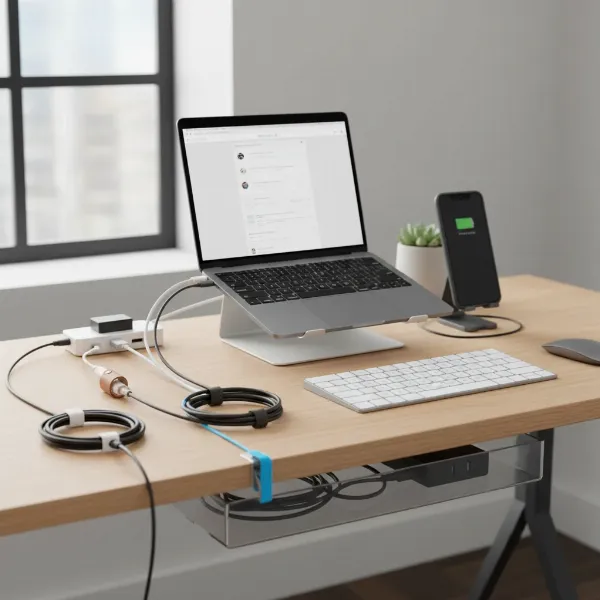 A sleek office desk with a modern laptop, smartphone, and various charging cables neatly organized, showcasing different lengths and connectors. Focus on a professional, minimalist setup with efficient charging solutions.
Beyond length, design elements can significantly enhance a cable’s appeal and practicality. Tangle-free designs, often achieved through braided nylon or smooth silicone jackets, are highly valued in an office to prevent frustrating knots and maintain a tidy environment. Some cables incorporate features like built-in cable straps for easy coiling and storage. Special features such as LED indicators can confirm charging status, while magnetic breakaway adapters can protect devices from accidental pulls. For IT departments managing numerous cables, quick identification markers printed directly onto the cable can be invaluable for asset management and quickly distinguishing between charging-only, data, and video-capable cables.
Comparison of Popular Charging Cable Types for Offices
Understanding the core differences between various cable types is crucial for outfitting a professional office efficiently. The table below provides a detailed comparison of the most popular charging cable types, highlighting their advantages, disadvantages, durability, and compatibility.
| Criterion | USB-A Cables | USB-C Cables | Lightning Cables | Micro USB Cables |
|---|---|---|---|---|
| Pros | Widely compatible with older chargers/ports; budget-friendly. | Universal, reversible connector; supports high power delivery (up to 240W); high-speed data (up to 80Gbps); video output. | Optimized for older Apple devices; robust connector design. | Common on older Androids/accessories; very low cost. |
| Cons | Slower charging (typically max 15W); limited data transfer (USB 2.0/3.0); not reversible. | Higher initial cost; performance varies significantly between cables (requires checking specs). | Apple proprietary; limited to Apple ecosystem; generally slower data transfer than high-end USB-C. | Obsolete for new devices; slow charging and data; fragile connector; not reversible. |
| Durability | Varies by material; often basic PVC jackets prone to fraying. | High-quality versions feature braided nylon, reinforced connectors, and durable materials like silicone. | Generally durable connector; external sheath can fray over time. | Most prone to damage, especially at the connector due to non-reversible design. |
| Compatibility | Broad with older devices, computers, and wall adapters. | Universal with modern devices (laptops, phones, tablets, peripherals); future-proof. | Exclusively for Apple devices (pre-iPhone 15). | Older Android phones, e-readers, some wireless headphones, and other legacy accessories. |
USB-C cables are the clear frontrunner for professional office use due to their superior performance in charging speed, data transfer, and overall versatility. While USB-A remains relevant for legacy equipment and Lightning for older Apple products, investing in high-quality USB-C infrastructure will best serve the demands of a modern office. Micro USB is largely obsolete for new purchases in a professional setting.
Professional Office Charging Cable Buying Guide
Equipping a professional office with the right charging cables requires a systematic approach. From evaluating your specific needs to scrutinizing technical specifications, each step ensures you procure cables that are both highly functional and long-lasting.
Assess Your Office Needs
Before making any purchases, take stock of the devices commonly used within your office. Do your team members primarily use USB-C laptops and smartphones, or are there still many older Apple devices requiring Lightning cables or peripherals with USB-A connections? Consider the power demands—do you need to fast charge high-wattage laptops, or are slower speeds sufficient for overnight charging of smaller gadgets? Additionally, evaluate data transfer requirements. If employees frequently transfer large files to external drives or connect to high-resolution external monitors via their charging cables, then high-speed data and video capabilities are essential. Understanding these usage patterns will guide your selection toward the most effective and efficient cables.
Reputable Brands for Office Cables
For professional environments, investing in cables from reputable brands known for quality, durability, and performance is paramount. Brands like Anker are highly regarded for their Powerline series, which offers impressive durability and fast charging capabilities, often featuring reinforced connectors and braided designs. Belkin provides robust options like their BoostCharge and DuraTek collections, known for extreme strength and rigorous testing. Cable Matters stands out for its high-performance USB4 and Thunderbolt cables, ideal for demanding data transfer and video applications. Other reliable brands include KEUTEK, known for heavy-duty construction, OtterBox, which applies its rugged case expertise to cables, and StarTech.com, offering cables with useful identification markers for IT asset management. Opting for these established names reduces the risk of premature cable failure and ensures consistent performance.
Technical Specifications and Safety Certifications
Scrutinizing technical specifications and ensuring safety certifications are in place is non-negotiable for professional office charging cables. Look for clear indications of Power Delivery (PD) wattage (e.g., 60W, 100W, 240W), which dictates charging speed. For data transfer, identify the USB standard (e.g., USB 2.0 at 480 Mbps, USB 3.2 Gen 2 at 10 Gbps, or USB4/Thunderbolt at 40-80 Gbps). Cables designed for high power (5A and above) should ideally include an E-marker chip, which enables the cable and device to communicate their capabilities for safe power negotiation.
Equally important are safety certifications. Ensure cables meet international safety, environmental, and quality standards such as CE (Conformité Européenne), FCC (Federal Communications Commission), RoHS (Restriction of Hazardous Substances), UL (Underwriters Laboratories), and ISO (International Organization for Standardization). These certifications confirm that the cable has undergone rigorous testing and adheres to strict safety protocols, preventing issues like overheating, short-circuiting, and potential device damage. For professional offices, where multiple devices are constantly in use, prioritizing certified cables safeguards both equipment and personnel.
Top Charging Cables Recommended for Professional Offices
Based on extensive testing and industry insights, several charging cables consistently stand out for their reliability, speed, and durability—making them ideal choices for professional office environments.
-
Anker Powerline III USB-C (100W): This cable is a top pick for general office use, offering powerful 100W charging for both phones and laptops. Its silicone finish provides exceptional flexibility and a tangle-free experience, making it highly durable against daily wear and tear. While its data transfer is USB 2.0 (480 Mbps), it excels in charging performance and longevity.
-
Cable Matters Thunderbolt 4 (240W, 40Gbps): For offices with high demands for data transfer, video output, and powerful laptop charging, this cable is unmatched. It supports up to 240W Power Delivery, 40 Gbps data transfer, and can drive 8K displays or two 4K monitors simultaneously. Its robust construction ensures reliability, making it perfect for connecting docking stations or high-performance workstations.
-
Apple USB-C Charge Cable (240W): Specifically designed for high-power devices like premium laptops, this Apple cable delivers 240W of charging power. Its surprisingly supple braided sheath offers outstanding durability and flexibility, allowing for easy routing around office obstacles. Note that its data transfer speed is limited to USB 2.0 (480 Mbps), focusing primarily on power delivery.
-
JSaux USB-C to USB-C 2-Pack (100W): An excellent budget-friendly option for office bulk purchases, this two-pack provides solid 100W charging performance and impressive durability with its braided sheath and reinforced connectors. While also limited to USB 2.0 data speeds, its cost-effectiveness combined with robust build makes it ideal for everyday charging needs across multiple workstations.
-
StarTech.com USB-C Charging Cable (Up to 240W, 40Gbps with ID Markers): For IT professionals managing a fleet of devices, StarTech.com’s cables with Quick Identification markers are invaluable. These cables come with specifications like 240W Power Delivery and 40Gbps data transfer, along with clear labels on the cable itself to easily distinguish its capabilities at a glance, streamlining asset management.
These recommendations cater to various office needs and budgets, from universal fast charging to high-performance data and video solutions. Always align your choice with the specific demands of your office environment to maximize efficiency and investment.
Conclusion
In the dynamic environment of a professional office, the seemingly simple charging cable plays a pivotal role in maintaining productivity and connectivity. The shift towards USB-C as a versatile, high-performance standard means that thoughtful selection is more crucial than ever. By prioritizing durability through robust materials and reinforced designs, ensuring compatibility with devices, and opting for cables that support the necessary power delivery and data transfer speeds, businesses can build a reliable charging infrastructure. Investing in quality from reputable brands and verifying technical specifications and safety certifications safeguards your equipment and streamlines daily operations. Make the smart choice today to empower your professional office with charging solutions that are efficient, resilient, and ready for the future.
What steps will you take to audit and upgrade your office’s charging cable inventory this year?
Frequently Asked Questions
What is Power Delivery (PD) and why is it important for office charging?
Power Delivery (PD) is a fast-charging technology that allows USB-C cables and ports to deliver significantly higher power levels (up to 240W) than older USB standards. For office charging, PD is critical because it enables rapid charging for power-hungry devices like laptops, tablets, and modern smartphones, drastically reducing downtime and boosting productivity.
Are all USB-C cables the same for charging laptops?
No, not all USB-C cables are the same for charging laptops. While they share the same physical connector, their internal wiring and specifications vary widely in terms of supported wattage and data speeds. For laptop charging, you need a USB-C cable specifically rated for high power delivery (e.g., 60W, 100W, or 240W PD) and, for 100W+ cables, often equipped with an E-marker chip to ensure compatibility and safety.
How can I ensure my charging cables are durable in a busy office?
To ensure durability in a busy office, look for charging cables with reinforced construction, such as braided nylon jackets that resist fraying and tangling. Also, prioritize cables with robust strain relief at the connector ends, as this is a common point of failure. Investing in reputable brands known for their heavy-duty designs further enhances longevity.
What cable length is best for a typical office desk?
For a typical office desk, a charging cable length of 3 to 6 feet (around 1 to 1.8 meters) is generally best. This length provides enough reach to connect devices to nearby outlets or docking stations without creating excessive clutter, helping to maintain a tidy and professional workspace.
Should I prioritize data transfer speed or charging speed for office cables?
The priority between data transfer speed and charging speed for office cables depends on the primary use case. For devices like laptops that require rapid power replenishment and might connect to external monitors or transfer large files, prioritize cables with high Power Delivery wattage and high data transfer rates (e.g., USB 3.2 or Thunderbolt). For simple phone charging, high wattage alone is often sufficient.