In our increasingly connected world, charging cables are the unsung heroes that keep our digital lives powered. From smartphones to laptops, these essential accessories bridge the gap between our devices and the power they need to function. However, with an overwhelming array of options on the market, choosing the right charging cable can feel like a daunting task. This comprehensive guide will demystify the world of charging cables, offering expert insights into materials, speed, compatibility, and top brands to help you make an informed decision and find the perfect charging cable for your needs.
Charging Cable: Overview and What You Need to Know
Charging cables are indispensable components of our modern tech ecosystem, enabling both power delivery and data transfer for countless electronic devices. Understanding the fundamental types and their characteristics is the first step toward selecting the best cable. These connections are more than just wires; they dictate charging efficiency, data speeds, and device compatibility.
The market is dominated by several key charging cable types, each designed to meet specific device requirements. The most prevalent include USB-A, USB-C, Lightning, and Micro USB. Each type boasts unique physical connectors, power capabilities, and data transfer rates, influencing their suitability for different devices and user preferences.
- USB-A: This is the traditional, rectangular connector commonly found on older computers, wall adapters, and power banks. It typically serves as the “host” end of a cable, plugging into the power source or a computer. USB-A often supports standard charging speeds and slower data transfer rates compared to newer standards.
- USB-C: Emerging as the universal standard, USB-C features a small, reversible, oval-shaped connector. Its versatility allows for high-speed data transfer, video output, and significantly faster charging capabilities, including Power Delivery (PD) up to 240W. Most modern Android smartphones, laptops, tablets, and gaming consoles now utilize USB-C for its superior performance and convenience.
- Lightning: Apple’s proprietary connector, Lightning cables are exclusively used for iPhones, iPads (older models), iPods, and various Apple accessories. Known for their compact size and reversible design, they integrate seamlessly into the Apple ecosystem. However, Lightning cables generally offer data transfer speeds comparable to USB 2.0, making them slower than modern USB-C counterparts for data-intensive tasks.
- Micro USB: An older standard, Micro USB was once ubiquitous for charging many Android phones, cameras, and other portable electronic devices. It has a distinctive trapezoidal shape and is not reversible, requiring users to insert it in the correct orientation. While still found on budget devices and older electronics, Micro USB offers slower charging and data transfer speeds, and it is gradually being phased out in favor of USB-C.
Choosing the right cable type is crucial for optimal performance and compatibility. While USB-C is rapidly becoming the dominant and most versatile option, Lightning remains essential for Apple users, and Micro USB cables are still necessary for supporting legacy devices.
[image-1|types-of-charging-cables|Illustration showing various charging cable types: USB-A, USB-C, Lightning, and Micro USB connectors.|
A clear, illustrative infographic displaying the four main types of charging cable connectors: USB-A (rectangular), USB-C (oval, reversible), Lightning (small, reversible, Apple-specific), and Micro USB (trapezoidal). Each connector should be distinct and labeled, with a clean, modern design. The background is subtle, focusing on the connectors themselves. Studio lighting, bright and informative style.]
Key Factors When Choosing a Charging Cable
When you’re in the market for a new charging cable, it’s not just about finding one that fits your device. Several critical factors influence a cable’s performance, durability, and overall value. Paying attention to these elements will ensure you invest in a cable that meets your specific needs and stands the test of time.
Cable Material and Durability
|
Our Picks for the Best Charging cable in 2026
As an Amazon Associate I earn from qualifying purchases.
|
||
| Num | Product | Action |
|---|---|---|
| 1 | INIU USB C to USB C Cable, 240W Fast Charging Type C Charger Cord, Braided USBC Phone Charger Cable for iPhone 17 16 Pro Max Samsung S26 S25 Laptops MacBook Air 15 M3 iPad Switch [6.6ft+6.6ft Black] |
![Check INIU USB C to USB C Cable, 240W Fast Charging Type C Charger Cord, Braided USBC Phone Charger Cable for iPhone 17 16 Pro Max Samsung S26 S25 Laptops MacBook Air 15 M3 iPad Switch [6.6ft+6.6ft Black] on Amazon](https://reviewasc.com/wp-content/plugins/amazon-tables/assets/images/buy.png)
|
| 2 | LISEN USB C to USB C Cable, 5-Pack [3.3/3.3/6.6/6.6/10FT] for iPhone 17 Charger Cord, 60W C to C Cable Fast Charging for iPad, iPhone 16 15 Pro Max, Galaxy S25/S24 USBC to USBC Cable Gifts for Men |
|
| 3 | Anker Cable [2 Pack 6ft], USB A to USB C Cable for iPhone 17 Series,Samsung Galaxy S10 S10+, LG V30, Beats Fit Pro and More (Black). |
|
| 4 | USB Type-C to A Cable 5pack 6ft Braided Fast Charging 3A Quick Charger Cord, 6 Foot Compatible iPhone 17/17 Pro/16e/16/15 Pro Max,Samsung Galaxy S10 S9 S8 Plus, Note 10 9 8, LG V50 V40 G8 G7(Grey) |
|
| 5 | Durcord USB C Cable, Upgarded 2Pack 10ft Fast USB Type C Charging Cable for Android/Phone/Pad/Laptop, Type C Charger Braided USB Cable Compatible withi Phone 17/16/15/Pro/Plus/Max/Sam.Sung-Silver |
|
| 6 | iPhone Charger 3 Pack 10 ft Apple MFi Certified Lightning Nylon Braided Cable Fast Charging Cord Compatible with iPhone 13 12 11 Pro Max XR XS X 8 7 6 Plus SE iPad and More |
|
| 7 | Teeind USB Type C Cable Fast Charging, Tpc001 5 Pack(6Ft 3A) Braided C Charger Cables Compatible with Samsung S10e/note 9/s10/s9/s8 Plus/A80/A50/A20 |
|
| 8 | AINOPE USB to USB C Cable [2-Pack, 6.6ft] 3.1A Type C Charger Fast Charging, Right Angle USB C Cable for iPhone 17 Carplay Cable, Galaxy S10+ S10 S9, Note 10 9, LG V30, Moto, iPhone 16 15 Charger Cord |
|
| 9 | Anker USB C to USB C Cable, Type-C 60W Fast Charging Cable (6 FT, 2Pack) for iPhone 17 Series, iPad mini 6 and More (Black) |
|
| 10 | LISEN USB C to USB C Cable, 240W C to C Cable Fast Charging [6.6FT, 2 Pack] Type C Charger Fast Charging USBC to USBC Cable for iPhone 17 16 15 Pro Max iPad MacBook Neo Air Pro Samsung S26 S25 Ultra |
|
The construction material of a charging cable plays a pivotal role in its longevity and resistance to daily wear and tear. A cable’s outer jacket, internal wiring, and connector reinforcement all contribute to its overall durability. Inferior materials or poor construction are common reasons why cables fray, crack, or stop working prematurely.
Common materials used for cable jackets include Thermoplastic Elastomer (TPE), PVC, Nylon Braided, and Liquid Silicone. TPE is often found in original equipment manufacturer (OEM) cables due to its soft, flexible feel, but it can degrade over time with exposure to skin oils and UV light, leading to yellowing and cracking at stress points. PVC, while strong and weather-resistant, has largely been superseded by materials with better performance. Nylon braided cables, with their woven fiber layer, offer excellent tensile strength and resistance to bending and fraying, making them exceptionally durable. Liquid silicone cables provide a soft touch combined with high elasticity and durability. Beyond the jacket, reinforced stress points at the connector ends and high-quality internal copper wires or aramid fibers (like Kevlar) significantly enhance a cable’s ability to withstand repeated bending and pulling, which are common causes of failure. Opting for cables with sturdy connector designs, possibly with metal housings or gold-plated pins, further contributes to a longer lifespan.
Compatibility and Charging Speed
Ensuring your charging cable is compatible with your devices and supports the necessary charging speeds is paramount for an efficient and safe charging experience. Not all cables are created equal, and mismatching a cable to your device or charger can result in slow charging or, in worst-case scenarios, potential damage.
To ensure compatibility, first identify the connector type your device requires (USB-C, Lightning, or Micro USB). Then, verify that the cable’s specifications align with your device’s charging needs. For fast charging, look for cables that support specific standards like Power Delivery (PD) or Quick Charge (QC). Power Delivery, a universal standard facilitated by USB-C, can deliver up to 240W, making it suitable for a wide range of devices from smartphones to powerful laptops. Quick Charge, developed by Qualcomm, is primarily for Android devices with Snapdragon processors and supports various power outputs depending on the version. Both the cable and the charging adapter, along with your device, must support the same fast-charging standard for optimal speed. You can often identify a fast-charging cable by its wattage rating (e.g., 60W, 100W) or the presence of an E-Marked chip, which safely manages power delivery at higher wattages. Remember, a cable only charges as fast as the slowest component in the charging chain allows, so pairing a fast-charging cable with a standard charger won’t yield rapid results.
Cable Length and Design
The length and overall design of a charging cable significantly impact its usability and convenience in various scenarios. While often overlooked, these aesthetic and practical considerations play a crucial role in your daily charging experience.
Choosing the appropriate cable length is a practical decision based on your usage environment. A 1.2-meter (approximately 4-foot) cable is often ideal for desk use or bedside charging, offering enough slack without excessive clutter. For situations where power outlets are distant, such as in a living room or office, a longer cable (e.g., 2 meters or 6.6 feet) provides greater flexibility. Conversely, very short cables (e.g., 0.3 meters or 1 foot) are perfect for power banks or connecting devices in tight spaces, minimizing tangles. Beyond length, cable design elements like braiding not only enhance durability but also help prevent tangles, making the cable easier to manage and store. Features such as robust strain relief at the connector points are essential for preventing common breakage. Some cables also incorporate special features like LED indicators to show charging status or magnetic connections for added convenience and versatility.
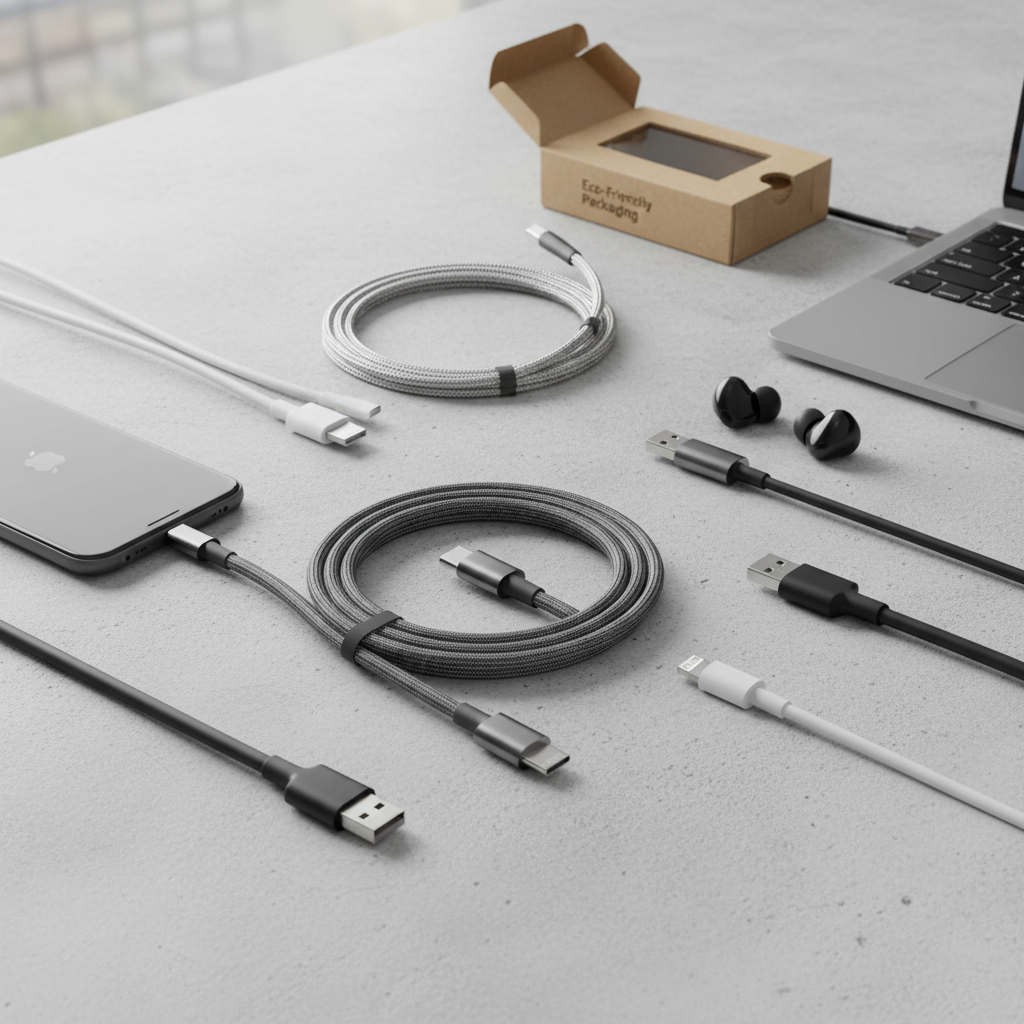
[image-2|cable-length-design-choices|Various charging cables demonstrating different lengths and design features like braiding and LED indicators.|
A flat lay image showcasing a selection of modern charging cables. Include cables of different lengths (short, medium, long) coiled neatly. Highlight examples of braided nylon cables and a smooth silicone cable. One cable could subtly show a small LED indicator light near the connector. The design should emphasize flexibility, durability, and practical features. Soft, even studio lighting with a clean, light background.]
Comparing Popular Charging Cable Types on the Market
Navigating the array of charging cable types can be confusing, especially with varying compatibility and performance. Below is a detailed comparison to highlight the key differences between USB-A, USB-C, Lightning, and Micro USB cables, helping you discern which is best suited for your devices and lifestyle.
The evolution of charging technology has led to a significant divergence in cable capabilities, with USB-C setting a new benchmark for speed and versatility, while older standards like Micro USB gradually become obsolete. Lightning cables, though proprietary, continue to serve the extensive Apple ecosystem with reliable, albeit less speedy, performance. This table provides a quick reference to their core characteristics.
Detailed Comparison Table
| Criteria | USB-A Cable | USB-C Cable | Lightning Cable | Micro USB Cable |
|---|---|---|---|---|
| Advantages | Inexpensive, highly common, wide compatibility with older chargers | Fast charging (PD up to 240W), high-speed data (up to 40Gbps), reversible, versatile, universal standard | Optimized for Apple devices, compact, reversible connector | Very affordable, widespread on older/budget devices, still useful for many accessories |
| Disadvantages | Slower charging, limited data speeds (480Mbps), not reversible | Generally higher cost than older types, not universally adopted by all older devices | Exclusively for Apple devices, typically slower data than USB-C, proprietary, potentially higher accessory cost | Slowest charging (up to 10W), slowest data (480Mbps), not reversible, fragile connector |
| Durability | Varies by material, generally moderate | Varies by material (often braided nylon or liquid silicone for higher durability) | Varies by Apple’s own design, often known for fraying in older models; newer braided versions are improved | Often less durable at the connector, prone to damage due to non-reversible design |
| Compatibility | Charger end: connects to power adapters, computers. Device end: various types (Micro USB, Lightning, USB-C) | Connects to most modern Android phones, tablets, laptops, gaming consoles, new iPads/MacBooks | Connects to iPhones, older iPads, AirPods, other Apple accessories | Connects to older Android phones, cameras, power banks, various budget devices |
[image-3|charging-cable-comparison-table|An infographic summarizing the differences between various charging cable types with icons.|
A clean and professional infographic presenting the comparison table data visually. Use distinct icons or stylized representations for USB-A, USB-C, Lightning, and Micro USB. Each row of criteria (Advantages, Disadvantages, Durability, Compatibility) should have clear, concise visual elements or short text snippets. The overall aesthetic is modern, clear, and easy to interpret, with a focus on data visualization rather than photographic realism.]
Detailed Charging Cable Buying Guide (Buying Guide)
Choosing the perfect charging cable requires more than just picking the first one you see. A thoughtful approach, considering your specific needs, reputable brands, and crucial technical details, will ensure you get a durable, efficient, and safe cable that serves you well. This buying guide will walk you through the essential steps to make an informed decision.
Determine Your Usage Needs
Before diving into specifications, take a moment to assess how you’ll primarily use your charging cable. Your individual habits and device ecosystem will heavily influence the best choice for you. Consider the primary device you need to charge, as this will dictate the necessary connector type. If it’s an iPhone, a Lightning or USB-C to Lightning cable is essential, whereas most modern Androids and laptops will require USB-C. Beyond compatibility, think about the speed you require; if you need rapid power-ups for high-capacity devices, a fast-charging cable with Power Delivery (PD) or Quick Charge (QC) support is crucial. For casual overnight charging, standard speeds may suffice. Finally, evaluate the ideal cable length—a short cable is perfect for portability or power banks, while a longer one offers flexibility when outlets are scarce.
Research Reputable Brands
Investing in cables from well-known and reputable brands often translates to better quality, durability, and safety. While cheaper, unbranded cables might seem appealing, they often compromise on internal wiring, materials, and safety standards, potentially damaging your devices. Brands like Anker, Belkin, and Aukey have established strong reputations in the charging accessories market. Anker, for instance, is widely praised for its consistent reliability, stable charging performance, and the availability of USB-IF certified models, although some users have reported fraying near the connector over prolonged use. Belkin positions itself as a premium brand, offering clean build quality and often MFi-certified Lightning options, though their higher price doesn’t always guarantee superior longevity. Apple’s own Lightning cables, especially the newer braided versions, have shown improved durability in recent tests. Aukey cables are often noted for innovative features like wattage indicators, providing real-time charging information. When selecting a brand, it’s wise to consider not only their reputation but also specific product reviews and certifications.
“A quality charging cable is an investment in your device’s health and your peace of mind. Always opt for certified products from trusted brands to avoid unexpected failures or, worse, device damage.” – Admin, Reviewasc.com, Charging Cable Expert
Check Technical Specifications and Safety Certifications
The devil is in the details when it comes to charging cables. Thoroughly examining technical specifications and ensuring proper safety certifications are non-negotiable steps to protect your valuable electronics and ensure optimal performance. Cables should clearly list their power handling capabilities in watts (W) and current (A), which must match or exceed your device’s requirements for fast charging. For instance, a laptop requiring 60W needs a cable capable of delivering at least that much power, ideally supporting Power Delivery (PD).
Beyond raw power, look for industry-standard safety certifications such as CE (Conformité Européenne), FCC (Federal Communications Commission), RoHS (Restriction of Hazardous Substances), and particularly, USB-IF (USB Implementers Forum) compliance for USB cables. These certifications indicate that the cable has undergone rigorous testing and meets specific safety and performance standards, mitigating risks like overheating, short circuits, or over-current. For high-wattage USB-C cables, the presence of an E-Marked chip is a crucial feature. This chip allows the cable to communicate with the connected devices and charger, ensuring safe power negotiation and preventing excessive power delivery that could harm your electronics. Prioritizing certified cables from reputable manufacturers guarantees reliability and provides peace of mind regarding your device’s safety.
[image-4|safety-certifications-cable-specs|A close-up image of a charging cable package highlighting technical specifications and safety certification logos.|
A close-up, high-detail shot of a charging cable’s retail packaging. The focus is on the small text area where technical specifications (e.g., Watts, Amps, PD/QC support) and various international safety certification logos (CE, FCC, RoHS, USB-IF) are clearly visible. The lighting is crisp, emphasizing readability and trustworthiness. The background is simple and unobtrusive.]
Top Charging Cables Favored Today
The market is saturated with charging cables, but a few consistently rise above the rest due to their superior performance, durability, and user satisfaction. These top picks often combine advanced technology with robust construction to deliver reliable power and data transfer.
Among the most highly regarded options, the Anker Powerline III USB-C cable is a favorite for its exceptional flexibility and ability to carry up to 100W, making it suitable for both smartphones and many laptops. Its silicone finish helps prevent tangles, making it highly portable. For those seeking the absolute fastest charging, the Belkin BoostCharge 240-watt charging cable stands out, supporting the highest USB Power Delivery rates with quality braiding. If budget is a primary concern, the JSaux USB-C to USB-C 2-Pack offers excellent value, providing 100W fast charging capabilities at a more accessible price point. For users with older devices or those still relying on USB-A wall chargers, the Anker Premium Nylon USB-A to C cable is a durable and affordable choice. Lastly, the Volta Max Cable offers a unique magnetic connection system, high durability, and 6-in-1 compatibility (USB-C, Lightning, and Micro USB tips), capable of delivering up to 240W, making it a versatile option for multi-device households. These cables represent some of the best combinations of speed, resilience, and convenience available, catering to a broad spectrum of needs and preferences.
Frequently Asked Questions
What does “Power Delivery” (PD) mean for charging cables?
Power Delivery (PD) is a universal fast-charging standard that allows for significantly higher power transfer (up to 240W) over a USB-C connection. It enables devices like laptops, tablets, and smartphones to charge much faster than with standard USB charging, provided both the cable, charger, and device support the PD protocol.
Are braided charging cables more durable?
Yes, braided charging cables, typically made with nylon or similar woven materials, are generally more durable than standard TPE or PVC cables. The woven exterior provides enhanced resistance to fraying, bending, and tangling, significantly extending the cable’s lifespan and making them a popular choice for heavy use.
Can I use any USB-C cable for fast charging?
No, not all USB-C cables support fast charging. While USB-C is capable of high power delivery, the cable itself must be specifically constructed and rated to handle higher wattages (e.g., 60W, 100W, 240W) and often includes an E-Marked chip for safe negotiation. Always check the product specifications for Power Delivery (PD) or Quick Charge (QC) support.
How do I know if a charging cable is safe?
To ensure a charging cable is safe, look for certifications from reputable organizations like USB-IF, CE, FCC, and RoHS. These certifications indicate that the cable meets industry standards for quality and safety, protecting your devices from over-current, overheating, and other potential electrical hazards.
What’s the ideal length for a charging cable?
The ideal length for a charging cable depends on your specific use case. Shorter cables (0.3-1 meter) are great for portability or power banks, while medium lengths (1.2-1.8 meters) are versatile for desks or nightstands. Longer cables (2 meters or more) offer convenience when power outlets are far away.
Do expensive charging cables always mean better quality?
Not necessarily. While high-quality materials and certifications often come with a higher price, some affordable brands offer excellent durable and fast-charging cables (e.g., Amazon Basics USB-C). Conversely, some expensive cables may not always justify their price in terms of real-world durability or performance. Researching reviews and certifications is key.
Can fast charging damage my phone’s battery?
Modern fast-charging technologies like Power Delivery (PD) and Quick Charge (QC) are designed with advanced safety features and smart chips that regulate power flow to protect your device’s battery. As long as you use certified cables and chargers from reputable brands, fast charging should not damage your phone’s battery; in fact, it often means less overall time plugged in.