In today’s fast-paced digital world, high-end electronics like powerful laptops, premium smartphones, and advanced tablets demand more than just basic charging. They require sophisticated charging cables that can deliver ample power quickly, transfer data at blistering speeds, and withstand the rigors of daily use. As a technician with over a decade of experience with charging cables, I understand the critical role these unassuming accessories play in the performance and longevity of your valuable devices. Choosing the right cable is not merely a matter of compatibility; it’s about optimizing your device’s capabilities, ensuring safety, and future-proofing your setup. Let’s delve into the world of high-performance charging cables to uncover the best options available today.
Charging Cables: Overview and Essential Knowledge
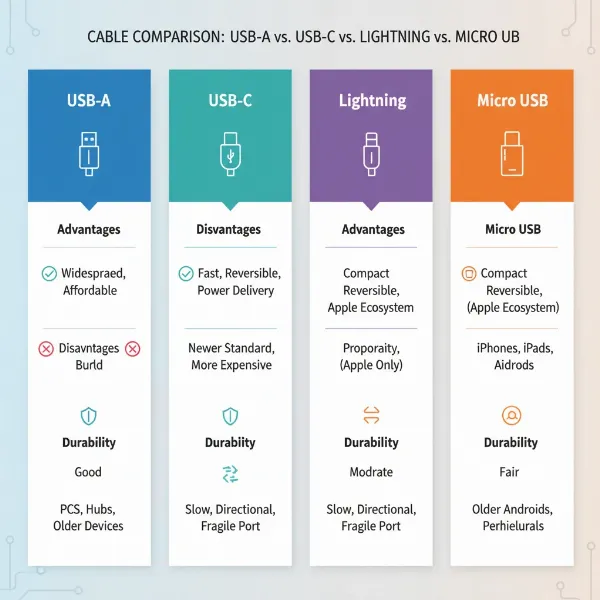
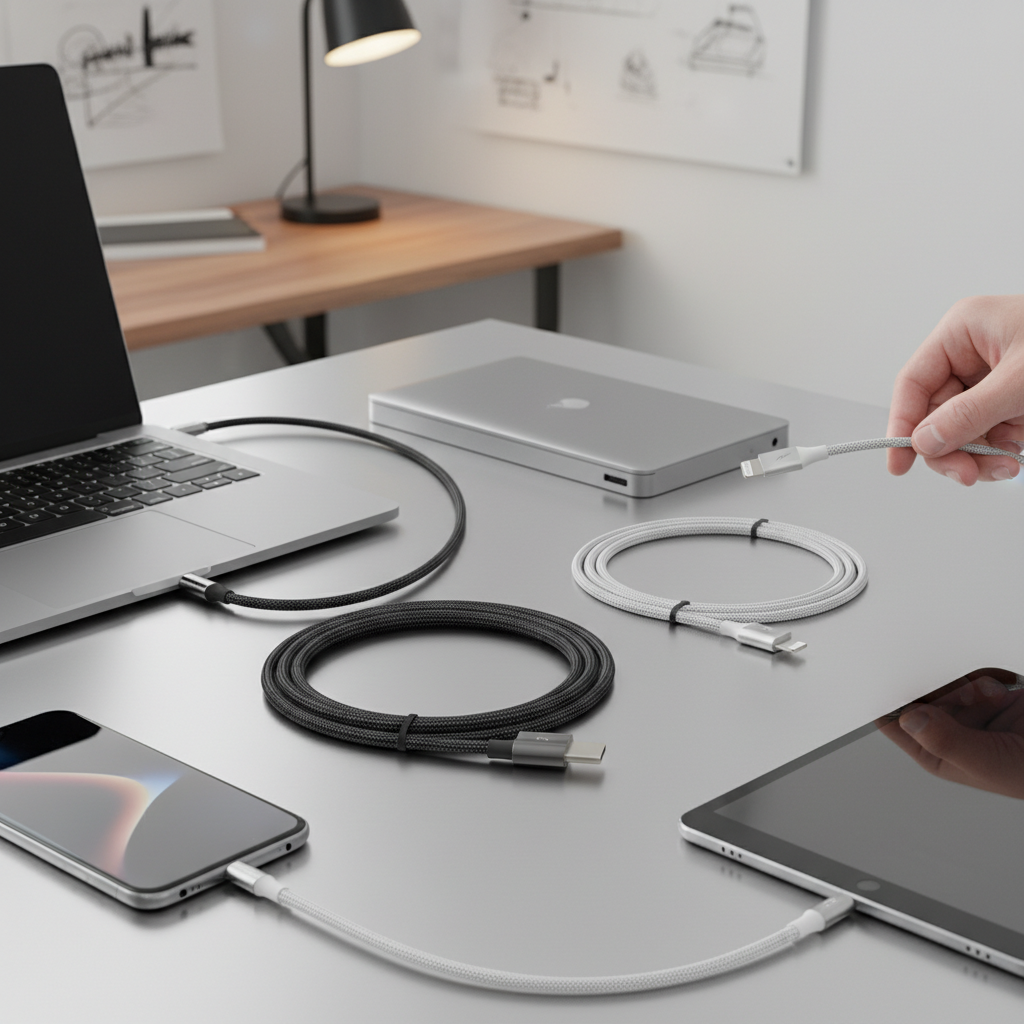
Charging cables are the lifelines of our electronic devices, bridging the gap between power sources and our gadgets. For high-end electronics, the landscape is dominated by USB-C, a versatile and powerful standard that has largely replaced older connectors like USB-A, Micro USB, and even Apple’s proprietary Lightning port on newer devices. Unlike its predecessors, USB-C is reversible, eliminating the frustration of incorrect insertion, and is engineered to handle significantly higher power delivery, faster data transfer rates, and even video output.
While USB-A, Micro USB, and Lightning cables still exist for older or specific devices, they generally lack the capacity to support the high wattage and data throughput required by modern high-end electronics. USB-C cables, especially those supporting Power Delivery (PD) and advanced USB or Thunderbolt standards, are essential for unlocking the full potential of your premium devices. Power Delivery (PD) is a specification that allows for increased power transfer, supporting up to 100 watts with PD 3.0 and an impressive 240 watts with the newer PD 3.1 standard. This means laptops that once required bulky, proprietary chargers can now power up rapidly using a universal USB-C cable and a compatible power adapter.
Key Factors When Choosing a Charging Cable for High-End Electronics
Selecting the ideal charging cable for your high-end electronics involves careful consideration of several crucial factors. These elements dictate not only charging speed and data transfer capabilities but also the cable’s longevity and safety.
Cable Material and Durability
The construction materials of a charging cable directly impact its durability and lifespan. For high-end electronics, where consistent performance and reliability are paramount, investing in robust materials is a wise decision.
- Common Materials: While basic cables often use PVC (polyvinyl chloride) or TPE (thermoplastic elastomer) sheathing, premium cables for high-end devices frequently incorporate braided nylon. Nylon braiding offers superior resistance to tangling, fraying, and general wear and tear, making the cable much more resilient to daily abuse. Some ultra-durable options even feature Kevlar fiber cores for exceptional tensile strength.
- Reinforced Connectors: The connection points where the cable meets the plug are typically the weakest spots. High-quality cables often feature reinforced connectors, sometimes made with aluminum alloy shells or extended strain relief, to prevent bending and breakage. This small detail significantly extends the cable’s life.
- Bend Lifespan: Manufacturers often test cables for their “bend lifespan,” indicating how many times a cable can be bent at a sharp angle before failing. Durable cables can withstand tens of thousands, or even hundreds of thousands, of bends. For instance, some Anker PowerLine series cables are designed to endure over 30,000 bends, while others like the Anker Prime claim over 300,000 bends, offering a “100-year” lifespan according to testing.
- Maintenance Tips: To further extend the life of any cable, avoid sharp bends, refrain from pulling the cable by the cord (always grasp the connector), and store it loosely coiled rather than tightly wrapped.
|
Our Picks for the Best Charging cable in 2026
As an Amazon Associate I earn from qualifying purchases.
|
||
| Num | Product | Action |
|---|---|---|
| 1 | USB Type-C to A Cable 5pack 6ft Braided Fast Charging 3A Quick Charger Cord, 6 Foot Compatible iPhone 17/17 Pro/16e/16/15 Pro Max,Samsung Galaxy S10 S9 S8 Plus, Note 10 9 8, LG V50 V40 G8 G7(Grey) |

|
| 2 | INIU USB C to USB C Cable, 240W Fast Charging Type C Charger Cord, Braided USBC Phone Charger Cable for iPhone 17 16 Pro Max Samsung S26 S25 Laptops MacBook Air 15 M3 iPad Switch [6.6ft+6.6ft Black] |
|
| 3 | Anker Cable [2 Pack 6ft], USB A to USB C Cable for iPhone 17 Series,Samsung Galaxy S10 S10+, LG V30, Beats Fit Pro and More (Black). |
|
| 4 | AINOPE USB to USB C Cable [2-Pack, 6.6ft] 3.1A Type C Charger Fast Charging, Right Angle USB C Cable for iPhone 17 Carplay Cable, Galaxy S10+ S10 S9, Note 10 9, LG V30, Moto, iPhone 16 15 Charger Cord |
|
| 5 | Teeind USB Type C Cable Fast Charging, Tpc001 5 Pack(6Ft 3A) Braided C Charger Cables Compatible with Samsung S10e/note 9/s10/s9/s8 Plus/A80/A50/A20 |
|
| 6 | LISEN USB C to USB C Cable, 5-Pack [3.3/3.3/6.6/6.6/10FT] for iPhone 17 Charger Cord, 60W C to C Cable Fast Charging for iPad, iPhone 16 15 Pro Max, Galaxy S25/S24 USBC to USBC Cable Gifts for Men |
|
| 7 | LISEN USB C to USB C Cable, 240W C to C Cable Fast Charging [6.6FT, 2 Pack] Type C Charger Fast Charging USBC to USBC Cable for iPhone 17 16 15 Pro Max iPad MacBook Neo Air Pro Samsung S26 S25 Ultra |
|
| 8 | Durcord USB C Cable, Upgarded 2Pack 10ft Fast USB Type C Charging Cable for Android/Phone/Pad/Laptop, Type C Charger Braided USB Cable Compatible withi Phone 17/16/15/Pro/Plus/Max/Sam.Sung-Silver |
|
| 9 | Anker USB C to USB C Cable, Type-C 60W Fast Charging Cable (6 FT, 2Pack) for iPhone 17 Series, iPad mini 6 and More (Black) |
|
| 10 | iPhone Charger 3 Pack 10 ft Apple MFi Certified Lightning Nylon Braided Cable Fast Charging Cord Compatible with iPhone 13 12 11 Pro Max XR XS X 8 7 6 Plus SE iPad and More |
|
Compatibility and Charging Speed
Understanding your device’s specific charging and data needs is fundamental to choosing the right cable. A mismatch can lead to slow charging or limited functionality.
- Determining Device Needs: High-end laptops (like MacBook Pros) may require 60W, 100W, or even 140W+ for optimal charging, while top-tier smartphones typically benefit from 20W-45W. Ensure your cable’s wattage rating meets or exceeds your device’s maximum charging input. Using a higher wattage cable will not harm your device, as the device itself regulates the power it draws.
- Fast Charging Standards: The dominant fast-charging standard for high-end electronics is USB Power Delivery (PD). This protocol allows devices and chargers to communicate to negotiate the optimal power output. Look for cables supporting PD 3.0 (up to 100W) or PD 3.1 (up to 240W). Other standards like Qualcomm Quick Charge (QC) are also common, particularly for Android phones, but PD is more prevalent for universal high-power applications.
- Data Transfer Speed: For tasks like transferring large video files, connecting external SSDs, or driving high-resolution monitors, data speed is critical.
- USB 2.0: Offers a slow 480 Mbps, primarily for basic charging.
- USB 3.2 Gen 2: Provides up to 10 Gbps, suitable for many external drives.
- USB4 / Thunderbolt 3: Can reach 20 Gbps to 40 Gbps.
- Thunderbolt 4/5: The highest standard, delivering 40 Gbps data transfer, often supporting 5K or 8K video output, and high power delivery.
- Checking for Fast Charging Support: High-wattage USB-C cables (typically 60W and above) contain an “e-marker” chip. This electronic marker communicates the cable’s capabilities (wattage, data speed) to the connected devices and charger, ensuring safe and efficient power delivery. Always check the cable’s packaging or product description for its wattage rating, data transfer speed, and mention of PD or Thunderbolt support.
Length and Design
While often overlooked, cable length and design features can significantly impact usability and performance.
- Choosing the Right Length: Shorter cables (0.5m to 1m) generally offer less electrical resistance, which can theoretically lead to slightly more efficient power transfer, making them ideal for desktop use or connecting to a power bank. Longer cables (2m to 3m) provide greater flexibility but may experience a slight drop in voltage, though for well-engineered cables, this impact is often negligible for everyday charging. Choose a length that suits your typical use case without being excessively long.
- Design Elements: Beyond braided exteriors, some cables offer unique design elements. Right-angled connectors can be useful for tight spaces or gaming, reducing strain on the cable and device port. Magnetic features can help with organization. While visually appealing, always prioritize core functionality, durability, and safety over purely aesthetic features.
Comparing Popular Charging Cable Types for High-End Use
When it comes to high-end electronics, USB-C is the undeniable standard, but even within USB-C, there are different tiers of performance. Here’s a comparison of the types you’ll encounter:
| Criterion | USB-C (PD 60W-100W) | USB-C (PD 140W-240W, USB4) | Thunderbolt 4/5 (USB-C connector) |
|---|---|---|---|
| Pros | Widespread, versatile, affordable, good for phones, tablets, and many laptops | High power for demanding laptops, excellent data transfer for many tasks, good future-proofing | Ultimate data transfer (40Gbps), supports multiple 4K/8K displays, best for external GPUs/high-speed SSDs, fully backward compatible |
| Cons | May not meet the highest power or data needs for specific applications (e.g., gaming laptops, 8K monitors) | Can be more rigid and expensive than lower-wattage USB-C cables | Most expensive, often overkill if only used for basic charging or less demanding data tasks |
| Durability | Varies by brand and material, but quality braided options are common | High-quality construction, often with reinforced connectors and braided exteriors, is standard | Premium build quality is standard to support high performance and reliability |
| Compatibility | Wide range of modern USB-C smartphones, tablets, and many laptops | Modern high-power laptops, docking stations, and devices requiring significant wattage | All USB-C and Thunderbolt devices, offering the broadest compatibility for premium setups |
| Max Power Output | 60W-100W (PD 3.0) | 140W-240W (PD 3.1, using Extended Power Range – EPR) | 100W-240W (depending on specific Thunderbolt version and cable) |
| Max Data Speed | Up to 10Gbps (e.g., USB 3.2 Gen 2) | Up to 20Gbps (e.g., USB4 Gen 2×2) | 40Gbps |
| Video Output | Typically supports 4K (if specified) | Supports 4K, 5K, 8K (if specified, depends on USB4 spec) | Up to dual 4K or single 8K displays (native Thunderbolt feature) |
Detailed Buying Guide for High-End Charging Cables
Navigating the market for the best charging cable requires a systematic approach to ensure you get a product that truly meets your high-end needs.
Assessing Your Needs
Before even looking at products, clearly define what you need the cable for.
- Device Power Requirements: Check your device’s charger or specifications for its maximum wattage input. For example, a 16-inch MacBook Pro can draw up to 140W, so a 240W cable would be ideal, while a smaller laptop might be fine with 60W or 100W.
- Data Transfer Frequency and Size: Do you regularly transfer large files to external SSDs or use fast storage devices? If so, prioritize cables with 10Gbps, 20Gbps, or 40Gbps data speeds.
- Video Output Needs: Are you connecting to a high-resolution monitor (4K, 5K, 8K)? Some USB-C cables, particularly Thunderbolt, support high-bandwidth video signals.
- Portability vs. Stationary Use: If you travel frequently, a more flexible and durable braided cable is key. For a fixed desk setup, a more rigid but high-performance Thunderbolt cable might be suitable.
Reputable Brands
Opting for trusted brands significantly increases your chances of getting a high-quality, safe, and reliable product. These companies often invest in better materials, rigorous testing, and provide warranties.
- Anker: Renowned for durability, innovation, and a wide range of charging solutions, including their popular PowerLine and Prime series.
- Belkin: A long-standing brand known for quality accessories, offering reliable high-wattage USB-C cables like the BoostCharge series.
- Cable Matters: Often recommended for high-performance and specialty cables, including robust USB4 and Thunderbolt options.
- UGREEN: Provides a good balance of performance and affordability, with cables supporting fast charging and data transfer.
- OtterBox: Known for rugged protection, their cables bring similar durability standards to charging accessories.
- Spigen & Mophie: Offer durable and high-performing USB4 cables, with Mophie being noted for flexibility and Spigen for overall stability on a desk.
“A cheap cable isn’t just unreliable; it can be a safety hazard. Poorly made cables can overheat, short-circuit, or even damage your device. Always invest in quality from trusted brands to ensure both efficiency and peace of mind.” – TechRadar Report, on cable safety.
Checking Technical Specifications and Safety Certifications
This is where you confirm the cable’s capabilities and trustworthiness.
- USB-IF Certification: Look for the USB-IF (USB Implementers Forum) logo. This certification indicates that the cable complies with official USB standards, ensuring compatibility and safety.
- MFi Certification: For older Apple Lightning cables (if you still use a device like an iPhone 14 or older), “Made for iPhone/iPad/iPod” (MFi) certification is crucial for safety and compatibility. For newer Apple devices using USB-C, USB-IF is the relevant certification.
- Reading Labels: Always read the product description or packaging for clear indications of:
- Wattage: “100W,” “240W,” “PD 3.0,” “PD 3.1.”
- Data Speed: “USB 3.2 Gen 2 (10Gbps),” “USB4 (20Gbps),” “Thunderbolt 4 (40Gbps).”
- e-marker chip: Explicitly mentioned for high-wattage cables.
Top Charging Cables for High-End Electronics Currently on the Market
Based on current trends and expert reviews, here are some top choices that excel in performance, durability, and features for high-end electronics:
- Anker Prime USB-C to USB-C Cable (240W, Upcycled-Braided): This cable is a powerhouse, supporting the maximum 240W Power Delivery 3.1 standard. It’s ideal for quickly charging demanding laptops like a 16-inch MacBook Pro (to 50% in about 26 minutes). Its upcycled braided exterior and robust construction ensure exceptional durability, with claims of over 300,000 bends. It’s also an eco-friendly option.
- Belkin BoostCharge 240-watt Charging Cable: A strong contender from a reputable brand, this 6.6-foot cable also supports 240W PD 3.1 charging. It’s often cited as a high-quality alternative to Apple’s own premium cables, offering excellent performance and resistance.
- Cable Matters USB4 Cable (40Gbps, 240W): For users who need the ultimate in data transfer alongside high power, the Cable Matters USB4 cable is an excellent choice. It supports 40Gbps data rates, suitable for Thunderbolt 3 SSDs and monitors, and delivers up to 240W of power. Its robust construction, while making it a bit stiff, ensures top-tier performance.
- Chamer Thunderbolt 4 Cable (40Gbps, 240W): This cable is a premium option for those seeking the highest standards in versatility and performance. It delivers 40Gbps data, 240W charging, and supports 5K/8K video output. Its durable nylon-braided jacket and aluminum alloy shell enhance longevity and heat dissipation, making it perfect for connecting high-end peripherals.
- UGREEN USB-C to USB-C 3.2 Gen 2 Cable (10Gbps, 100W): A more affordable yet highly capable option, this UGREEN cable is great for modern smartphones (like iPhone 17 Pro/Pro Max) and mid-range laptops. It supports 10Gbps data transfer and 100W charging, often featuring a rugged design for durability.
These cables represent the pinnacle of current charging technology, offering the speed, power, and durability required to keep your high-end electronics performing at their best.
Conclusion
Choosing the best charging cable for your high-end electronics is a pivotal decision that impacts not just convenience but also device performance and safety. As we’ve explored, the dominance of USB-C, particularly with Power Delivery (PD) and advanced standards like USB4 and Thunderbolt, means you have access to powerful solutions capable of delivering up to 240 watts and transferring data at speeds up to 40 Gbps. Prioritizing cables with high wattage ratings, fast data capabilities, robust construction with reinforced connectors, and certifications from reputable brands like Anker, Belkin, and Cable Matters will ensure a reliable and efficient charging experience.
Don’t let a subpar cable bottleneck your premium devices. By understanding your specific needs and investing in a high-quality charging cable, you safeguard your electronics and ensure they operate at their full potential for years to come. What’s the most powerful device you own that could benefit from an upgrade to a top-tier charging cable?
Frequently Asked Questions
Can a 240W cable damage my phone that only needs 20W?
No, a 240W cable will not damage your phone. Modern devices and chargers communicate to negotiate the optimal power level. Your phone will only draw the power it needs (e.g., 20W), regardless of the cable’s maximum capacity.
What does “e-marker chip” mean for a charging cable?
An e-marker chip is an electronic marker embedded in higher-wattage USB-C cables (typically 60W and above). This chip communicates the cable’s capabilities, such as its supported wattage and data transfer speeds, to the connected devices and charger, ensuring safe and efficient power delivery.
Is a braided cable always better than a non-braided one?
Braided cables, usually made from nylon, generally offer superior durability, flexibility, and resistance to tangling compared to non-braided cables with PVC or TPE sheathing. While not all braided cables are equal, they often signify a more premium and long-lasting product.
What’s the main difference between USB4 and Thunderbolt 4?
Both USB4 and Thunderbolt 4 use the USB-C connector and offer high performance. Thunderbolt 4 is a more stringent standard developed by Intel, guaranteeing 40Gbps data transfer, support for two 4K displays, and 100W charging, among other features. USB4 is a broader specification that can also achieve 40Gbps but has more flexibility in its minimum requirements, meaning not all USB4 cables will have the exact same capabilities as a certified Thunderbolt 4 cable.
Why are some USB-C cables significantly more expensive than others?
The price difference in USB-C cables often reflects their internal components, supported capabilities, and build quality. More expensive cables typically feature thicker wires (for higher wattage), e-marker chips, superior shielding, robust connectors, and durable braided exteriors, all of which contribute to faster charging, higher data speeds, and greater longevity.