In the high-stakes world of PC gaming, every millisecond and every watt counts. While gamers often meticulously choose their graphics cards, CPUs, and monitors, the humble charging cable is frequently overlooked, yet it plays a pivotal role in maintaining peak performance and an uninterrupted experience. A subpar cable can lead to slow charging, data transfer bottlenecks, or even frustrating disconnects during critical gameplay, compromising your entire setup. This comprehensive guide will illuminate the crucial factors in selecting the best charging cable for serious PC gaming, ensuring your gear is always powered, connected, and ready for action.
Charging Cable: Overview and Essentials
A charging cable is far more than just a power conduit; in a modern PC gaming setup, it’s a critical data highway and energy supplier for various components. It ensures your gaming laptop stays juiced during intense sessions, your controllers remain responsive, and your VR headset maintains a stable connection. Understanding the types and capabilities of these cables is the first step toward optimizing your gaming station.
The landscape of charging cables has evolved significantly, with several types commonly found today. USB-C has rapidly become the gold standard, favored for its versatility, high power delivery, and rapid data transfer capabilities. Older standards like USB-A, while still prevalent for some peripherals, offer slower speeds and less power. Micro USB is largely relegated to legacy devices, while Lightning is specific to Apple’s ecosystem and generally not directly relevant for PC gaming peripherals. USB-C’s reversible connector and ability to handle both power and data at high rates make it indispensable for modern gaming rigs, connecting everything from external SSDs to high-power gaming laptops and advanced controllers.
The primary advantage of USB-C is its multifunctional nature. It supports various protocols, including USB Power Delivery (PD) for charging powerful laptops and high-speed data transfer standards like USB 3.2 and USB4, which are crucial for maintaining low latency with gaming peripherals. In contrast, USB-A and Micro USB are limited in both power output and data bandwidth, making them less suitable for the demanding requirements of serious gaming. Using an outdated cable for a high-performance device can lead to bottlenecked charging and data speeds, directly impacting your gaming experience.
Critical Factors for Choosing a Gaming Charging Cable
Selecting the right charging cable for a gaming setup involves a nuanced understanding of durability, performance specifications, and practical design considerations. Each factor contributes to the cable’s overall reliability and its ability to meet the rigorous demands of gaming.
Material and Cable Durability
|
Our Picks for the Best Charging cable in 2026
As an Amazon Associate I earn from qualifying purchases.
|
||
| Num | Product | Action |
|---|---|---|
| 1 | LISEN USB C to USB C Cable, 240W C to C Cable Fast Charging [6.6FT, 2 Pack] Type C Charger Fast Charging USBC to USBC Cable for iPhone 17 16 15 Pro Max iPad MacBook Neo Air Pro Samsung S26 S25 Ultra |
![Check LISEN USB C to USB C Cable, 240W C to C Cable Fast Charging [6.6FT, 2 Pack] Type C Charger Fast Charging USBC to USBC Cable for iPhone 17 16 15 Pro Max iPad MacBook Neo Air Pro Samsung S26 S25 Ultra on Amazon](https://reviewasc.com/wp-content/plugins/amazon-tables/assets/images/buy.png)
|
| 2 | Teeind USB Type C Cable Fast Charging, Tpc001 5 Pack(6Ft 3A) Braided C Charger Cables Compatible with Samsung S10e/note 9/s10/s9/s8 Plus/A80/A50/A20 |
|
| 3 | Durcord USB C Cable, Upgarded 2Pack 10ft Fast USB Type C Charging Cable for Android/Phone/Pad/Laptop, Type C Charger Braided USB Cable Compatible withi Phone 17/16/15/Pro/Plus/Max/Sam.Sung-Silver |
|
| 4 | iPhone Charger 3 Pack 10 ft Apple MFi Certified Lightning Nylon Braided Cable Fast Charging Cord Compatible with iPhone 13 12 11 Pro Max XR XS X 8 7 6 Plus SE iPad and More |
|
| 5 | Anker USB C to USB C Cable, Type-C 60W Fast Charging Cable (6 FT, 2Pack) for iPhone 17 Series, iPad mini 6 and More (Black) |
|
| 6 | Anker Cable [2 Pack 6ft], USB A to USB C Cable for iPhone 17 Series,Samsung Galaxy S10 S10+, LG V30, Beats Fit Pro and More (Black). |
|
| 7 | AINOPE USB to USB C Cable [2-Pack, 6.6ft] 3.1A Type C Charger Fast Charging, Right Angle USB C Cable for iPhone 17 Carplay Cable, Galaxy S10+ S10 S9, Note 10 9, LG V30, Moto, iPhone 16 15 Charger Cord |
|
| 8 | INIU USB C to USB C Cable, 240W Fast Charging Type C Charger Cord, Braided USBC Phone Charger Cable for iPhone 17 16 Pro Max Samsung S26 S25 Laptops MacBook Air 15 M3 iPad Switch [6.6ft+6.6ft Black] |
|
| 9 | USB Type-C to A Cable 5pack 6ft Braided Fast Charging 3A Quick Charger Cord, 6 Foot Compatible iPhone 17/17 Pro/16e/16/15 Pro Max,Samsung Galaxy S10 S9 S8 Plus, Note 10 9 8, LG V50 V40 G8 G7(Grey) |
|
| 10 | LISEN USB C to USB C Cable, 5-Pack [3.3/3.3/6.6/6.6/10FT] for iPhone 17 Charger Cord, 60W C to C Cable Fast Charging for iPad, iPhone 16 15 Pro Max, Galaxy S25/S24 USBC to USBC Cable Gifts for Men |
|
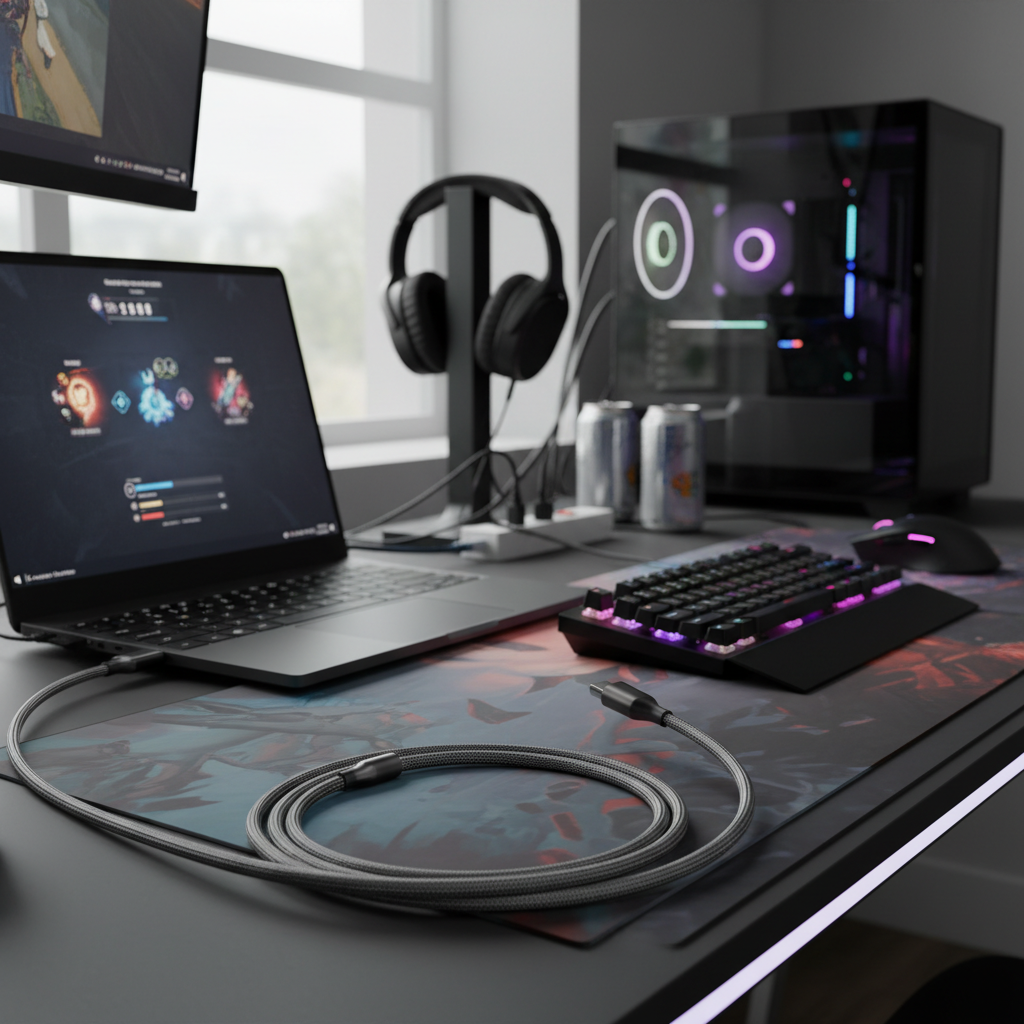
For serious gamers, durability is paramount. Cables are often subjected to frequent plugging, unplugging, bending, and general wear and tear. High-quality materials and construction are essential to ensure longevity and prevent sudden failures. Braided nylon exteriors are highly recommended as they offer superior resistance to fraying and tangling compared to standard PVC or TPE jackets. Brands like Anker’s Powerline series and Aukey often incorporate aramid fiber, a material known for its strength, to reinforce the internal wiring, making cables more resilient to repeated stress.
Beyond the outer sheath, reinforced strain relief at the connector ends is crucial. This is where most cable failures occur due to bending and twisting. A robust strain relief design minimizes stress on the internal wires, significantly extending the cable’s lifespan. While some sources suggest extreme “Abrams tank” durability might be overkill, investing in cables from reputable brands known for their build quality, like Anker, is a wise choice. Heat generated during high-power charging can also degrade cable materials over time, emphasizing the need for well-engineered cables that dissipate heat efficiently and maintain structural integrity.
[image-1|durable-gaming-usb-c-cable|A close-up of a durable, braided USB-C gaming cable with reinforced connectors.|
Close-up shot of a high-quality, braided nylon USB-C charging cable for gaming. The cable should be thick and show reinforced connectors at both ends. Focus on the texture of the braid and the sturdy construction, with soft, diffused studio lighting and a subtle tech background. Realistic, high detail.]
Compatibility and Charging Speed
Understanding a cable’s compatibility and charging speed capabilities is critical for optimizing your gaming setup. For charging gaming laptops and other power-hungry devices, USB Power Delivery (PD) is the standard you need. Modern gaming laptops can require substantial power, with USB PD 3.1 supporting up to 240W, a significant leap from previous versions that capped at 100W. Ensure your cable, charger, and device all support the necessary PD wattage for optimal fast charging. A cable rated for 100W PD is sufficient for many gaming laptops, but high-end models might benefit from 240W Extended Power Range (EPR) cables.
Beyond power, data transfer speed is vital for peripherals. USB-C cables can support various USB standards, from USB 2.0 (480 Mbps) to USB 3.2 Gen 2×2 (20 Gbps) and USB4 (40 Gbps). For gaming controllers, VR headsets, and external SSDs, a cable supporting at least USB 3.0 (5 Gbps) or higher is recommended to minimize input lag and ensure rapid data flow. Using a USB 2.0 cable for high-speed gaming peripherals can introduce noticeable delays. Always check the cable’s specifications for both wattage and data transfer rates to ensure it matches your device’s requirements and maximizes performance.
Length and Design of the Cable
The length and design of your charging cable might seem like minor details, but they significantly impact usability and cable management in a gaming setup. Choosing the appropriate cable length prevents both clutter and excessive strain. Shorter cables (e.g., 1-2 feet) are ideal for connecting devices directly on your desk, such as a controller charging dock or a VR headset cable management system, minimizing unnecessary slack. Longer cables (e.g., 6-10 feet) offer greater flexibility for charging devices further away, like a gaming laptop plugged into a wall outlet while you game comfortably from your couch.
Innovative design features can further enhance a cable’s practicality. Right-angle connectors, for instance, are particularly beneficial for handheld devices or laptops, allowing the cable to lie flush against the device. This reduces stress on the port and the cable itself, improving durability and making it more comfortable to hold or position. Some cables also feature LED indicators to show charging status or magnetic breakaway designs that prevent damage if the cable is accidentally tugged, a common occurrence in dynamic gaming environments. Consider these design elements to create a more functional and resilient gaming space.
Comparison of Common Charging Cable Types for Gaming Setups
Understanding the strengths and weaknesses of different cable types is crucial for making informed decisions tailored to a gaming setup. While USB-C dominates the modern gaming landscape, other types still have their niches or legacy uses.
| Criterion | USB-A Cable | USB-C Cable | Lightning Cable | Micro USB Cable |
|---|---|---|---|---|
| Advantages | Widely available, cost-effective for basic needs, universal for older devices. | High-speed data transfer (up to 40 Gbps with USB4), high power delivery (up to 240W with PD 3.1), reversible connector, versatile for many device types, supports video output. | Optimized for Apple devices, robust connector design compared to Micro USB. | Very common on older, budget-friendly devices; recognizable. |
| Disadvantages | Limited data transfer speeds (max 10 Gbps with USB 3.2 Gen 2), lower power delivery, not reversible, becoming obsolete for high-performance needs. | Can be more expensive for high-spec versions, confusing variations in standards (USB 3.0, 3.1, 3.2, USB4, Thunderbolt), requires compatible port/device. | Proprietary to Apple, cannot be used with PC gaming peripherals, limited power delivery compared to USB-C PD. | Slowest data transfer and power delivery, non-reversible, fragile connector prone to damage and wear, loose fit over time. |
| Durability | Varies widely by manufacturer; often uses standard PVC. | High-quality versions feature braided nylon, aramid fiber reinforcement, and robust strain relief. | Generally good for Apple-certified cables, but some third-party options may vary. | Often lowest durability, connector is easily bent or broken, plastic molding can crack. |
| Compatibility | Broad with older PCs and peripherals, but limited with new high-speed devices. | Universal for modern laptops, smartphones, gaming consoles, and peripherals. Future-proof. | Exclusively for Apple iPhones, iPads, and some accessories. | Limited to older Android devices, power banks, and some budget peripherals. |
Detailed Guide to Purchasing a Gaming Charging Cable
Navigating the market for charging cables can be overwhelming, but a systematic approach ensures you acquire cables that enhance, rather than hinder, your gaming experience. This buying guide outlines the steps to make an informed purchase.
Identifying Your Usage Needs
Before anything else, pinpoint what devices you need to charge or connect. Are you primarily looking for a cable to power a high-performance gaming laptop that requires 100W or even 240W Power Delivery? Or do you need a low-latency data cable for a wired gaming controller or VR headset? The specific device dictates the required wattage and data transfer speed. For example, a gaming laptop cable needs high wattage and robust construction, whereas a controller cable prioritizes data speed and a flexible, durable design for active use. Consider the distance between your device and the power source or PC; this will determine the ideal cable length, balancing convenience with signal integrity, as excessively long cables can sometimes introduce resistance.
Researching Reputable Brands
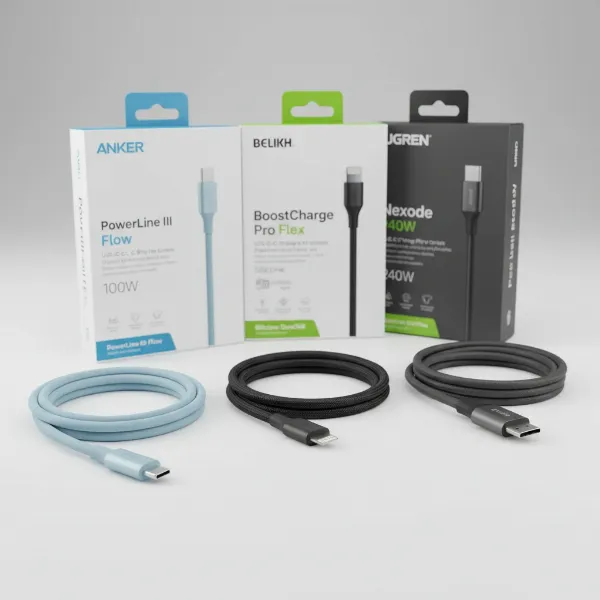
Investing in cables from well-regarded brands is crucial for quality, reliability, and safety. Companies like Anker, Belkin, and Aukey are consistently praised in the gaming and tech communities for their durable, high-performance charging cables. Anker’s Powerline series, for instance, is often highlighted for its robust build and excellent power delivery. Belkin’s BoostCharge cables are known for high wattage support, including 240W options, making them suitable for demanding gaming laptops. Aukey also offers a range of durable, fast-charging USB-C cables, some with right-angle connectors perfect for gaming ergonomics. While other brands like Ugreen provide good value, always cross-reference reviews to ensure consistent quality. Prioritizing these established brands minimizes the risk of purchasing unreliable or unsafe cables that could damage your valuable gaming equipment.
“A gaming setup is only as strong as its weakest link, and often, that link is an overlooked, cheap cable. Investing in quality cables from trusted brands is not an extravagance; it’s a necessity for performance and longevity.” – Dr. Alex Chen, Lead Electrical Engineer, Nexus Gaming Peripherals
[image-2|top-gaming-cable-brands|A display of various top-tier charging cables for gaming, featuring brands like Anker, Belkin, and Aukey.|
An aesthetically arranged display of high-quality charging cables from prominent brands such as Anker, Belkin, and Aukey. Each cable should be clearly visible with its branding, showcasing different colors and textures (e.g., braided). The background should be a clean, modern tech desk setting with subtle gaming elements. Studio lighting, realistic, editorial style.]
Verifying Technical Specifications and Safety Certifications
The technical specifications of a charging cable are not mere numbers; they are guarantees of performance and compatibility. For charging, confirm the cable’s wattage rating (e.g., 60W, 100W, 240W) matches or exceeds your device’s power requirements. For data, look for the USB standard (e.g., USB 3.2 Gen 2, USB4) and its corresponding speed in Gbps. High-performance gaming benefits immensely from cables supporting 10 Gbps (USB 3.2 Gen 2) or higher, with USB4 offering up to 40 Gbps for cutting-edge connectivity.
Crucially, always check for safety certifications such as USB-IF, CE, FCC, and RoHS. USB-IF (USB Implementers Forum) certification is particularly important for USB-C cables, as it verifies that the cable adheres to the rigorous industry standards for power, data, and safety, reducing the risk of overcurrent or damage to your devices. This certification ensures the cable will safely negotiate power delivery with your devices and deliver the advertised speeds without issues.
Top Charging Cables for Serious PC Gaming Setups
For serious PC gamers, specific charging cables stand out for their blend of high performance, robust durability, and innovative features. These recommendations cater to the diverse needs of a demanding gaming environment.
The Anker Powerline III and Powerline+ series are consistently top-rated for their exceptional durability and reliable fast-charging capabilities. The Powerline III USB-C to USB-C cable supports up to 100W PD, making it suitable for many gaming laptops, while maintaining impressive flexibility. For those needing even higher data transfer rates, the Anker Thunderbolt 4.0 cable is a premium choice, offering up to 40 Gbps data transfer, ideal for external GPUs, high-speed SSDs, or multiple high-resolution monitors. Anker cables also feature excellent strain relief, which is critical for preventing wear and tear.
Another strong contender is the Belkin BoostCharge 240W USB-C cable. This cable is specifically designed to handle the highest USB PD 3.1 Extended Power Range (EPR) wattage, making it perfect for the most power-hungry gaming laptops. Belkin is a well-established brand known for quality, and their BoostCharge line reflects this, offering reliable performance for heavy-duty charging. Similarly, Aukey’s braided USB-C cables, especially those with aramid fiber reinforcement and right-angle connectors, provide a balance of durability and ergonomic design, enhancing comfort during use while ensuring fast charging and data sync. For ultimate versatility and speed, cables like the Cable Matters USB4 cable offer robust construction and support for USB4, providing future-proof connectivity for all your gaming peripherals and devices.
[image-3|high-performance-gaming-charging-cable|A close-up of a high-performance charging cable plugged into a gaming laptop, with other gaming peripherals in the background.|
Close-up shot of a USB-C charging cable with a distinctive, high-quality design (e.g., braided, metallic accents) plugged into the charging port of a sleek gaming laptop. The laptop screen should display a subtle gaming interface or a vibrant game scene, blurred in the background. Other gaming peripherals like a mouse or keyboard can be subtly visible. Dynamic, high-contrast lighting, realistic, product photography style.]
Conclusion
Choosing the best charging cable for a serious PC gaming setup is a critical, yet often underestimated, decision. The right cable provides not just power but also ensures seamless data transfer and robust durability, all of which are essential for an optimal gaming experience. Prioritizing USB-C with Power Delivery (especially PD 3.1 for high-wattage laptops) and high data transfer speeds (USB 3.0 and above, ideally USB4) will guarantee your devices are performing at their peak. Furthermore, investing in cables from reputable brands known for their build quality, such as Anker, Belkin, and Aukey, with features like braided nylon and reinforced connectors, will ensure longevity and reliability. Don’t let a flimsy cable be the weak link in your formidable gaming arsenal.
By understanding your specific needs—whether for a power-hungry laptop, a responsive controller, or fast external storage—and verifying technical specifications and safety certifications, you can confidently select charging cables that truly complement your high-performance gaming rig. The marginal cost of a quality cable is a small price to pay for uninterrupted gameplay and the protection of your valuable equipment. What improvements have you noticed in your gaming setup after upgrading your charging cables?
Frequently Asked Questions
Do gold-plated connectors improve gaming performance or reduce latency in charging cables?
For digital signals like those in USB cables, gold-plated connectors do not measurably improve gaming performance or reduce latency. Their primary benefit is corrosion resistance, which can contribute to long-term signal stability, but they do not make data transfer “faster” in the way many marketing claims suggest. Focus on the USB standard and overall cable quality instead.
What wattage USB-C cable do I need for a gaming laptop?
For a gaming laptop, you typically need a USB-C cable that supports at least 100W Power Delivery (PD). Many high-performance gaming laptops, especially newer models, may require a USB PD 3.1 Extended Power Range (EPR) cable capable of delivering up to 240W. Always check your laptop’s specific power adapter rating to ensure the cable can handle the required wattage.
Are braided charging cables truly more durable than standard plastic cables for gaming setups?
Yes, braided charging cables, typically made from nylon or aramid fiber, are generally more durable than standard plastic (PVC/TPE) cables. They offer superior resistance to fraying, tangling, and general wear and tear from bending and stress, making them a better long-term investment for active gaming setups where cables are frequently handled.
Can I use any USB-C cable to fast charge my gaming device?
No, not all USB-C cables support fast charging. For high-speed charging, particularly for gaming laptops, the cable must be rated for USB Power Delivery (PD) at a wattage matching or exceeding your device’s requirements. Lower-quality or older USB-C cables may only support slower charging speeds or limited power delivery, potentially leading to slow charging or insufficient power for your device.
How does cable length affect charging speed and data transfer for gaming?
For charging, excessively long cables can slightly increase electrical resistance, potentially leading to minor power loss, though usually negligible for typical lengths (under 10 feet). For data transfer, quality cables maintain signal integrity over standard lengths. However, for extremely long runs or very high-speed data, specialized active cables or shorter lengths are preferred to ensure optimal performance and minimal latency.
What is the importance of USB-IF certification for gaming charging cables?
USB-IF (USB Implementers Forum) certification is highly important as it ensures that a USB-C cable meets industry standards for safety, compatibility, and performance. A certified cable guarantees proper power delivery negotiation and data transfer rates, protecting your expensive gaming equipment from potential damage due to non-compliant or faulty cables.