Navigating the world of charging cables can often feel like a tangled mess, with countless options promising to power up your devices. As an experienced technician, I’ve seen firsthand how the right cable can transform your charging experience, offering speed, durability, and seamless compatibility across all your gadgets. This guide will cut through the clutter, helping you understand the crucial factors, popular types, and top recommendations to find the best charging cable for every need.
Charging Cable: Overview and Essential Knowledge
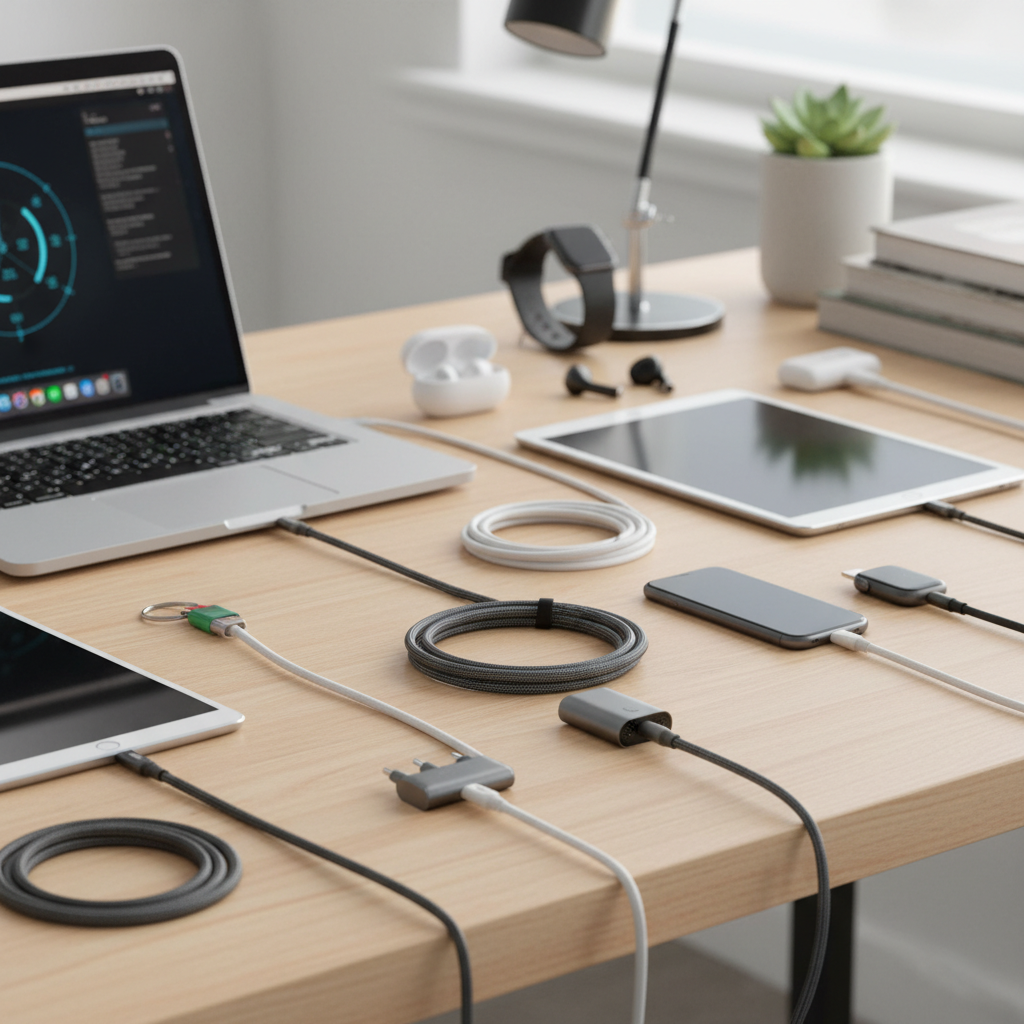
Charging cables are the lifelines of our modern electronics, bridging the gap between power sources and our indispensable devices. Far more than simple wires, these cables facilitate both power delivery and data transfer, acting as critical conduits for our digital lives. Their evolution has been driven by the increasing demand for faster charging, higher power output, and greater versatility across a growing ecosystem of gadgets.
Today, several types of charging cables dominate the market, each designed to meet specific technological requirements. The most prevalent include USB-A, USB-C, Lightning, and Micro USB. USB-A, with its familiar rectangular connector, has been a long-standing standard, typically found on power adapters and older computers. It offers broad compatibility but is limited in power and data transfer speeds. Micro USB, characterized by its smaller, trapezoidal shape, was once the ubiquitous standard for many Android phones and budget devices, though its slower speeds and non-reversible design have seen it largely replaced.
The Apple-exclusive Lightning cable, known for its compact and reversible connector, has served iPhones and other Apple accessories for years, supporting fast charging for compatible devices. However, the true game-changer has been USB-C. This reversible, oval-shaped connector has become the modern universal standard, capable of delivering significantly higher power (up to 240W with USB4), faster data transfer speeds (up to 80Gbps with USB4), and even video output. It’s the go-to for contemporary smartphones, tablets, and laptops, offering unparalleled versatility and performance. While each type has its merits, understanding their individual characteristics is the first step toward optimizing your charging setup.
Key Factors When Choosing a Charging Cable
Selecting the perfect charging cable involves more than just picking the first one you see. Several key factors influence a cable’s performance, durability, and suitability for your devices. By focusing on these elements, you can ensure your investment delivers efficient and long-lasting power.
Cable Material and Durability
|
Our Picks for the Best Charging cable in 2026
As an Amazon Associate I earn from qualifying purchases.
|
||
| Num | Product | Action |
|---|---|---|
| 1 | Durcord USB C Cable, Upgarded 2Pack 10ft Fast USB Type C Charging Cable for Android/Phone/Pad/Laptop, Type C Charger Braided USB Cable Compatible withi Phone 17/16/15/Pro/Plus/Max/Sam.Sung-Silver |

|
| 2 | Teeind USB Type C Cable Fast Charging, Tpc001 5 Pack(6Ft 3A) Braided C Charger Cables Compatible with Samsung S10e/note 9/s10/s9/s8 Plus/A80/A50/A20 |
|
| 3 | iPhone Charger 3 Pack 10 ft Apple MFi Certified Lightning Nylon Braided Cable Fast Charging Cord Compatible with iPhone 13 12 11 Pro Max XR XS X 8 7 6 Plus SE iPad and More |
|
| 4 | Anker USB C to USB C Cable, Type-C 60W Fast Charging Cable (6 FT, 2Pack) for iPhone 17 Series, iPad mini 6 and More (Black) |
|
| 5 | LISEN USB C to USB C Cable, 240W C to C Cable Fast Charging [6.6FT, 2 Pack] Type C Charger Fast Charging USBC to USBC Cable for iPhone 17 16 15 Pro Max iPad MacBook Neo Air Pro Samsung S26 S25 Ultra |
|
| 6 | USB Type-C to A Cable 5pack 6ft Braided Fast Charging 3A Quick Charger Cord, 6 Foot Compatible iPhone 17/17 Pro/16e/16/15 Pro Max,Samsung Galaxy S10 S9 S8 Plus, Note 10 9 8, LG V50 V40 G8 G7(Grey) |
|
| 7 | Anker Cable [2 Pack 6ft], USB A to USB C Cable for iPhone 17 Series,Samsung Galaxy S10 S10+, LG V30, Beats Fit Pro and More (Black). |
|
| 8 | INIU USB C to USB C Cable, 240W Fast Charging Type C Charger Cord, Braided USBC Phone Charger Cable for iPhone 17 16 Pro Max Samsung S26 S25 Laptops MacBook Air 15 M3 iPad Switch [6.6ft+6.6ft Black] |
|
| 9 | LISEN USB C to USB C Cable, 5-Pack [3.3/3.3/6.6/6.6/10FT] for iPhone 17 Charger Cord, 60W C to C Cable Fast Charging for iPad, iPhone 16 15 Pro Max, Galaxy S25/S24 USBC to USBC Cable Gifts for Men |
|
| 10 | AINOPE USB to USB C Cable [2-Pack, 6.6ft] 3.1A Type C Charger Fast Charging, Right Angle USB C Cable for iPhone 17 Carplay Cable, Galaxy S10+ S10 S9, Note 10 9, LG V30, Moto, iPhone 16 15 Charger Cord |
|
The material of a charging cable significantly dictates its lifespan and how well it withstands daily wear and tear. Common materials include PVC, TPE, nylon braided, and liquid silicone. PVC (Polyvinyl Chloride) was historically common due to its low cost and decent strength, but it tends to be stiff and prone to cracking over time. TPE (Thermoplastic Elastomer), often used in original equipment manufacturer (OEM) cables, offers a softer, more flexible feel. While environmentally friendlier, TPE can degrade and yellow with exposure to skin oils, sweat, and UV light, leading to cracks near the connectors.
For superior durability, nylon braided cables are often recommended. These cables feature a woven fiber layer around the inner jacket, providing excellent tensile strength, pull resistance, and protection against bending and fraying. They are remarkably robust, though slightly thicker. Liquid silicone cables represent a newer trend, offering an incredibly soft, flexible, and tangle-free experience while maintaining high durability and resistance to everyday stressors. Beyond the outer jacket, internal reinforcements like aramid fiber (Kevlar) cores, enhanced bend protectors at the connector joints, and thicker conductive wires further boost a cable’s resilience. To prolong your cable’s life, avoid sharp bends, excessive pulling, and extreme temperatures.
Compatibility and Charging Speed
Ensuring compatibility is paramount. First, identify the port type on your device: USB-C, Lightning, or Micro USB. Most new Android phones, the latest iPhones (15 and newer), modern tablets, and laptops utilize USB-C. Older iPhones (14 and earlier) still rely on Lightning, while very old Android devices and budget accessories might use Micro USB.
Once the connector type is clear, consider charging speed. Fast charging isn’t just about the adapter; the cable plays an equally critical role. True fast charging requires cables designed to handle higher power delivery, often indicated by support for standards like USB Power Delivery (PD) or Qualcomm Quick Charge. These cables typically feature thicker internal wires and smart chips that communicate with your charger and device to optimize power flow. Standard cables usually deliver around 0.5 amps, whereas fast charging cables are rated for 2 amps or more, with many USB-C PD cables supporting up to 240 watts for power-hungry laptops. Always check a cable’s specifications for its maximum wattage and current rating to ensure it matches your device’s fast charging capabilities.
Cable Length and Design
The length of your charging cable might seem like a minor detail, but it profoundly impacts convenience and usability. Ultra-short cables (under 1 foot) are ideal for power banks or minimizing clutter in tight spaces. Short cables (1-3 feet) work well for car charging or connecting devices close to an outlet. Standard lengths (3-6 feet) are versatile for desk or bedside use, offering a good balance of reach without excessive tangling. For ultimate flexibility, such as charging from a distant wall outlet while lounging on a couch, long cables (6-10 feet) are invaluable.
Beyond length, cable design can incorporate features for enhanced durability and user experience. Reinforced stress relief points at the cable ends prevent common fraying and breakage. Some cables include LED indicators for charging status, while magnetic designs can help with organization. Angled connectors can be beneficial for comfortable device use while charging, preventing strain on the cable and port. Choose a design that aligns with your specific usage environment and habits.
Comparing Popular Charging Cable Types
Understanding the distinct characteristics of each major charging cable type is crucial for making informed decisions. Here’s a detailed comparison to highlight their strengths and weaknesses.
Detailed Comparison Table
| Criteria | USB-A Cable | USB-C Cable | Lightning Cable | Micro USB Cable |
|---|---|---|---|---|
| Pros | Widespread availability, low cost | Reversible, high power, fast data, video output | Reversible, Apple ecosystem compatibility, fast charge | Widely compatible with older devices, low cost |
| Cons | Non-reversible, slower charging/data speeds | Potentially higher cost, not all support max features | Apple proprietary, limited to Apple devices | Non-reversible, slow charging/data, easily damaged |
| Durability (General) | Varies by material, often basic PVC/TPE | Excellent with braided/silicone, robust connectors | Good with MFi-certified, often TPE/braided | Prone to damage at connector, often basic TPE |
| Compatibility | Older devices, power adapters | Modern smartphones, tablets, laptops, accessories | iPhones (pre-15), iPads, AirPods, Apple accessories | Older Android phones, budget electronics |
| Max Power Delivery | Up to 12W (5V/2.4A) | Up to 240W (with USB4) | Up to 27W for fast charging (with PD adapter) | Up to 10W (5V/2A) |
| Max Data Speed | Up to 480Mbps (USB 2.0) | Up to 80Gbps (with USB4) | Up to 480Mbps (USB 2.0) | Up to 480Mbps (USB 2.0) |
This table illustrates that while USB-A and Micro USB remain relevant for legacy devices, USB-C clearly stands out as the future-proof standard, offering superior performance across the board. Lightning cables serve the dedicated Apple user base with reliable, if proprietary, connectivity.
Comprehensive Charging Cable Buying Guide
Selecting the optimal charging cable is a blend of understanding your needs and knowing what to look for in the market. This guide provides a structured approach to ensure you make an informed decision.
Identifying Your Usage Needs
Before diving into specifications, take a moment to assess how and where you’ll be using your charging cable.
- What device are you charging? An iPhone 14 requires a Lightning cable, while a new Samsung Galaxy or MacBook Pro needs USB-C. Older devices might still use Micro USB.
- Do you need fast charging? If you frequently charge devices like smartphones, tablets, or laptops that support fast charging protocols (Power Delivery, Quick Charge), opt for cables specifically rated for higher wattage and amperage. Not all cables support fast charging, even if they have the right connector type.
- What length is appropriate? A short cable is perfect for a power bank or car, a standard length suits a desk, and a long cable is ideal for reaching distant outlets.
- How often will it be moved or bent? For heavy use or travel, durability is key.
Reputable Brands to Consider
Investing in cables from trusted brands can save you from premature wear and potential device damage. Companies like Anker, Belkin, and Aukey are consistently praised for their quality, durability, and adherence to safety standards. Anker’s PowerLine series, for example, is renowned for its robust braided construction and fast-charging capabilities. Belkin offers a wide range of certified cables, often focusing on reliability and Apple compatibility. While there are many emerging brands, sticking to those with a proven track record for quality and customer satisfaction is always a safe bet. Always check reviews and product specifics, as even reputable brands may have variations in quality across their product lines.
Technical Specs and Safety Certifications
When scrutinizing a cable, look beyond the price tag. Crucial technical specifications include the cable’s wattage (W) and amperage (A) ratings. These indicate the maximum power it can safely handle. For fast charging, ensure the cable’s rating meets or exceeds your device’s requirements. For instance, charging a laptop may require a USB-C cable rated for 60W, 100W, or even 240W, along with a compatible power adapter.
Safety certifications are non-negotiable. Look for:
- USB-IF Certification: For USB-C cables, this stamp from the USB Implementers Forum ensures the cable meets rigorous safety and performance standards.
- MFi Certification (Made for iPhone/iPad): Essential for Lightning cables to guarantee full compatibility and safety with Apple devices, preventing damage and ensuring optimal charging.
- CE, FCC, and RoHS: These general electronics certifications indicate compliance with European safety, electromagnetic interference, and hazardous substance directives, respectively. Avoid uncertified cables, as they can be inefficient, unreliable, or even dangerous.
Top Charging Cables Highly Recommended Today
While specific models evolve rapidly, certain categories of charging cables consistently stand out for their performance, durability, and value, catering to various user needs and budgets.
For ultimate versatility and future-proofing, high-wattage USB-C to USB-C cables (100W or 240W) are paramount. These are essential for powering laptops, fast-charging modern smartphones and tablets, and supporting high-speed data transfer. Brands like Anker and Belkin offer excellent braided options in this category, providing both resilience and rapid power delivery. Look for those with USB4 or Thunderbolt 4 compatibility if you need the absolute fastest data and video capabilities for professional setups.
If durability is your top priority, especially for frequent travelers or those with active lifestyles, nylon braided USB-C or Lightning cables are highly recommended. Their woven exterior significantly resists fraying, bending, and tangling. Many of these also feature reinforced stress relief points, further enhancing their longevity. Anker’s PowerLine+ series is a prime example of a durable, high-performance braided cable.
For Apple users with older devices, MFi-certified Lightning to USB-C cables are critical for enabling fast charging on compatible iPhones (e.g., iPhone 8 through 14) when paired with a USB-C power adapter. Ensure the cable explicitly states MFi certification to guarantee safety and performance within the Apple ecosystem.
Finally, for those seeking a minimalist solution for multiple device types, multi-connector cables (e.g., USB-A to multi-tip like Lightning/USB-C/Micro USB) can be convenient. However, be aware that these often have limitations in fast-charging capabilities and data transfer speeds compared to dedicated single-connector cables. They are best suited for emergency charging or light use rather than primary power delivery for demanding devices.
Conclusion
Choosing the best charging cable for all your devices doesn’t have to be a daunting task. By prioritizing the right connector type, understanding fast-charging standards, opting for durable materials like braided nylon or liquid silicone, and selecting reputable, certified brands, you can ensure your gadgets stay powered efficiently and safely. A high-quality charging cable is an indispensable tool in our interconnected lives, offering both convenience and peace of mind.
What aspects of a charging cable matter most to your daily routine?
Câu Hỏi Thường Gặp
What makes a charging cable “fast charging”?
A fast charging cable is designed with thicker internal wires and often includes smart chips that communicate with your charger and device. This allows it to safely carry higher currents and voltages, enabling faster power delivery through protocols like USB Power Delivery (PD) or Qualcomm Quick Charge.
Is it okay to use a USB-C cable with any USB-C device?
While USB-C connectors are universally compatible, not all USB-C cables offer the same performance. Some are designed for basic charging (e.g., 60W), while others support higher wattages (e.g., 240W), faster data transfer, or video output. Always check the cable’s specifications to ensure it matches your device’s needs.
How can I tell if a charging cable is durable?
Look for cables with features like nylon braided exteriors, reinforced stress relief points at the connectors, and internal aramid fiber cores. Brands known for quality, such as Anker and Belkin, often produce highly durable cables that can withstand extensive bending and pulling without fraying or breaking.
Why is MFi certification important for Apple Lightning cables?
MFi (Made for iPhone/iPad) certification is Apple’s licensing program for third-party accessories. It ensures that Lightning cables meet Apple’s strict performance and safety standards. Using non-MFi certified cables can lead to compatibility issues, slow charging, or even damage to your Apple devices.
Do longer charging cables charge slower?
Generally, high-quality longer charging cables can maintain fast charging speeds. However, very long or poorly constructed cables can experience voltage drop, which may result in slower charging. For optimal performance, especially with fast charging, it’s best to choose a reputable brand even for longer cables.
Can I use a charging cable for both power and data transfer?
Most charging cables support both power delivery and data transfer. However, their speeds for each function can vary significantly. Cables designed for high-speed data transfer (e.g., USB 3.1 Gen 2, USB4) will typically offer much faster file transfers compared to basic charging cables, which often default to USB 2.0 data speeds.
What is the ideal cable length for travel?
For travel, a short cable (1-3 feet) is often ideal as it minimizes clutter and is easy to pack. It’s perfect for connecting to portable power banks or car chargers. However, carrying one standard-length (3-6 feet) cable can also be useful for wider accessibility to power outlets in various environments.